TM SIM Registration For Minor

The implementation of the SIM Registration Act in the Philippines requires all SIM card users to register their numbers to prevent scams and fraudulent activities. However, minors (individuals below 18 years old) have specific rules when registering a SIM card, as they do not yet have full legal capacity to enter into agreements. 

If you are a parent or guardian looking to register a TM SIM for a minor, follow the step-by-step registration process below!

TM SIM Registration for Minors Key Information

Category Required Details
Eligibility Minors 7-17 Years Old
Documents Minor’s IDParent’s IDBirth certificateProof of addressProof of GuardianShipRegistration form
Steps for RegistrationVisit TM official websiteFill registration formUpload required documentsWait for confirmation
Fees Free of Cost
Official Website (link) 

Required Documents for TM SIM Registration of a Minor

When registering a TM SIM for a minor, both the guardian and the minor (under 18) will need to provide the following details:

Minor’s Information:

  • Full name (as it appears on their birth certificate)
  • Date of birth
  • Address
  • Minor’s birth certificate

Guardian’s Information:

  • Valid government-issued ID
  • Proof of guardianship 

The TM SIM Card and Mobile Number

  • Ensure the SIM card is active and inserted into a mobile phone for verification.

How Minor Can Register Their TM SIM?

TM offers an easy way to register SIM cards through their official website, mobile app or in-store registration. To register a SIM for a minor, follow the steps provided below:

Registration Via Official Website
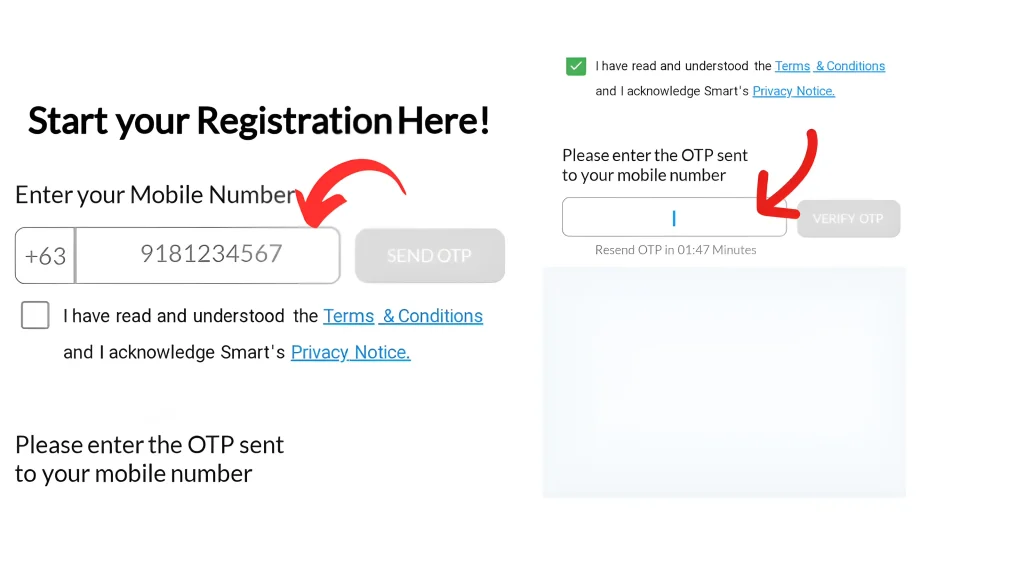
  • Visit the TM / Globe SIM registration official website.
  • Then, you have to enter your mobile number to receive OTP.
  • Enter the OTP within 3 minutes to proceed. If the OTP expires, you have to request for a new one to continue.
Registration Via Official Website
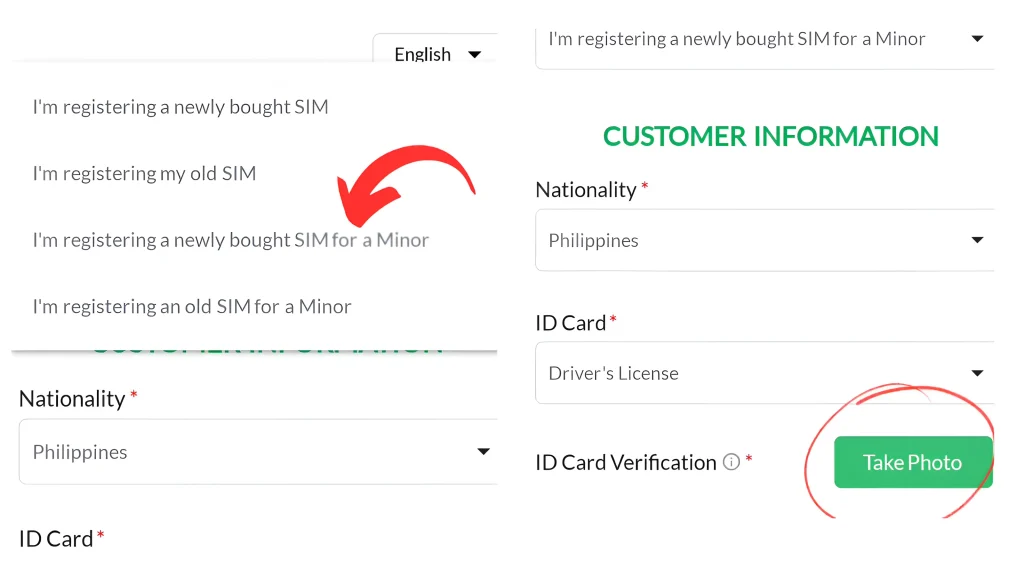
  • Choose your type of registration such as; (I’m registering a newly bought SIM for a minor) and in a valid ID option select Parent’s/Guardians ID.
type of registration
  • After it, you have to enter the required legal personal details, including; your full name (matching your valid ID), birthdate, address, and Email address, etc.
  • Verify your form by uploading a clear photo of your valid government-issued ID (like a Passport, Driver’s License, or SSS ID) for verification and scan your face.
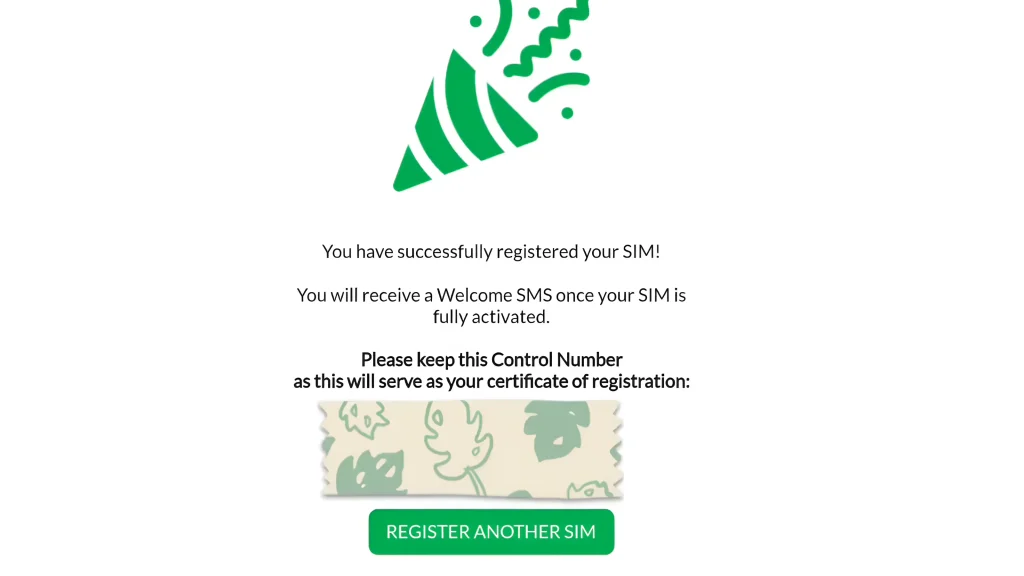
  • After a few minutes, your registration will be completed and you’ll receive a confirmation message or email indicating that your SIM registration was successful.
SIM registration was successful

 Registration Via TM Mobile App

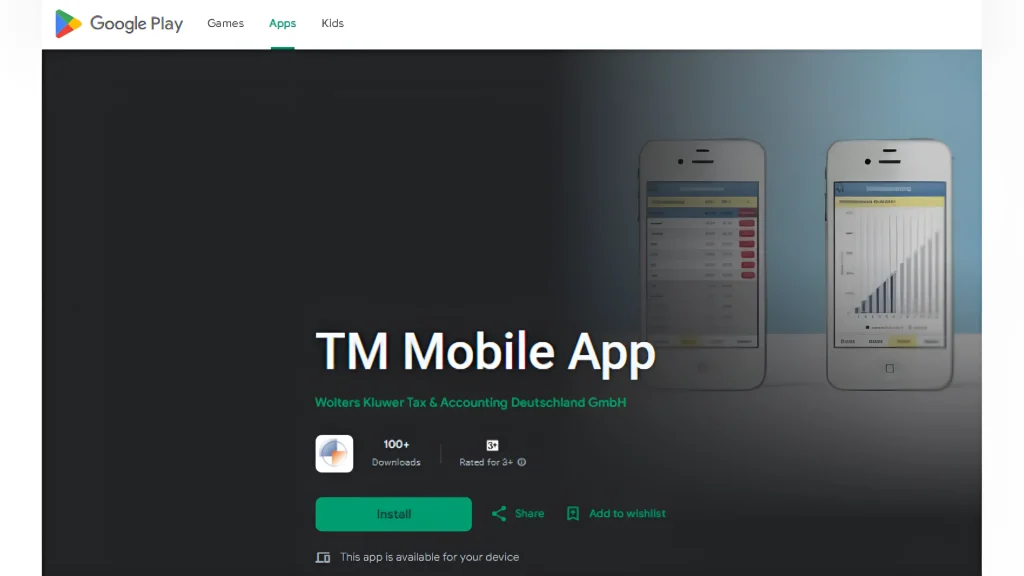
  • Download the TM app from your device’s app store (Google Play Store or App Store).
 Registration Via TM Mobile App
  • Enter the required details for the minor, including their full name, date of birth, address, and other personal information. The guardian must also provide their details.
  • Upload scanned copies or clear pictures of the required documents (birth certificate, IDs, etc.) in the specified sections.
  • Double-check all the details to ensure everything is accurate before submitting. Incorrect information may delay the registration process.
  • Once the registration is complete, the guardian will receive a confirmation message or email from TM.

TM SIM In-Store Registration

For those who prefer face-to-face assistance, visit a Globe Store or authorized TM retailer with all the necessary documents. A store representative will help you in registering your SIM.

What Happens After Registration?

After completing the registration, you should receive a confirmation message stating that the SIM is successfully registered.

If the registration fails:

  • Double-check the uploaded documents and details.
  • Ensure that the guardian’s ID is clear and valid.
  • Try re-registering or visit a Globe store for assistance.

Conclusion

SIM registration is an important step in ensuring the safety and security of mobile phone users, including minors. By following the steps outlined in this guide, parents or guardians can easily register a TM SIM for their minor child. 

It’s essential to ensure all documents are in order and to complete the registration before the deadline to avoid any disruption in service.

FAQs || YOU MAY WANT TO KNOW

No, minors cannot register a SIM card on their own. A parent or legal guardian must complete the registration for them. 

You can register online through the official TM or Globe registration portal by selecting the “Register for a Minor” option and uploading the required documents.

No, the SIM registration process is free of charge for all users, including minors.

After registration, you will receive a confirmation message or email from TM. You can also verify the registration status through the TM app or website.

Similar Posts