How To Share Data In DITO
Sharing mobile data with others can be a convenient way to help friends and family stay connected. If you’re a DITO Telecommunity user, you could be thinking about how to share data in DITO easily.
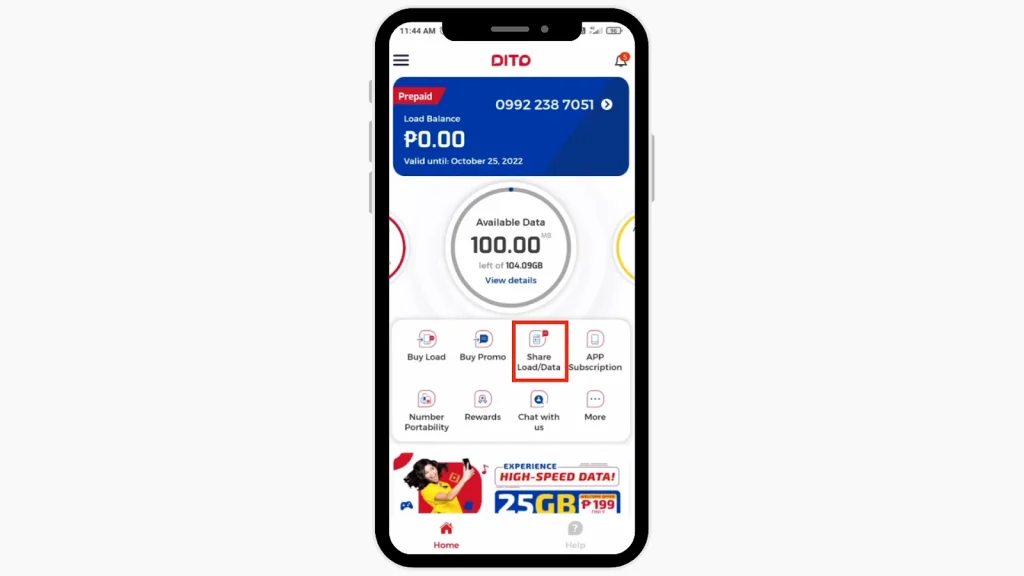
Whether you want to send extra data to someone or simply share your existing plan, the DITO app offers simple and convenient options. On the homepage, you’ll find the “Share Load and Data” option, allowing you to share load easily through the DITO app. Follow the steps below to share data using the DITO app!
What is DITO Data Sharing?
DITO data sharing allows you to transfer a portion of your mobile data to another DITO user. This feature is helpful when your family or friends run out of data and need a quick recharge. With just a few taps on the DITO app, you can share data easily and conveniently.
Benefits of DITO Data Sharing
Important Points to Consider Before Sharing Data With DITO
| You can share a minimum of 50 MB per transaction.You can share the load up to 5 times per day.You can share data to other DITO users for free. |
Requirements for Sharing Data in DITO
Before you can share data using DITO, ensure that you meet the following requirements:
How to Share Data In DITO
You can share data on DITO using the DITO App. Follow the steps below to share data with another DITO user:
Step 1: Open the DITO App
Ensure your DITO app is installed and updated. Open the app on your mobile device.
Step 2: Log in to Your Account
Sign in using your DITO mobile number. You may need to enter a One-Time Password (OTP) for verification.
Step 3: Go to the Data Sharing Option
Once logged in, go to the main menu and look for the “Data Sharing” feature. This option allows you to send data to other DITO users.
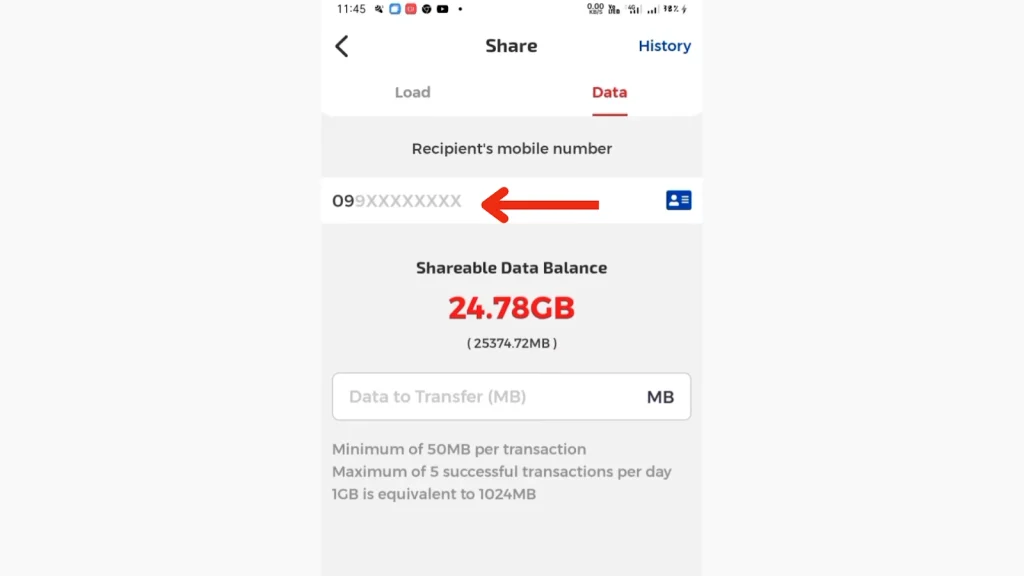
Step 4: Enter the Recipient’s Number
Enter the DITO mobile number of the person you want to share data with. Ensure the number is correct to avoid errors.
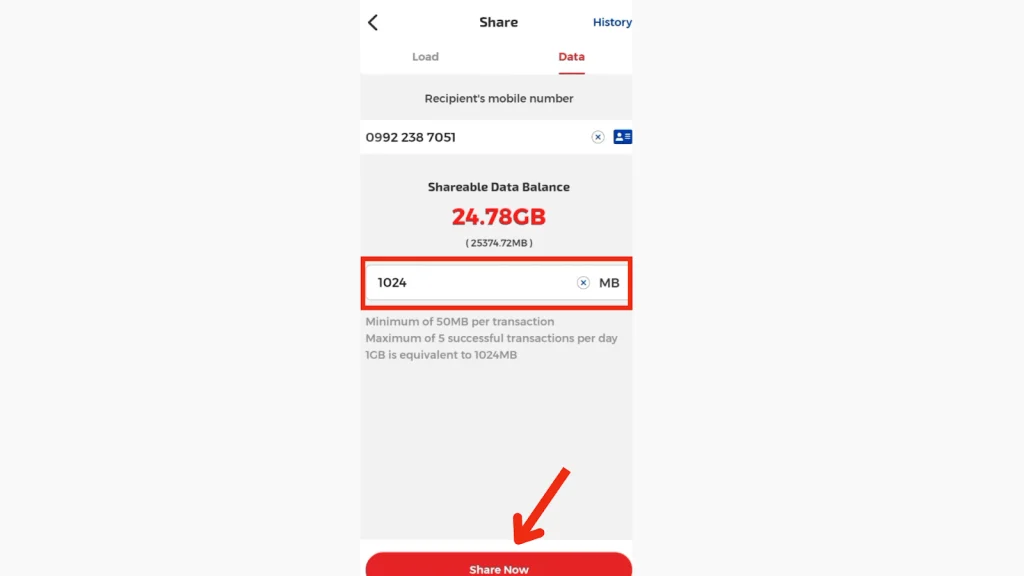
Step 5: Choose the Data Amount
Select the amount of data you want to share. DITO typically allows sharing in fixed amounts (e.g., 50 MB). Click on the “Share Now” button.
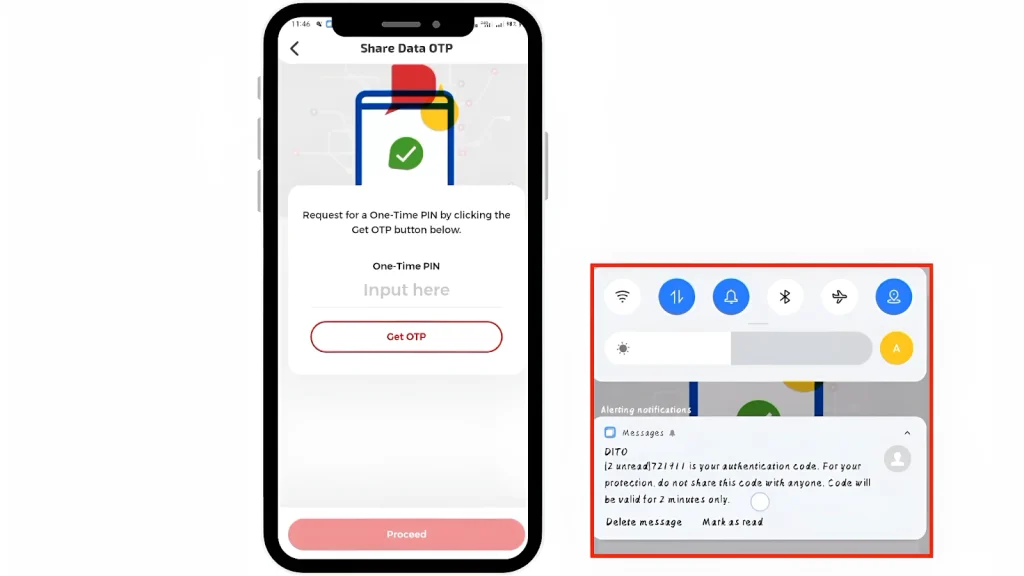
Step 6: Enter the OTP
Request for a One-Time PIN by clicking the “Get OTP” button. Enter the OTP sent via SMS, then click “Proceed”.
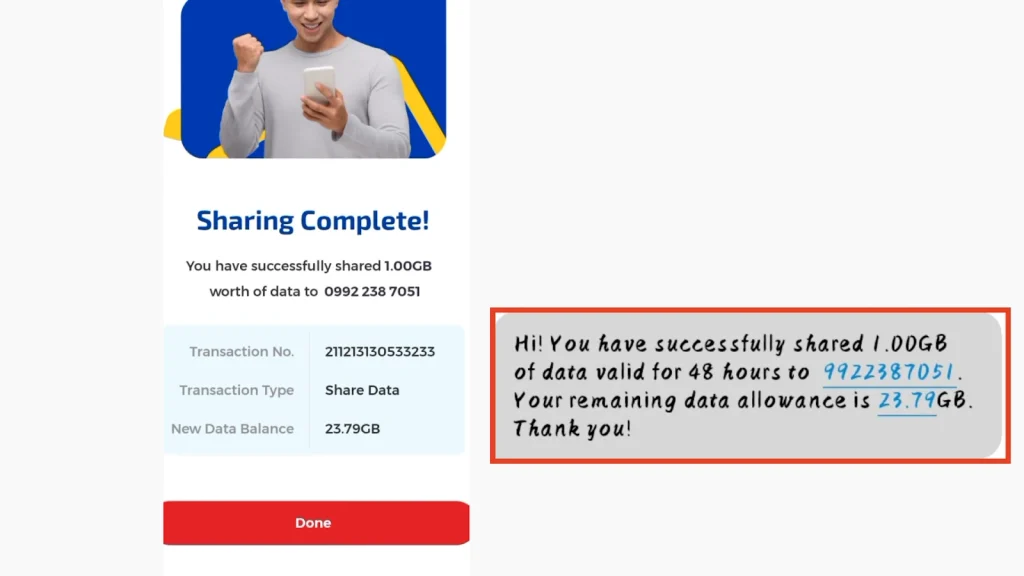
Step 6: Confirm the Data Transfer
Review the transaction details to ensure accuracy. Once confirmed, tap “Send” or “Confirm” to complete the transfer. Your transaction and account details will show on the sharing page.
How to Check Data Sharing History
You can check past data transfers through the DITO app. Follow these steps:
Common Issues and Troubleshooting
If you encounter problems while sharing data, consider these solutions:
Insufficient Data Balance
Ensure you have enough data to complete the transfer.
Incorrect Recipient Number
Double-check the DITO number you entered.
App Issues
Update the DITO app or reinstall it if you face persistent errors.
Network Problems
Try again later if there are network interruptions.
Conclusion
Sharing data with DITO is a quick and convenient way to help others stay connected. By following the steps outlined above, you can easily transfer data through the DITO app. In the DITO app, you can share data without any charges. This service is a practical solution for staying connected and ensures that your friends and family can access data when needed.