How to Redeem Globe Rewards Points
Globe Rewards is a loyalty program that allows Globe and TM subscribers to earn points every time they load, pay bills, or use Globe services. These points can be redeemed for various rewards, including mobile promos, shopping vouchers, and even charitable donations.
If you’re a Globe user, knowing how to redeem your points can help you maximize the benefits of your mobile usage. You can do it directly through the GlobeOne app, by dialing *143#, or even through text. Each method offers a simple and quick way to access the rewards you’ve earned.
To redeem your Globe Rewards points, simply choose your preferred method below.
Methods to Redeem Globe Rewards Point
Globe offers multiple ways to redeem your points, making it convenient for users. It includes:
- Redeem Points in Globe Via GlobeOne App
- Redeem Points in Globe Via Text
- Redeem Points in Globe Via Call
Below is the step-by-step guide for each method!
Redeem Points in Globe Via GlobeOne App
Follow these steps to redeem your Globe Rewards points through the GlobeOne App:
- Download and Install the GlobeOne App
- If you haven’t already, download the GlobeOne App from the Google Play Store or Apple App Store.
- Install and open the app on your mobile device.
- Log In with Your Registered Globe SIM
- Ensure that you are using your registered Globe number to log in.
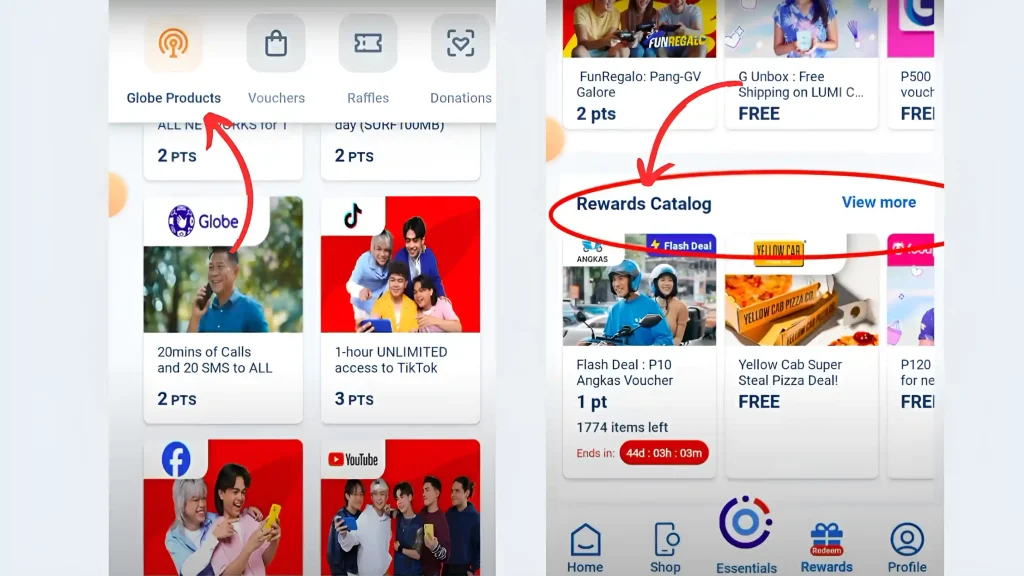
- Access the Rewards Section
- On the app’s home screen, look for the “Rewards” tab and tap on it.

- Select Your Globe Account
- If you have multiple accounts linked, choose the one you want to redeem points from.
- Browse and Choose Your Reward
- Explore the list of available rewards, including load, data promos, shopping vouchers, food discounts, bill payments, and more.
- Tap on the reward you want to redeem.
- Confirm Redemption
- Once you’ve selected a reward, tap “Redeem” to proceed.
Redeem Points in Globe Via Text
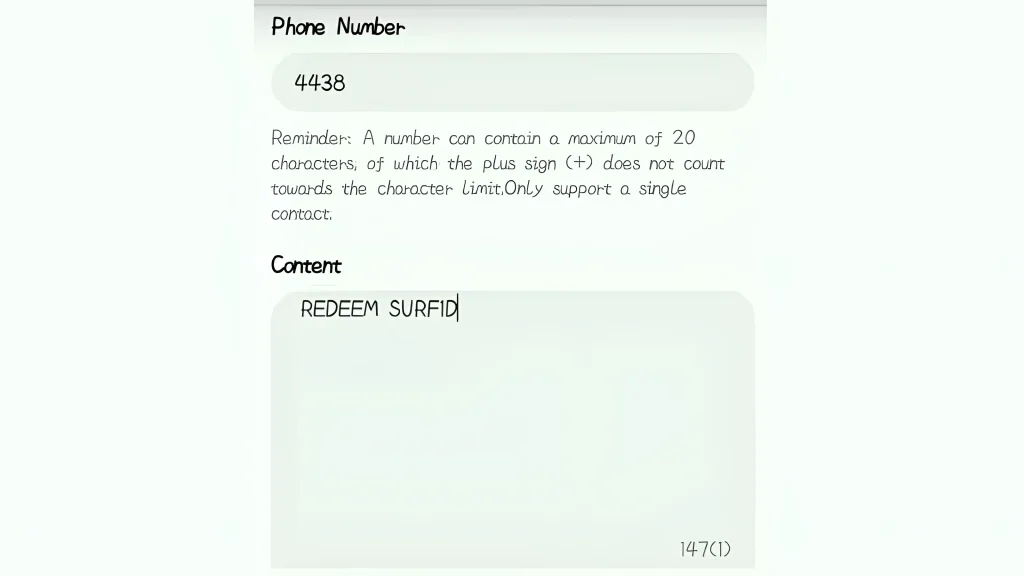
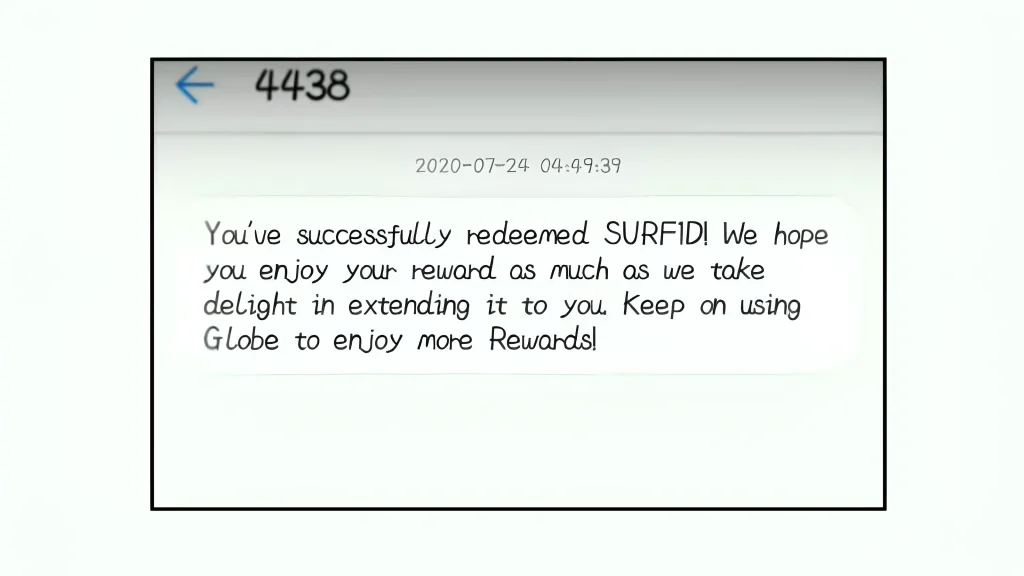
Redeeming globe points via text is a simple and easy method. Here’s how:
Example: To redeem 1GB of data, you might send REDEEM SURF 1D to 4438.
Redeem Points in Globe Via Call
You can also redeem your Globe Rewards points using your phone’s dialer. Follow these steps:
- Open your phone’s dialer and dial *143#, then press the call button.

- A menu will appear on your screen. Select Rewards by entering the corresponding number and pressing Send.

- Choose Redeem Rewards from the next menu.
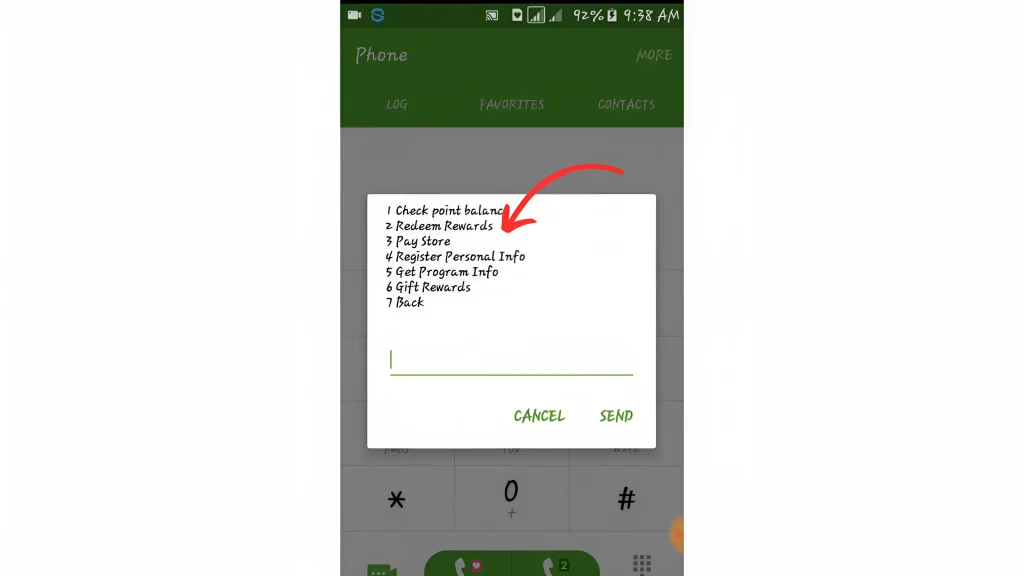
- Select Globe Telecom Products to claim your rewards.

- Choose Without PIN and press Send to continue.

- Select Redeem and confirm your choice.
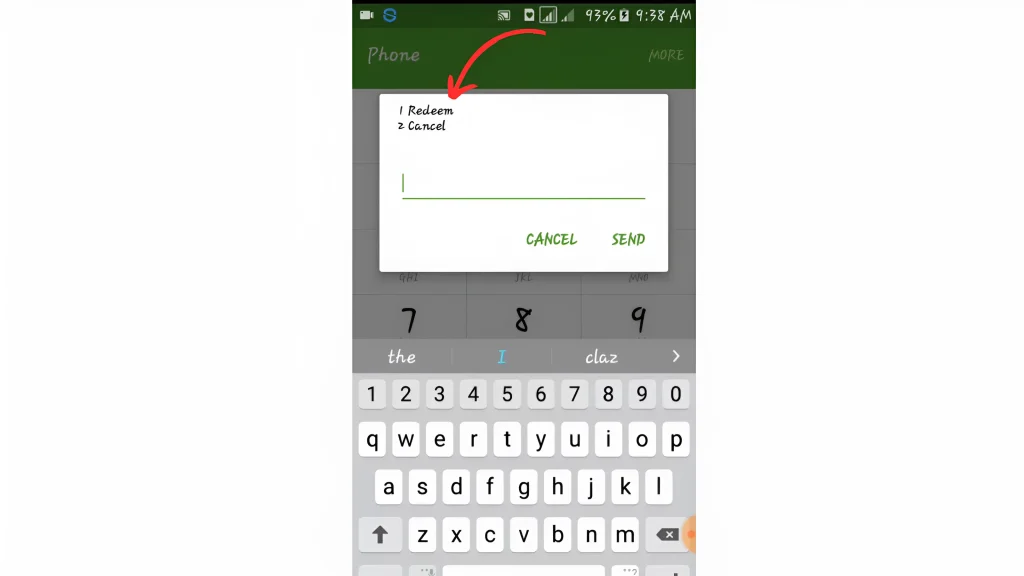
- You will receive an SMS confirming that your redemption was successful.
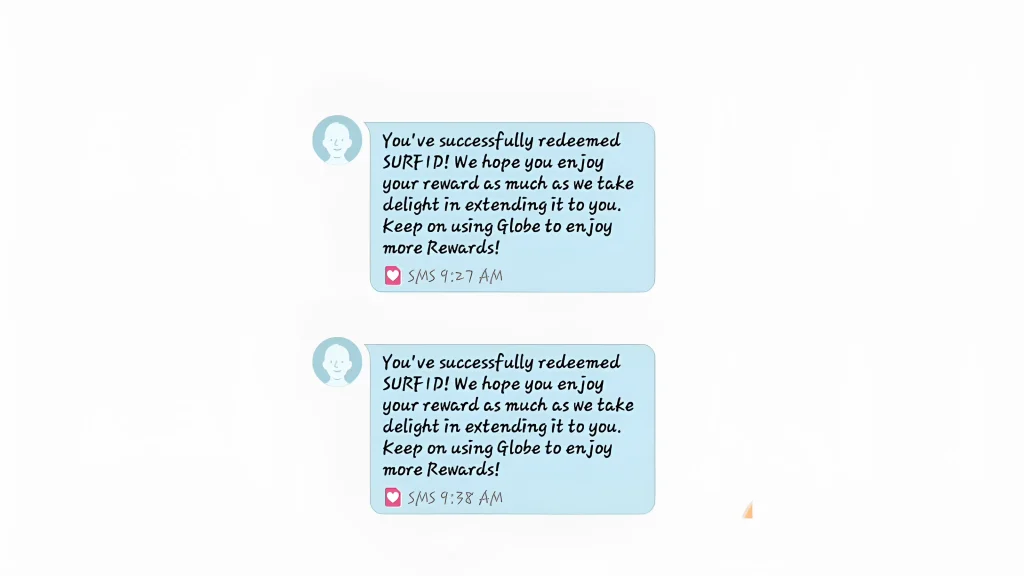
This method is convenient for users who prefer not to use the GlobeOne app or SMS.
How to Check Your Globe Rewards Points
Before redeeming your points, you need to check how many you have. Here’s how:
1. Via GlobeOne App
- Download and install the GlobeOne App from the Google Play Store or Apple App Store.
- Open the app and log in using your Globe or TM number.
- On the main dashboard, find the Rewards section.
- Your total points balance will be displayed.
2. Via SMS
- Open your messaging app.
- Type BAL and send it to 4438.
- You’ll receive an SMS with your current Rewards points balance.
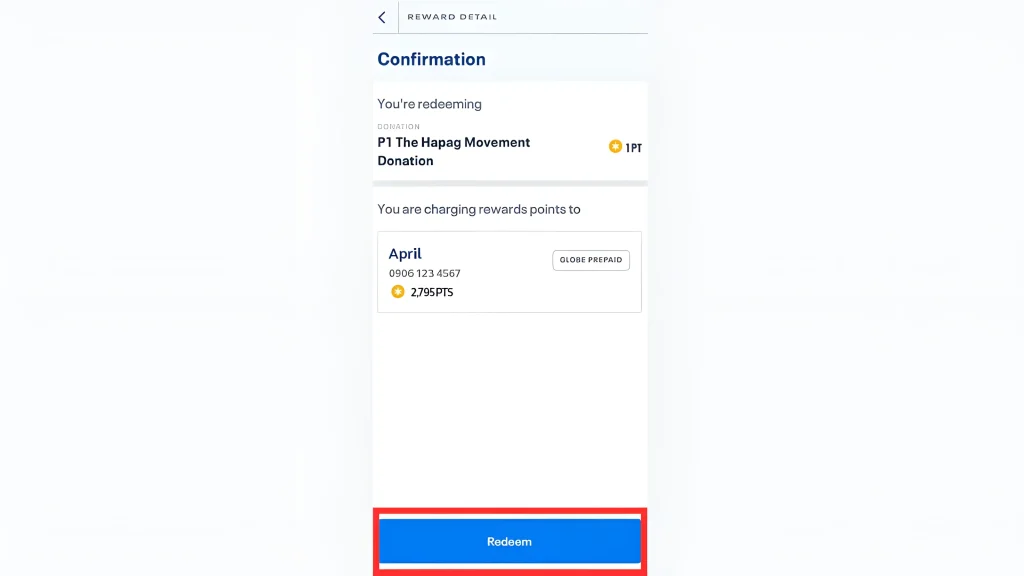
How You Can Donate Your Redeem Points?
You can also donate your redeem points. Here’s how:

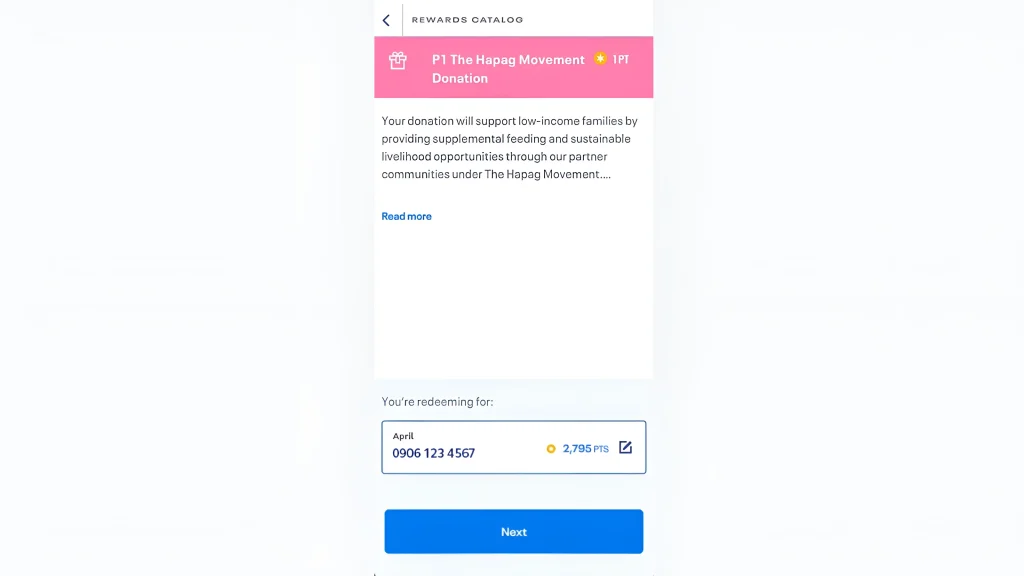
What Can You Redeem with Globe Rewards Points?
Globe Rewards points can be used for various products and services:
Mobile Services
Shopping and Food Discounts
Bill Payments
Donations
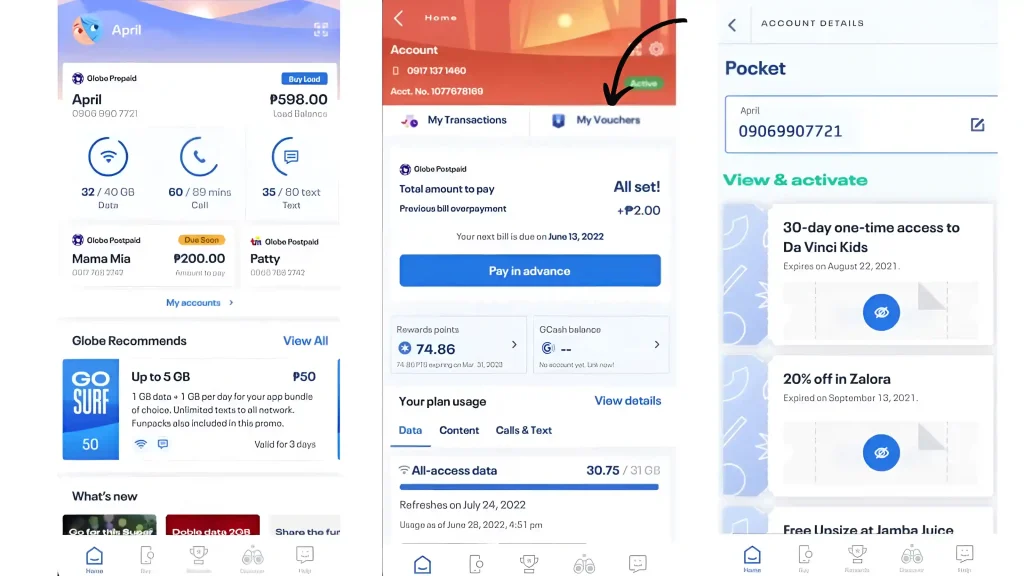
How To Check Globe Redeem Vouchers
You can check your globe redeem vouchers by using the GlobeOne app.
How many Globe Reward Points do you get for each load?
As a Globe subscriber, you earn Rewards points based on your spending. For every ₱50 spent on Globe services, you receive 1 Rewards point, which equates to a 2% return on your spending.
| Load Amount | Reward Points Earned |
| ₱50 | 1 Point |
| ₱100 | 2 Points |
| ₱150 | 3 Points |
| ₱200 | 4 Points |
| ₱250 | 5 Points |
This structure applies to both Prepaid and Postpaid customers. Prepaid users earn points with each reload, while Postpaid users accumulate points through their monthly bill payments.
When Do Globe Rewards Points Expire?
Globe Rewards points expire every March 31 of the following year. This means any unused points from the previous year will be lost if not redeemed before this date.
Example:
To avoid losing your points, make sure to redeem them before the expiration date.
Conclusion
Globe Rewards points offer great value to subscribers, allowing them to enjoy free load, shopping discounts, and more. By checking your points regularly and redeeming them wisely, you can make the most out of your Globe services. Start redeeming your points today through the GlobeOne app, SMS, or partner stores and enjoy your rewards before they expire.