Losing or damaging a SIM card can be a problem, especially if it’s linked to important accounts, mobile banking, or contacts. Fortunately, Globe Telecom’s subsidiary TM (Touch Mobile) allows users to replace their SIM keeping the same number by visiting a globe store.
This means you don’t have to worry about updating your number with banks, apps, or contacts.
Keep reading to find out how you can quickly replace your TM SIM and keep your number!
Reasons for Replacing a TM SIM
There are several reasons why you may need to replace your TM SIM while keeping the same number:
Lost or Stolen SIM: If your phone or SIM card was lost or stolen, replacing it ensures you regain access to your number.
Damaged or Defective SIM: A physically damaged or not working SIM needs a replacement to restore network access.
Expired SIM: If your TM SIM has been inactive for an extended period, it may be deactivated. You can request a replacement to reactivate your number.
Requirements for TM SIM Replacement
Before visiting to a TM or Globe Store, make sure to prepare the following:
Valid ID (Government-Issued)
To confirm your identity, bring any of the following:
Passport
Driver’s License
National ID (PhilSys ID)
SSS, UMID, or GSIS Card
PRC ID
Voter’s ID
Old SIM Card (If Available)
If your old SIM is still with you (but damaged or inactive), bring it along for verification.
Proof of Ownership
If you don’t have the old SIM, you may need to provide details such as:
Recent call or text history
PUK code (from the SIM card packaging)
Registered details (name, birthday, address)
Replacement Fee (If Applicable)
Some Globe Stores may charge a small SIM replacement fee (typically around PHP 40 – PHP 99).
If you’re upgrading to a 4G/5G SIM, the replacement will be free.
Affidavit of Loss
If your SIM was lost or stolen, some Globe Stores can require this document as proof.
How to Replace a TM SIM with the Same Number
Follow these steps to replace your TM SIM and retain your number:
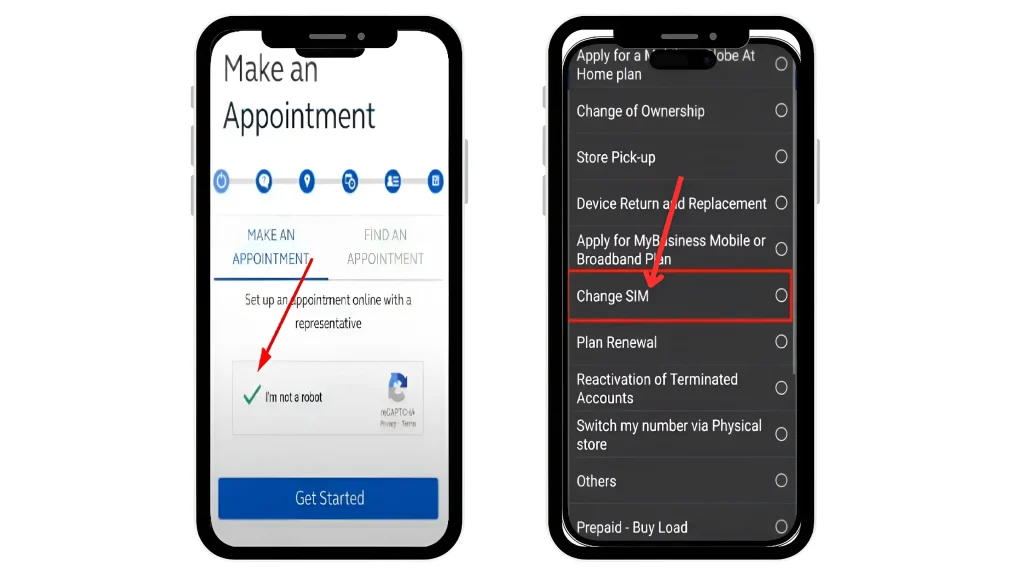
Open the browser of your device and go to the globe SIM replacement appointment page
To make an appointment and verify your identity, first complete the CAPTCHA.
From the menu, select the “Change SIM” option.
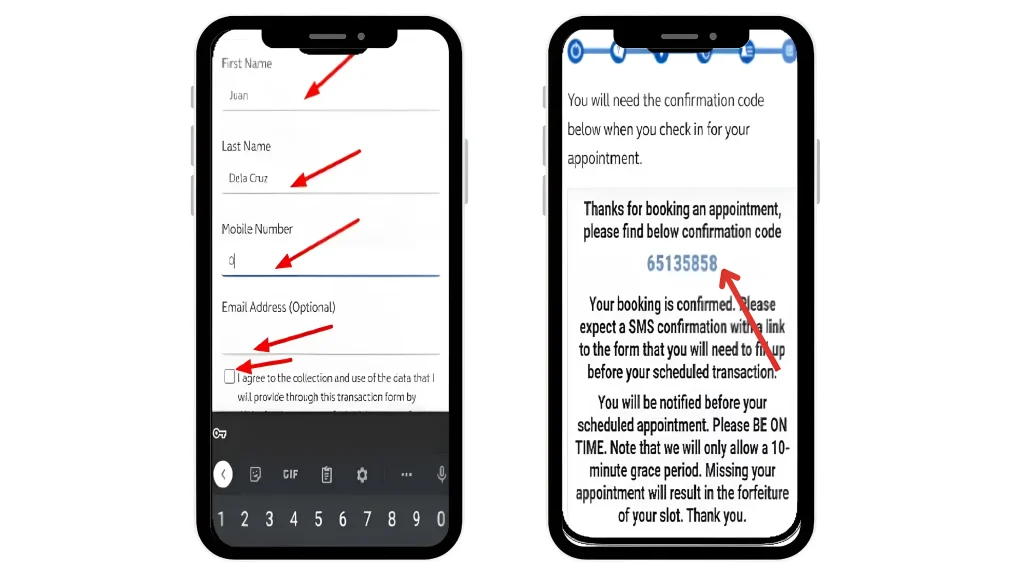
Enter your details (name, mobile number, address) and agree to the terms.
Save the confirmation code and arrive on time on your appointment day.
Find the nearest Globe Store or TM Partner Retailer in your area.
Bring your valid ID, old SIM (if available), and proof of ownership.
Inform the customer service representative that you need a SIM replacement with the same number.
They will verify your details to confirm ownership.
Once verified, you will receive a new TM SIM with your old number.
Insert the new SIM into your phone and restart the device.
Activation usually takes a few minutes to a few hours. You will receive a confirmation SMS once it’s active.
Steps for TM SIM Replacement for Minors
Minors can replace their TM SIM with the same number by follow the steps below:
Visit a TM / Globe store.
Collect all necessary documents like Minor’s birth certificate / guardians ID.
Request a globe customer service for a SIM replacement for a minor, using the same number.
They will verify your details and issue a new SIM card.
Conclusion
Replacing your TM SIM while keeping the same number is a simple process as long as you have the necessary documents. Whether your SIM is lost, damaged, or expired, visiting a Globe Store and following the steps outlined above will help you regain access to your number.
To avoid SIM issues in the future, keep a copy of your recent transactions, and registered details for easy verification.
FAQs || YOU MAY WANT TO KNOW
In-store replacements are usually completed within the same day. If processing online or via delivery, it may take 1-3 business days.
Some stores can charge a fee (around PHP 40 – PHP 99), while others offer free replacements, especially for upgrading to 4G/5G SIMs.
Yes, but the authorized person must bring:
A signed authorization letter from the SIM owner.
A copy of the SIM owner’s valid ID.
Their own valid ID for verification.
If your Globe SIM is not working, you may switch to a different network if you have a dual-SIM phone or use a different SIM card temporarily.
Yes, if your SIM was deactivated due to inactivity, you can request a replacement, but approval depends on TM’s policies.
Ever wondered how to quickly share load with a friend or family member who suddenly ran out? Pasaload is a convenient service that allows TNT users to share their prepaid load with others. Whether you want to help a friend in need or simply share extra load with family, the TNT pasaload process is quick…
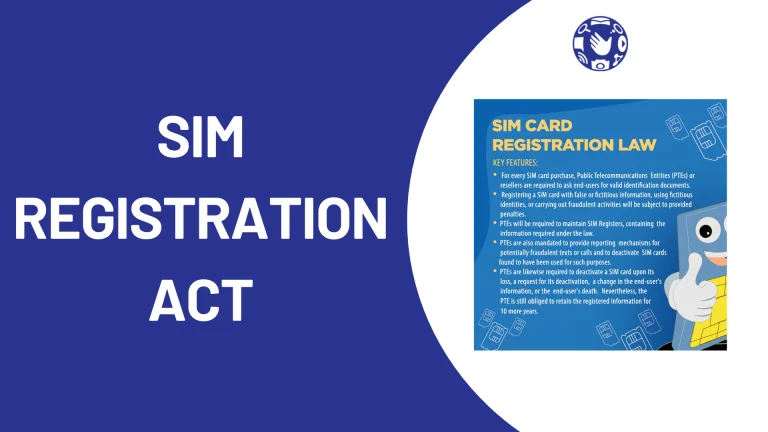
In the Philippines, there’s a new law to fight crime that uses phones called the SIM Registration Act, also known as Republic Act No. 11934, and it means you have to register your SIM card with your phone company so you can keep using it. What is the SIM Registration act? The SIM Registration Act…
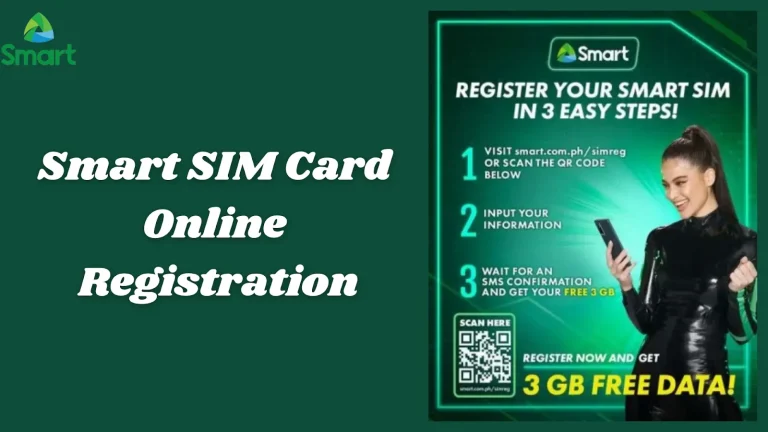
⚠️ Unregistered Smart SIMs will be permanently deactivated — register now to keep your number FREE · 2026 Smart Communications · SIM Registration Guide · Philippines Register Your Smart SIM CardFree, Online, Step by Step All Smart prepaid SIM cards must be registered under the SIM Card Registration Act. Unregistered numbers are permanently deactivated with…
Staying connected with fast internet connection is more important than ever, and TNT (Talk ‘N Text) makes it easier with their Unli Data offers. Whether you want streaming, browsing social media, or chatting with friends, TNT’s unlimited data promos allow you to enjoy the internet without worrying about running out of data. Keep reading to…
Looking for the best TM promos in 2026? TM offers affordable call, text, and data bundles that fit every budget from daily All-Net Surf promos to monthly EasyPLAN and shareable SURF4ALL. Whether you need unlimited calls and texts or lots of data for social media and streaming, there is a perfect promo for you. In…
Is your Globe SIM card not working? There are two common reasons why your SIM might be deactivated: inactivity and lack of registration. If you haven’t used your SIM card for a while, it might be temporarily shut off. Additionally, a new regulation in the Philippines requires SIM registration and if you haven’t registered your…