How To Pasaload In TNT In 2026?
Ever wondered how to quickly share load with a friend or family member who suddenly ran out? Pasaload is a convenient service that allows TNT users to share their prepaid load with others. Whether you want to help a friend in need or simply share extra load with family, the TNT pasaload process is quick and easy.
In this guide, we cover every detail you need: exact steps, who can receive load, fees, daily limits, validity periods, how to request load (Ask-a-Load), how to share data (PasaData), popular promo codes, tips, troubleshooting, and more.
What is TNT Pasaload?
Pasaload (also called Share-a-Load or Pass-a-Load) is a feature that lets TNT subscribers instantly transfer prepaid load or credits to other users. It is perfect when someone runs out of load and needs a quick recharge for calls, texts, or mobile data. You can share regular load or even promo packages with just a text or app tap.
Requirements for Pasaload in TNT
Before you use the Pasaload service, make sure you meet these requirements:
How to Send TNT Pasaload
To share load from one TNT number to another, follow these simple steps:
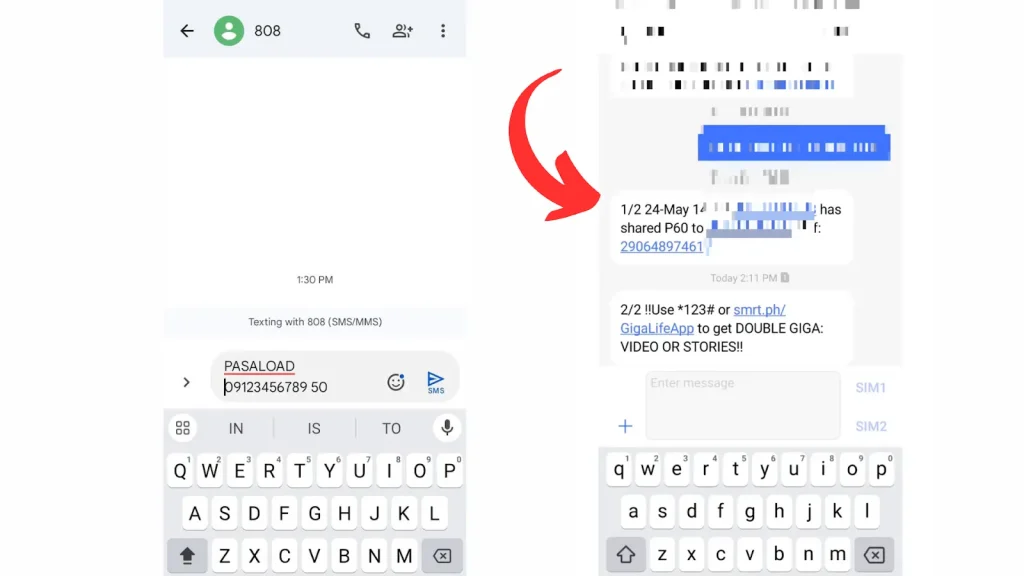
Method 1: Sending SMS to 808
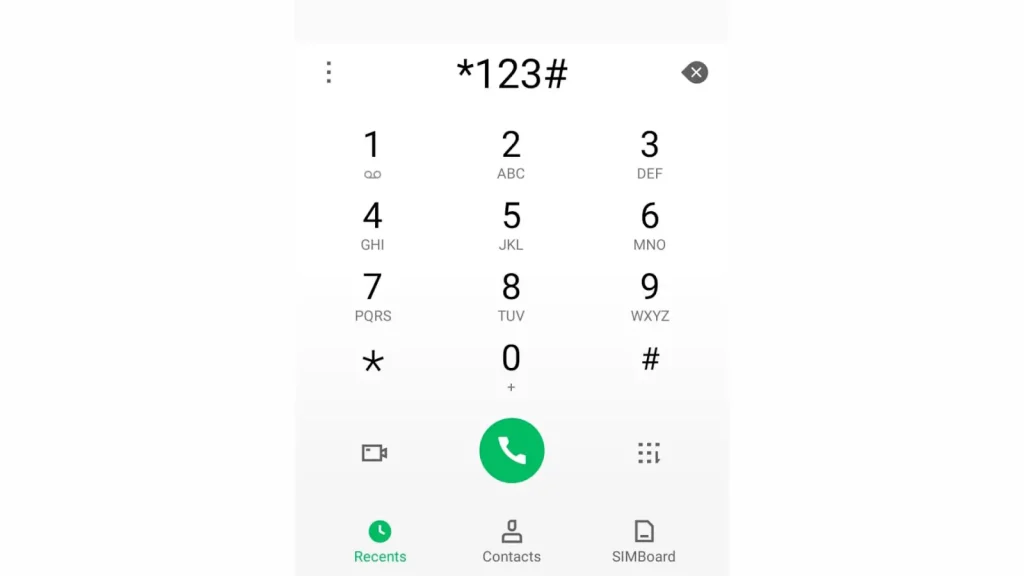
Method 2: By Dialing Code *123#
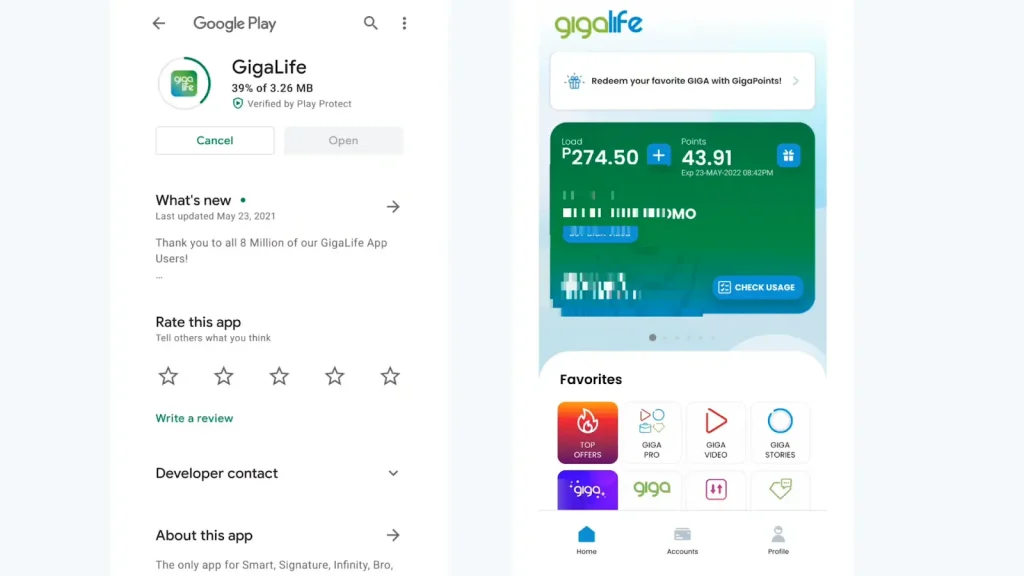
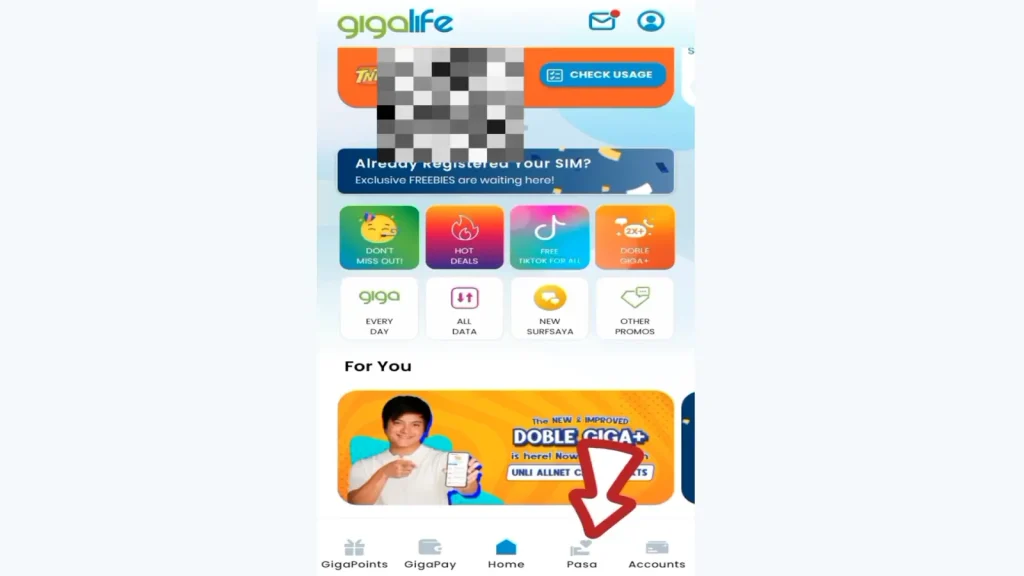
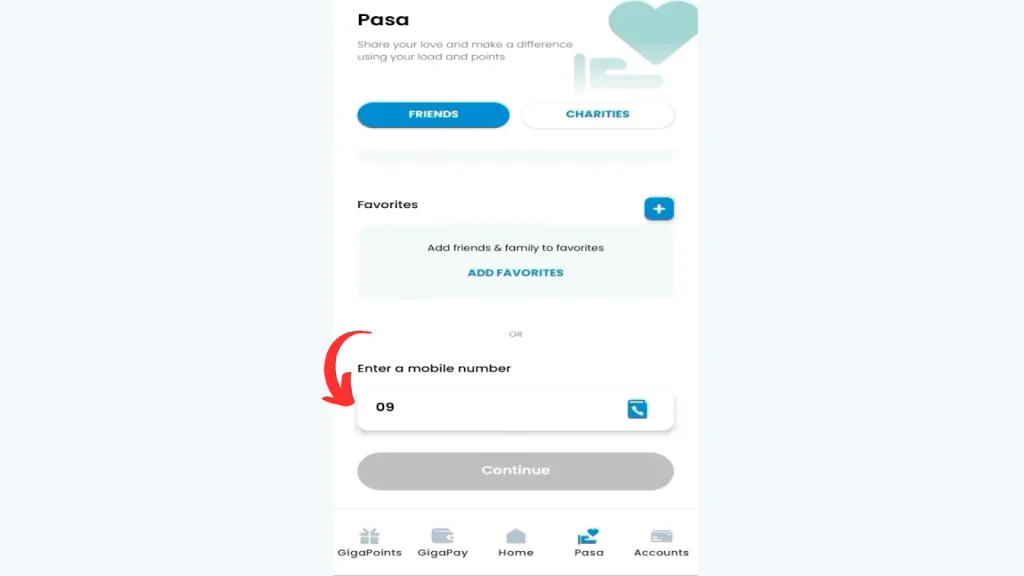
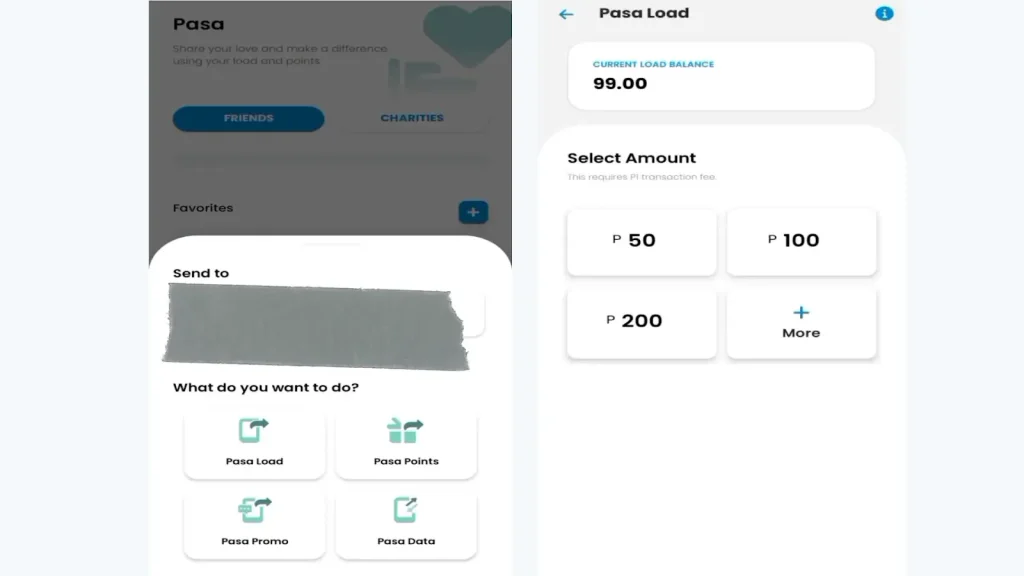
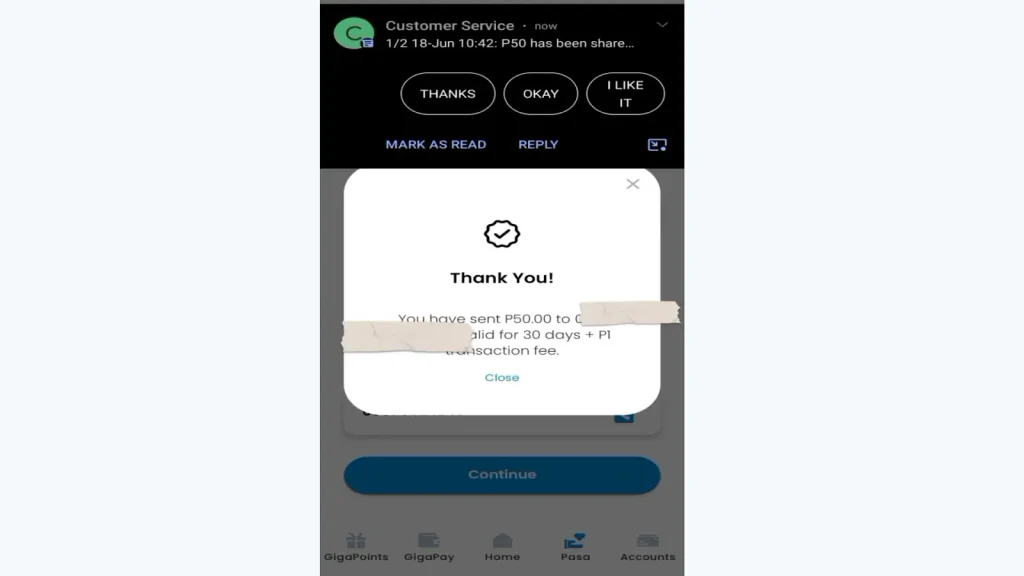
Method 3: Through GigaLife App
To pasaload in TNT via the GigaLife app, follow these simple steps:
How to Pasaload TNT Promo Packages
You can also share TNT promo packages such as data, calls, or text bundles.
For Example: PASALOAD 09191234567 GST99
Note: A ₱1 service fee applies per successful transaction.
Other Ways to Use Pasaload in TNT
In addition to the standard SMS and dial methods, here are some other ways to transfer load:
1. Via TNT Mobile App
Some users can access Pasaload features through the official TNT app, which offers a more user-friendly interface.
2. Through Retailers
Authorized TNT retailers can also assist in sending load to another number if you encounter issues using your phone.
3. USSD Shortcuts
Specific USSD codes may change over time; always check *123# for the latest Pasaload options.
4. SIM Toolkit
Access the toolkit, select “Load” > “Pasaload” and follow the on-screen instructions.
Popular TNT Promo Codes for Pasaload
You can share these popular TNT promo packages with your friends and family using Pasaload. Here are some of the most commonly shared codes in 2026:
Promo Code | Promo Name | Typical Inclusions |
|---|---|---|
GVD50 | Giga Video 50 | 50 MB data for video streaming |
GST99 | Giga Stories 99 | 99 MB data for social media |
GVT149 | Giga Video+ 149 | 149 MB data for video + extra validity |
GIGA50 | Giga 50 | 50 MB all-purpose data |
GIGA99 | Giga 99 | 99 MB all-purpose data |
GIGA149 | Giga 149 | 149 MB all-purpose data |
TNT Pasaload Validity Period
The validity of the received load depends on the amount you send. Here is the current schedule:
Pasaload Balance Amount | Validity |
|---|---|
₱2 – ₱10 | 3 days |
₱15 – ₱30 | 15 days |
₱60 – ₱100 | 30 days |
₱200 | 60 days |
TNT Pasaload Fees and Limits
Here is everything you need to know about TNT pasaload fees and limits in one clear table:
Description | Details |
|---|---|
Service Fee | ₱1 per transaction |
Minimum Amount per Transaction | ₱2 |
Maximum Amount per Transaction | ₱200 |
Daily Pasaload Limit | ₱1,000 (resets every 24 hours) |
How to Check If Pasaload is Successful
After completing a TNT Pasaload transaction, you should receive a confirmation message. Here’s how to verify the transfer:
How to Request Load (Ask-a-Load)
The recipient can also request load from you.
PasaData – Share Mobile Data from Your Promo
If you have an active data promo with shareable MB, you can also share data.
Common Issues and Troubleshooting Pasaload
If you face problems during Pasaload, here are some common issues and their solutions:
Insufficient Balance
Ensure you have enough load to cover both the transfer and the service fee.
Wrong Number
Double-check the recipient’s number before sending to avoid mistakes.
No Confirmation Message
If you do not receive a confirmation, wait a few minutes and check your balance.
Service Unavailable
This can happen during system maintenance. Try again later.
Network Signal
Ensure you have a strong internet connection to avoid any interruption during the process.

Conclusion
Pasaload is a quick and easy way to share load and promos with TNT and Smart users. By following this complete 2026 guide, you can help friends and family stay connected anytime.
Always verify the number, ensure enough balance, and keep a record of your transaction. If any issues persist, contact TNT customer support through the GigaLife App or by dialing 888.