Ran out of load and want the Go50 freebie? The Go50 promo gives you 5GB of all-access data plus unlimited calls and texts to Globe and TM for 3 days. After subscribing, you can easily claim the freebie by texting FREE to 8080 or using the GlobeOne App. In this complete 2026 guide, you will learn:
Exact steps to claim the Go50 freebie
How to do it via GlobeOne App, text, or GCash
How to check if it was successfully activated
Tips, benefits, common problems, and more
Follow the simple steps below and enjoy your freebie today!
What is the Go50 Freebie?
Go50 is a popular Globe prepaid promo that gives you 5GB of all-access mobile data (usable on any website or app) plus unlimited calls and texts to Globe and TM numbers, all valid for 3 days.
After you successfully subscribe to the Go50 promo, you can claim an additional welcome freebie. This freebie is a special bonus that Globe gives to make the promo even better. Common freebie benefits include:
Extra 1GB of data for select apps (e.g., Facebook, TikTok, or YouTube)
Free GoWiFi access
Additional calls or texts to other networks (depending on the promo period)
This freebie must be claimed separately after successfully subscribing to Go50.
Your SIM is fully registered under the SIM Registration Act.
You have successfully subscribed to the Go50 promo.
You claim the freebie within the 3-day validity period.
Important note: New SIMs or SIMs with very low usage may need to wait a few days or reload first before they can claim the freebie.
How to Subscribe to Go50 First
You must subscribe to Go50 before you can claim the Go50 freebie. Here is how:
Open the GlobeOne App.
Go to Promos or Shop.
Search for “Go50” or browse prepaid promos.
Select Go50 and tap Subscribe.
Confirm with your MPIN and complete the payment.
You will receive a confirmation SMS that Go50 is now active.
How to Claim the Go50 Freebie
You can claim your Go50 freebie using different methods:
Claim Go50 freebie by GlobeOne app
Claim Go50 freebie by text message
Claim Go50 freebie by using GCash
How to Claim Go50 Freebie By GlobeOne App
The easiest way to claim your freebie is through the GlobeOne app. Here’s how:
If you haven’t installed it yet, download the GlobeOne app from the Google Play Store or Apple App Store.
Log in using your Globe Prepaid number.
Log in using your Globe Prepaid number.
On the app’s home screen, go to the “Promos” section.
Look for Go50 and subscribe to the promo.
After successfully registering, go to the “Rewards” or “Vouchers” section.
Look for your Go50 freebie and tap “Claim.”
Wait for a confirmation message that your freebie has been activated.
How to Claim Go50 Freebie By Text Message
To claim Go50 by text message:
Open the messaging app on your device.
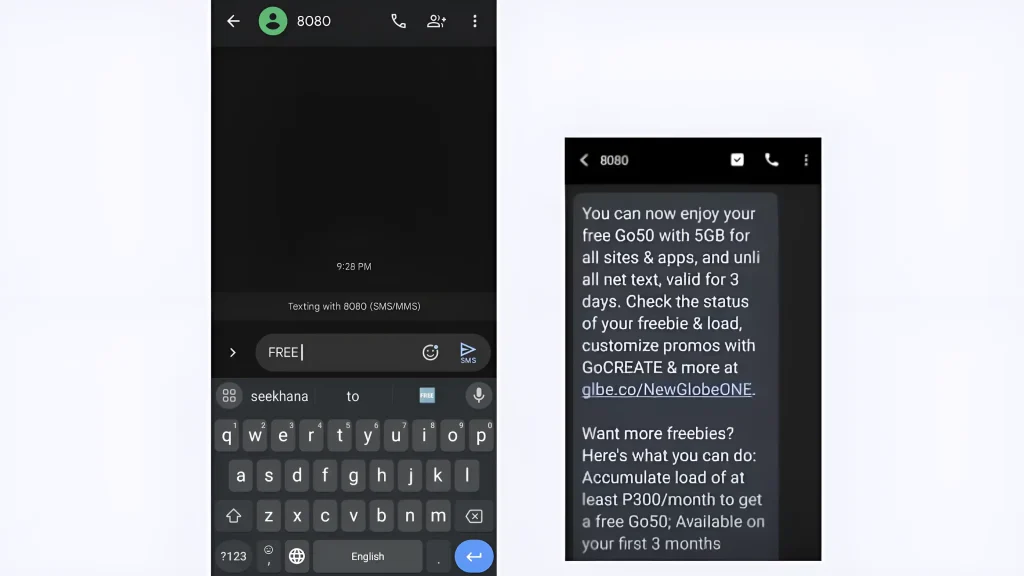
In the message body, type “FREE” and send it to “8080”.
Within a few seconds, you’ll receive a confirmation message from 8080 that you can now enjoy your free Go50 for all sites & apps.
How to Claim Go50 Freebie By Using GCash
If you don’t have GCash yet, you’ll need to download the app from the Play Store and register. Once your account is set up, you can get a freebie by buying a load or subscribing to a promo worth ₱50 or more. Here’s how you can do it:
Make sure you’re logged into your GCash account.
Ensure you have enough balance to purchase a promo.
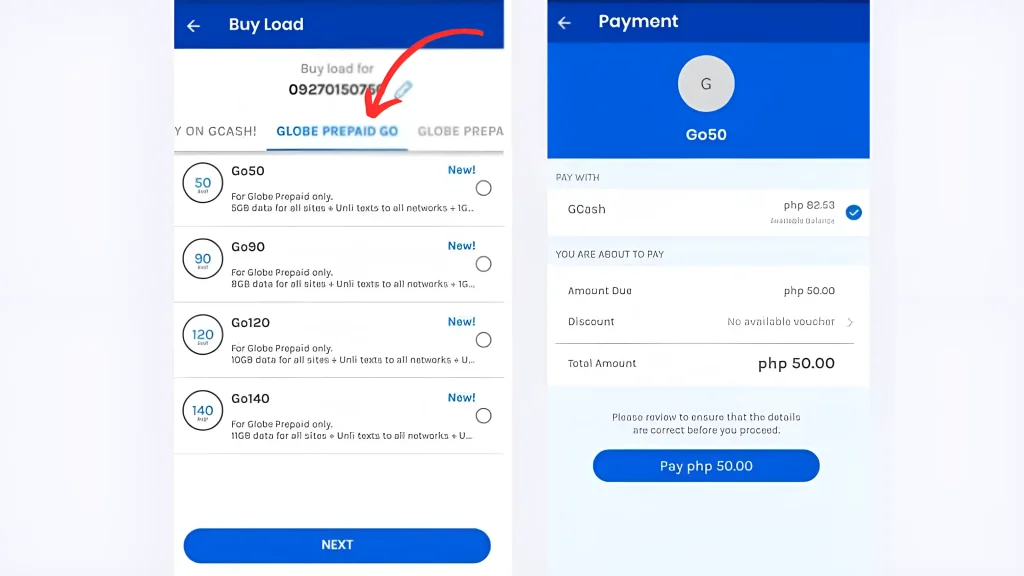
Tap “Buy Load” on the home screen.
Enter your Globe Prepaid number.
Select “Globe Prepaid Go” from the list.
Browse the available promos and select Go50.
Confirm your purchase and complete the payment using your GCash balance.
After the promo is activated, go back to the GlobeOne App or text FREE to 8080 to claim the freebie.
How to Check If Your Freebie is Successfully Claimed
After claiming, you can check if the freebie has been received by:
Checking by the GlobeOne app: Your active promos and freebies will be listed under your account details.
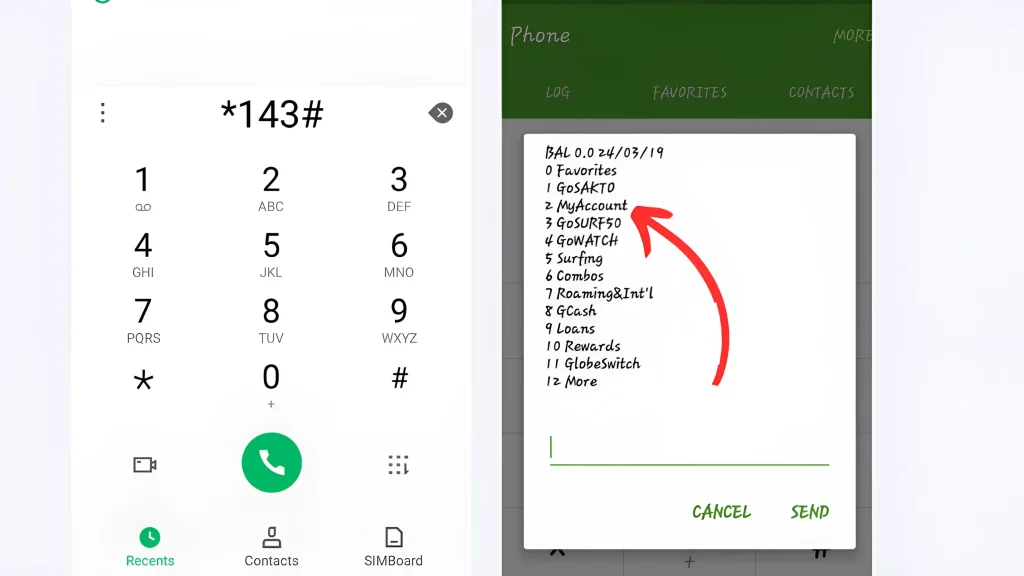
Dialing *143#: Select “My Account” > “Active Promos” to see if the freebie is shown.
Waiting for a confirmation SMS: You should receive a message confirming that your freebie is now active.
Text BAL: You can also text BAL to 214 to see your remaining data and benefits.
Tips for Successful Claiming
Always subscribe to Go50 first before claiming the freebie.
Claim the freebie as soon as you receive the confirmation SMS.
Use the freebie within 3 days to avoid losing it.
Keep your SIM registered and active for smoother claiming.
Check the GlobeOne App regularly for the latest Go50 variations and freebie offers.
Common Problems and Solutions
Freebie not appearing: Make sure you subscribed to Go50 first. Wait a few minutes and try claiming again.
Confirmation SMS not received: Check your signal or restart your phone. Try texting FREE to 8080 again.
Freebie already claimed: You can only claim it once per Go50 subscription. Subscribe to a new Go50 later to claim again.
Cannot claim on new SIM: New SIMs may need to wait a few days or reload first. Try again after some usage.
Important Usage Note
The Go50 freebie is a great bonus, but use it wisely. Enjoy the data and unlimited calls, but avoid unnecessary streaming to make the 5GB last longer. Reload regularly to stay eligible for future freebies.
Conclusion
Claiming the Go50 freebie is a straightforward process that allows Globe Prepaid and TM users to maximize their mobile experience with extra data and unlimited calls and texts. Whether you choose to claim your freebie via the GlobeOne app, text message, or GCash, follow the steps provided above.
Remember to claim your freebie within the promo’s validity period to fully enjoy the benefits. Stay connected and make the most of your Globe or TM SIM!
Frequently Asked Questions
The freebie is valid for the same 3 days as your Go50 promo. Always check the confirmation message for exact expiry.
Yes. Every time you successfully subscribe to a new Go50 promo, you can claim the freebie again.
You will receive a confirmation text. You can also check in the GlobeOne App or dial *143# and select My Account → Active Promos.
Yes. The Go50 freebie works the same for both physical SIM and eSIM users.
No. Claiming the freebie is completely free after you subscribe to Go50.
No. The Go50 freebie and promo are only valid within the Philippines.
Restart your phone, check your signal, or contact Globe support by dialing 211.
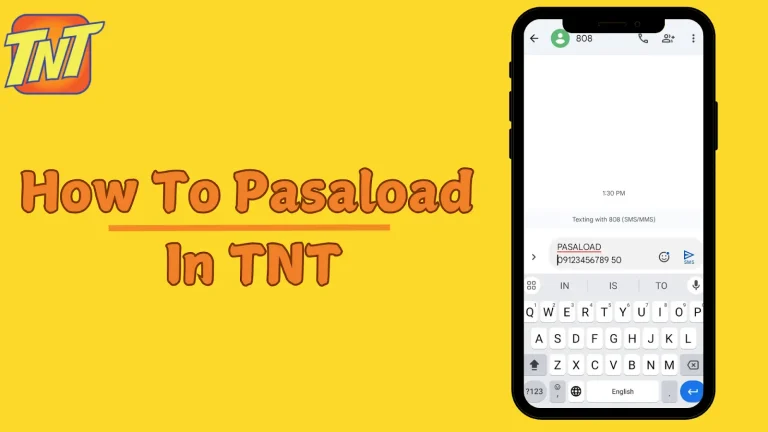
Ever wondered how to quickly share load with a friend or family member who suddenly ran out? Pasaload is a convenient service that allows TNT users to share their prepaid load with others. Whether you want to help a friend in need or simply share extra load with family, the TNT pasaload process is quick…
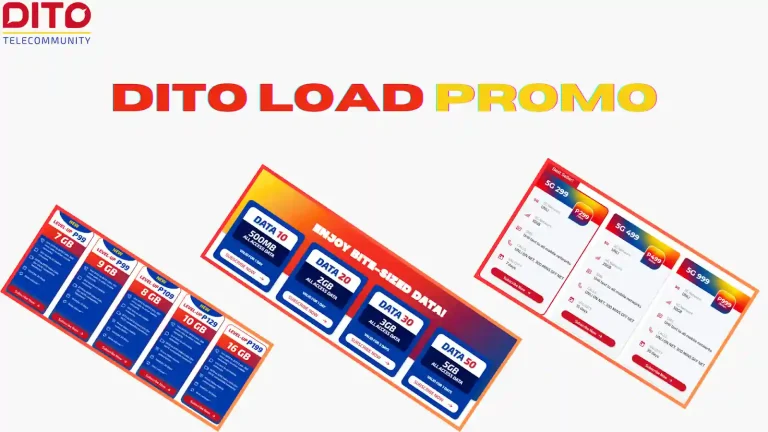
DITO Telecommunity is the newest major telecommunications provider in the Philippines, offering fast and affordable mobile services. Staying connected is easier and more affordable with DITO promos. Whether you need data for browsing, social media, or calls and texts, DITO offers a range of budget-friendly options to keep you online. If you’re looking to maximize…
Planning a trip abroad but worried your Globe Postpaid phone won’t work there? Many people face no signal problem when they land, can’t call family, no maps, and a scary bill later. Good news! In 2026, Globe made roaming super easy and cheap for postpaid users by introducing Globe postpaid roaming promos. You can turn…
DITO Telecommunity is one of the fastest-growing telecommunication providers in the Philippines. With its affordable data packages and reliable services, many Filipinos have switched to DITO for their mobile and internet needs. Whether you need help with SIM registration, account issues, or technical support, knowing how to contact DITO customer service is essential. Below, you’ll…
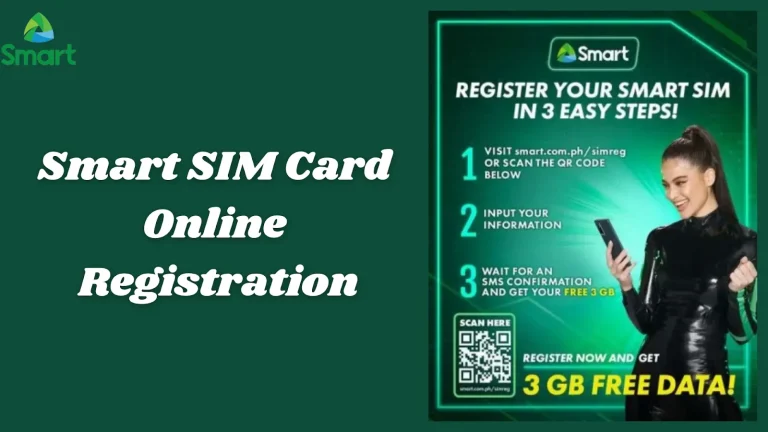
⚠️ Unregistered Smart SIMs will be permanently deactivated — register now to keep your number FREE · 2026 Smart Communications · SIM Registration Guide · Philippines Register Your Smart SIM CardFree, Online, Step by Step All Smart prepaid SIM cards must be registered under the SIM Card Registration Act. Unregistered numbers are permanently deactivated with…
Being out of balance can be frustrating, especially when you need to make an urgent call or send an important text. Fortunately, Globe offers a convenient way to share load with friends and family through its Share-A-Load service. Whether you’re helping someone in need or just making sure your loved ones stay connected, this service…