DITO SIM Registration Online (Official Link)

In the Philippines, SIM card registration has become mandatory under the SIM Card Registration Act, which was signed into law in 2022. This law aims to reduce fraudulent activities, protect users, and improve the security of mobile services. Due to this, all mobile users, including Dito Telecommunity, have to register their SIM cards with their service providers.

You can complete your Dito SIM registration using three methods, including the Dito website portal, the Dito mobile app, or by following a registration link sent via SMS. A detailed guide for each method is discussed below.

What is DITO SIM Registration?

DITO SIM registration is the process of providing your personal information and valid identification details to DITO Telecommunity. This registration aims to ensure that every SIM card user in the Philippines is identified for security purposes. 

Under the SIM Card Registration Act, the government has required all mobile service providers, including DITO, to store subscriber data and link it to a unique SIM card.

Who Needs to Register Their DITO SIM Card?

  • All DITO Subscribers: Whether you’re a new or existing user, you must register your SIM card. This applies to both prepaid and postpaid plans.
  • New DITO Users: If you’ve just purchased a new DITO SIM card, you’ll need to register it before you can start using it.
  • Existing Users: If you’re already using a DITO SIM, you need to register it before the deadline to avoid having your SIM deactivated.

Types of DITO SIM

DITO Telecommunity offers several types of SIM cards to serve to different user needs:

  • Regular SIM: This is the standard physical SIM card suitable for most users, providing voice, text, and data services.
  • Data-Focused SIM: Designed primarily for internet use with high data allocations, ideal for devices like tablets or mobile WiFi hotspots, though it includes basic voice and text capabilities.
  • eSIM: An embedded digital SIM integrated into compatible devices, allowing users to activate DITO’s services without a physical card. Perfect for modern smartphones.

Requirements for DITO SIM Registration

To successfully register your DITO SIM card, make sure you have the following requirements:

  • Valid Identification: You will need to provide a government-issued ID (e.g., passport, driver’s license, voter’s ID, or PRC card). The ID must be clear and legible.
  • Personal Information: This includes your full name, address, date of birth, gender/sex, and contact details.
  • Active DITO SIM Card: You need to have your DITO SIM card with you during the registration process.

For Minors:

  • Register under the parent/legal guardian’s name.
  • Any government-issued ID of the parent or guardian.
  • Consent declaration from the minor’s parent or guardian to register the SIM card.

For Businesses:

  • SEC or DTI Certificate of Registration.
  • Board Resolution or Special Power of Attorney (SPA).

Note: All uploaded files must be in JPEG, PNG, or PDF format, under 4MB, and clear to avoid rejection.

Accepted IDs

DITO accepts a wide range of government-issued IDs with photo. Here’s the comprehensive list:

  • Passport
  • PhilSys ID/National ID
  • SSS ID
  • GSIS e-Card
  • Driver’s License
  • NBI Clearance
  • Police Clearance
  • Firearms’ License
  • PRC ID
  • IBP ID
  • OWWA ID
  • BIR ID
  • Voter’s ID
  • Senior Citizen Card
  • UMID
  • PWD Card
  • PhilHealth ID
  • PhilPost ID
  • PNP ID
  • AFP ID
  • Municipality/LGU/Barangay ID
  • Security Guard License (PNP)
  • Fisher Worker ID (BFAR)
  • Health Worker ID
  • Agricultural ID (DA)
  • Conductor ID (LTO)
  • Maritime ID (MARINA)
  • Navy ID (Philippine Navy)
  • CAFGU ID (AFP)
  • Other valid government IDs with photo (e.g., government employee IDs, state university/college student IDs for ages 18+).

How to Register Your DITO SIM Card?

You can register your DITO SIM by three different methods:

  1. Registration Via Web Portal (Online)
  2. Registration Via DITO App
  3. Registration Via SMS

Registration Via DITO App

For a convenient option, you can register your DITO SIM through the DITO app:

  • Download the DITO app from the App Store (iOS) or Google Play Store (Android) or you can also download from link provided below:
  • Log in to your account or register if you’re a new user.
  • Go to the SIM Registration section, provided on the dashboard.
dito sim registration section
  • Identify your registration type like (Minor, Filipino, and Foreign National).
  • Enter your DITO SIM (11 digit) mobile number.
enter dito sim registration
  • Enter your personal details (name, date of birth etc..) and upload a picture of your ID. You can also upload pictures from the gallery; both options are available. 
  • For further verification, you can also upload your selfie.
  • Verify your number using the OTP sent to your mobile, which is valid for only 3 minutes.
enter personal details
  • Read terms and conditions and click on the agree button.
  • Confirm the information and submit your registration. 
agree terms and conditions

Registration Via Web Portal (Online)

To register your DITO SIM online (via link), follow these steps:

  • Visit the official DITO SIM registration portal by clicking the link given below:
  • When you visit the DITO web portal for SIM registration, you’ll see a QR code provided on the site. Use your smartphone’s camera or a QR code scanner to scan it.
dito sim registration qr code
  • Scanning the code will redirect you to download the DITO app if you don’t already have it installed.
  • Once the app is installed, follow the steps mentioned in the Registration via DITO App section to complete your SIM registration.

Registration Via SMS

Here’s how you can easily complete your DITO SIM registration through the SMS link:

  • Insert your new DITO SIM card into your phone.
  • You may receive an SMS from DITO with a link to start the SIM registration.
dito sim registration sms code
  • Tap the link, and it will open in your phone’s browser.
  • Fill in the required details, such as your personal and ID information.
  • Verify your SIM by entering the OTP sent to your phone, then submit the registration.

DITO eSIM Registration

For eSIM users, the registration process similar to physical SIMs to register your DITO eSIM online follow the steps given below:

  • Purchase eSIM via DITO app or website (₱99 with starter data).
  • Check device compatibility (e.g., iPhone XS or later, Samsung Galaxy S20 or later).
  • Receive QR code via email or app; go to device settings > Cellular > Add Cellular Plan > Scan QR.
  • Follow registration steps e.g. enter details, upload ID/selfie, verify OTP.
  • Activate in settings once approved. Note: No physical switch fee, but re-registration if porting.

Dito SIM Registration for Foreigners

Foreigners living or staying in the Philippines are required to register their DITO SIM cards just like local residents. Additional documents are needed to verify identity and residency. Follow these steps to complete registration:

  1. Select Registration Type
    • Choose “Foreign National” as the type of registrant in the registration form.
  2. Prepare Required Documents
    Depending on your visa or purpose of stay, you may need to provide:
    Passport (mandatory)
    Proof of Philippine address, such as:
    • Hotel booking
    • Lease agreement or utility bill
  3. Additional documents based on status:
    • Tourists: Return ticket
    • Workers: Alien Employment Permit (AEP)
    • Students: School ID
    • Permanent residents or long-term stay: ACR I-Card or Proof of Citizenship (POC)
  4. Complete Registration Form
    • Enter personal details as requested in the DITO registration form.
    • Upload copies or photos of the required documents.
  5. Submit and Verify
    • Submit the registration for verification.
    • Follow any additional instructions provided by DITO staff or the app/portal for verification.
  6. Confirmation
    • Once verified, your SIM will be activated. This ensures that foreign nationals are registered for enhanced security.

Rewards After Registration

Registering your DITO SIM card comes with exciting perks and benefits. Here’s what you can enjoy after completing your registration:

2GB Data

Get 2GB of data as a reward for successfully registering your SIM, perfect for browsing, watching videos, or staying connected online.

Note: The initial 2GB bonus data promo ended in 2023. Always check the app for current flash rewards or holiday promos, such as double data on select loads (e.g., until Jan 31, 2026).

Loyalty Rewards

Join DITO’s “Rewarded ka DITO” program to earn points on every load or promo purchase.
Payments can be made via credit/debit cards, GCash, Maya, GrabPay, or WeChat Pay. Accumulated points can be redeemed for:

  • Data boosters
  • Vouchers
  • Exclusive perks, such as shopping discounts

Reasons to Choose DITO SIM

Here are some reasons why DITO SIM stands out as the best choice for mobile users in the Philippines:

5G Network

  • Fast and Reliable: DITO offers fast 5G speeds, ensuring quicker download and upload times, enhancing your browsing and streaming experience.
  • Wider Coverage: Expanding its 5G network across the country, DITO provides more areas with access to ultra-fast mobile data.

VoLTE (Voice over LTE)

  • Clearer Calls: VoLTE provides high-definition (HD) voice quality for clearer and more reliable voice calls.
  • Faster Call Connection: Enjoy quicker call setup times compared to traditional networks.

DITO SIM Promos

DITO SIM offers promos with generous data inclusions, unlimited calls/texts, and flexible validity. Here’s an updated table of current offerings as of 2026:

Promo

Data

Price

Validity

Additional Features

Level-Up 99

9GB all-access + apps

₱99

15 days

UNLI calls/texts to all networks; 300 mins to other nets

Level-Up 199

54GB all-access + apps

₱199

30 days

UNLI calls/texts; app boosters (e.g., FB, IG, TikTok)

Level-Up 299

93GB all-access + apps

₱299

30 days

UNLI calls/texts; UNLI 5G option

Level-Up 499

180GB all-access + apps

₱499

30 days

Loyalty points; high-speed 5G

Level-Up Socials 50

7GB (social apps + all-access)

₱50

7 days

For FB, Messenger, IG, WhatsApp, Threads

UNLI 5G 299

Unlimited 5G data

₱299

15 days

No cap in 5G areas; add-on to base plans

Data Sachet 10

1GB all-access

₱10

1 day

Quick top-up; scalable (e.g., 5GB ₱50/7 days)

Long Expiry 599

40GB all-access

₱599

365 days

UNLI texts; UNLI DITO calls; 1000 mins other nets

SuperSaver 1049

108GB all-access

₱1049

365 days

UNLI calls/texts; year-long validity

Why is DITO SIM Registration Important?

SIM registration is not just a legal requirement; it also provides several key benefits:

  • Avoid Deactivation: The government’s SIM registration law mandates that unregistered SIM cards will be deactivated. If you don’t register your DITO SIM, you won’t be able to use it for calls, texts, or data.
  • Enhanced Security: Registered SIM cards help reduce the risk of identity theft, fraud, and other criminal activities.
  • Legal Compliance: Registering your DITO SIM ensures that you comply with Philippine laws, avoiding any legal issues related to your mobile service.
  • Convenient Services: With registration, you can enjoy seamless services, including access to promos, customer support, and more.

What Happens If You Don’t Register Your DITO SIM?

Under the SIM Registration Act, all unregistered SIM cards are subject to deactivation. If you don’t complete the registration process immediately (for new SIMs) or check existing ones, your DITO SIM will be made inactive, and you won’t be able to use it for any mobile services, including data, calls, or texts.

FAQs

You can register your Dito SIM card by visiting the official Dito website or using the DITO app. Simply fill in your personal details, upload a valid ID, and verify your identity with a photo. Once done, submit your registration form, and you will receive a confirmation once your SIM is successfully registered.

Yes, there is a deadline set by the Philippine government for SIM card registration. Make sure to register your DITO SIM card before the deadline to avoid service interruptions or deactivation.

The registration process is quick and usually takes just a few minutes to complete. However, the activation of your SIM card may take 1 to 2 business days, depending on the volume of registrations.

Yes, you can register a new DITO SIM card online through the Dito website or app. Simply follow the same process as for existing users by providing the required personal details and uploading your ID.

Yes, the SIM card registration process with DITO is free of charge. There are no fees associated with registering your SIM card.

Yes, if you have more than one DITO SIM card, each SIM card must be registered individually under the same process.

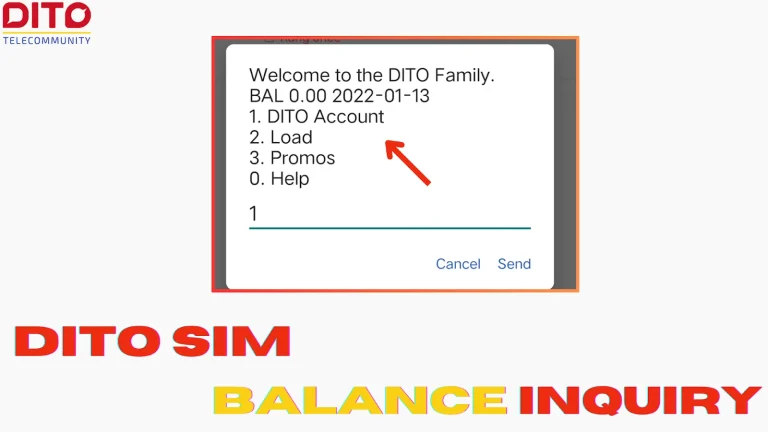
To check your Dito balance, dial *123#. You will receive a message with your current balance and other available services.

Conclusion 

Dito SIM registration is a simple and necessary procedure that all Dito subscribers must complete. You may contribute to the safety and security of your mobile communications while complying to Philippine regulations by registering your SIM card. 

Make sure to register before the deadline to avoid service interruptions and stay connected. Always register using the official Dito website or app for the best experience.

Similar Posts