How to Register TM SIM Via GlobeOne App

The SIM Registration Act (Republic Act No. 11934) in the Philippines requires all mobile users to register their SIM cards to prevent fraud, scams, and other cybercrimes. TM users can conveniently register their SIM using the GlobeOne app, eliminating the need for manual registration through a website or in-store process.

Scroll down to see the steps and register your TM SIM easily!

What is TM SIM Registration?

TM (Touch Mobile) is a prepaid mobile service under Globe Telecom, offering affordable call, text, and data promos. As part of government regulations, all TM users must register their SIMs to continue using their mobile services.

Why is SIM registration required?

  • Prevents scams, fraud, and identity theft
  • Ensures better security for mobile users
  • Complies with government regulations to protect users

Requirements for TM SIM Registration Via GlobeOne App

Before registering your TM SIM through the GlobeOne app, make sure you have the following:

  • Full Name
  • Gender 
  • DOB (Date of Birth)
  • Mobile Number 
  • Birthday
  • Address
  • Valid Government ID with ID number
  • Active TM SIM Card
  • For other juridical entities, a Special Power of Attorney

Note: If you are a minor, your SIM must be registered under a parent or guardian’s name. 

Accepted IDs for TM SIM Registration

  • Driver’s License
  • Firearms License
  • IBP ID
  • NBI Clearance
  • OWWA ID
  • Passport
  • Philippine National ID
  • Police Clearance
  • PRC ID
  • PWD Card
  • Senior Citizen’s Card
  • SSS/GSIS Card
  • TIN ID
  • UMID Card
  • Voter’s ID
  • Other valid government-issued IDs

TM SIM Registration Via GlobeOne App

  • To start the registration process, you need to have the GlobeOne app installed on your phone.
globeone

For Android users: Download from Google Play Store

For iPhone users: Download from the App Store 
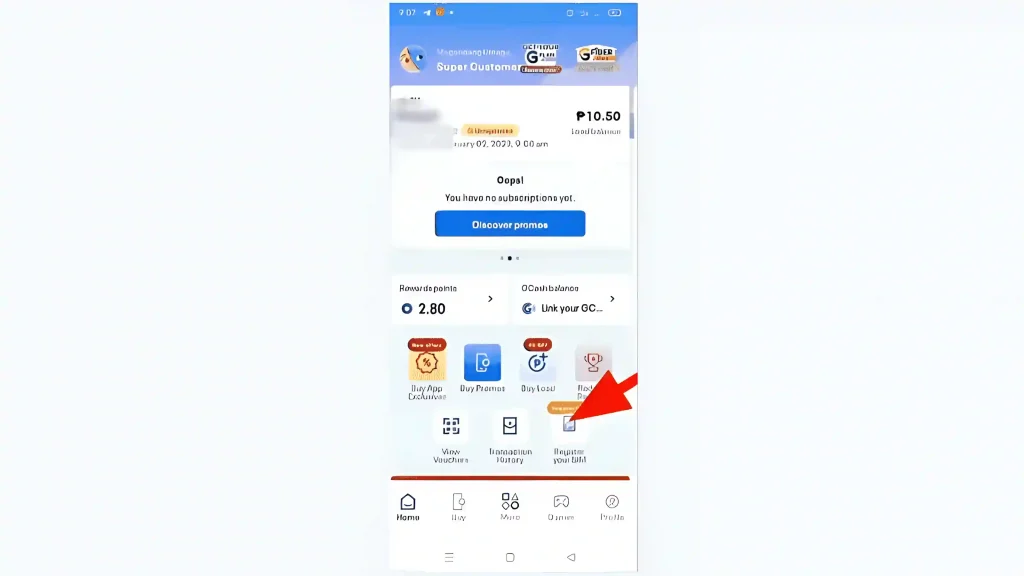
  • Open the GlobeOne app and tap on “Register Your SIM” from the home screen.
globeone
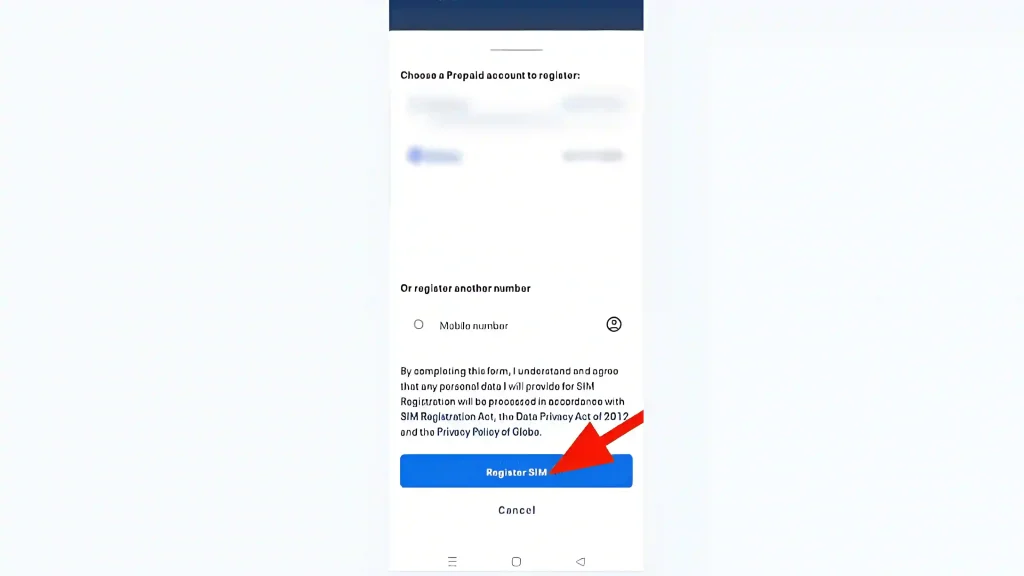
  • If you don’t have an account, sign up using your TM mobile number and click on “Register SIM”.
registersim
  • A One-Time PIN (OTP) will be sent via SMS. Enter the OTP to verify your account.
verify number
  • Log in to the GlobeOne app and enter the TM mobile number you want to register.
  • Fill out the SIM registration form by providing:
  • Full Name
  • Date of Birth (DOB)
  • Gender
  • Nationality
  • Complete Address (House No., Street, Barangay, City, Province, Zip Code)
  • Valid Government ID and ID Number
enter details
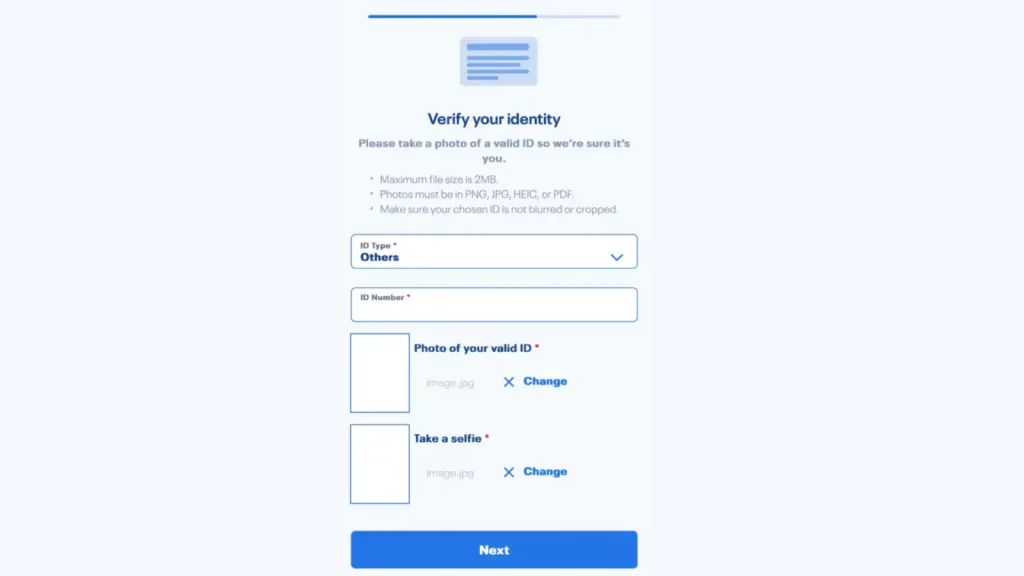
  • Upload the required documents:
  • A clear photo of a valid government-issued ID (e.g., Passport, Driver’s License, PhilSys ID, SSS, UMID)
  • A live selfie photo for identity verification
verify identity
  • Check that all details entered are correct and complete.
  • Agree to the Terms and Conditions and click Submit.
submit
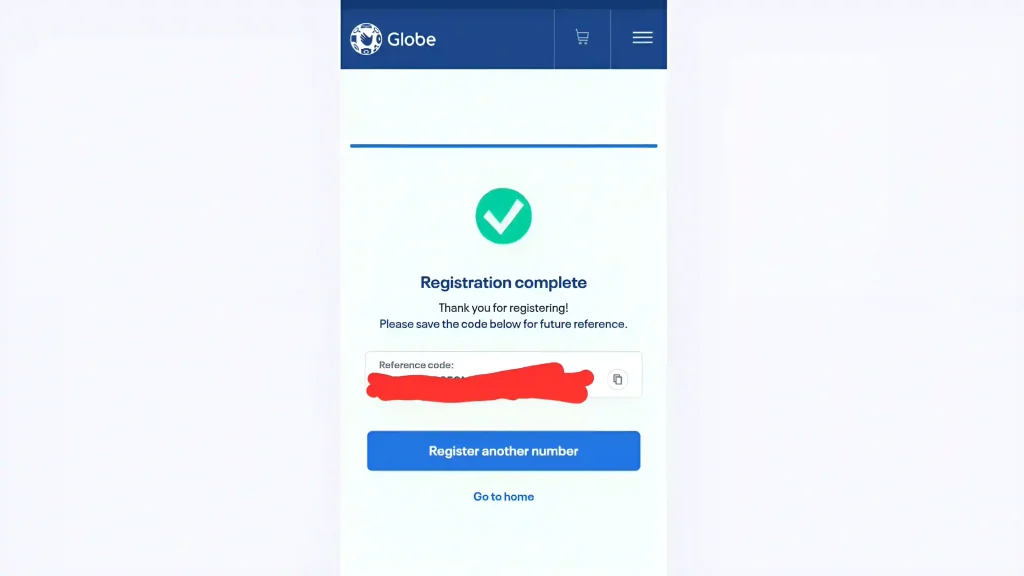
  • A confirmation message with a Reference Number will be sent via SMS.
  • Save the Reference Number as proof of your successful SIM registration.
registration complete
  • If the registration is pending or rejected, check for errors and try again.

Your TM SIM is now successfully registered!

Conclusion

Registering your TM SIM via the GlobeOne app is a simple and efficient way to comply with the SIM Registration Act in the Philippines. Not only does it help ensure the security of your mobile services, but it also protects you from potential fraud and scams. 
By following the steps outlined in this guide, you can easily complete your registration process using your phone, saving time and avoiding the hassle of in-store registration.
FAQs || YOU MAY WANT TO KNOW

No, you need to wait for the current plan to expire before registering for another EasyPLAN.

Wait for a few hours, as system processing may take time. If you still don’t receive confirmation, contact TM customer support via GlobeOne App or TM Hotline (808).

Yes, you can register multiple TM SIMs using one GlobeOne account, but each SIM must have its own registration details.

Yes, TM SIM is a prepaid mobile service under Globe Telecom. While it operates separately, it uses Globe’s network for coverage and services.

You can register for minors under a parent/guardian’s name. However, for other individuals, they must register their SIM using their own details.

Similar Posts

  • How To Get Free Load In TM Sim?

    TM (Touch Mobile) has long been a popular prepaid network in the Philippines, offering affordable mobile services, including texting, calls, and data. Many users often seek ways to get free load to stay connected without spending money on recharges. While there is no official “free load” program, there are various ways to earn or get free…

  •  DITO Postpaid Plan

    Choosing the right postpaid plan can be challenging—many users face issues with hidden fees, limited data, and inflexible contracts. If you’re tired of paying more for less, DITO Telecommunity offers a quick alternative.  A DITO postpaid plan gives you mobile services for a fixed monthly fee. It offers a convenient way to enjoy unlimited calls,…

  • DITO APN Settings

    Access Point Name (APN) settings allow your device to connect to a mobile network and access the internet. If you’re a DITO Telecommunity user in the Philippines, having the correct DITO APN settings is essential for smooth mobile data and MMS functionality. Incorrect or missing APN settings may result in slow internet speeds or no…

  • DITO Customer Service Number

    DITO Telecommunity is one of the fastest-growing telecommunication providers in the Philippines. With its affordable data packages and reliable services, many Filipinos have switched to DITO for their mobile and internet needs. Whether you need help with SIM registration, account issues, or technical support, knowing how to contact DITO customer service is essential. Below, you’ll…