How To Deactivate TM SIM Card in 2026
TM (Touch Mobile) is one of the popular prepaid mobile networks in the Philippines, providing affordable mobile services to millions of users. However, there comes a time when you need to cancel or deactivate TM SIM card, whether you’re switching to a new number, lost / stolen your phone, terminating a subscription, or no longer need the service.
You can easily deactivate your SIM using two different methods: online by visiting the NTC official website or through customer service (Via Call or In-Store).
Scroll down for a step-by-step guide on both these methods!
| Deactivation Methods | Customer Service (Via call or in-store), Online Deactivation (Using NTC website) |
| Cost | Free |
| Required Documents | Valid ID, TM SIM / Registered Mobile Number |
| Timeframe | Instant Within 24 Hours |
Methods To Deactivate TM SIM Card
There are two main ways to deactivate your TM SIM card:
- Customer Service (via call or in-store)
- Online Deactivation (Using NTC website)
Deactivating TM SIM Card Through Customer Service
One of the easiest ways to deactivate your TM SIM card is by contacting customer service. Here’s how you can do it:
Call TM’s Hotline
Once your request is processed, your TM SIM card will be deactivated.
Visit a TM Store or Service Center
Deactivating TM SIM Card Online
TM may offer an online platform NTC (National Telecommunications Commission) to deactivate TM SIM card. Here’re few steps to follow:
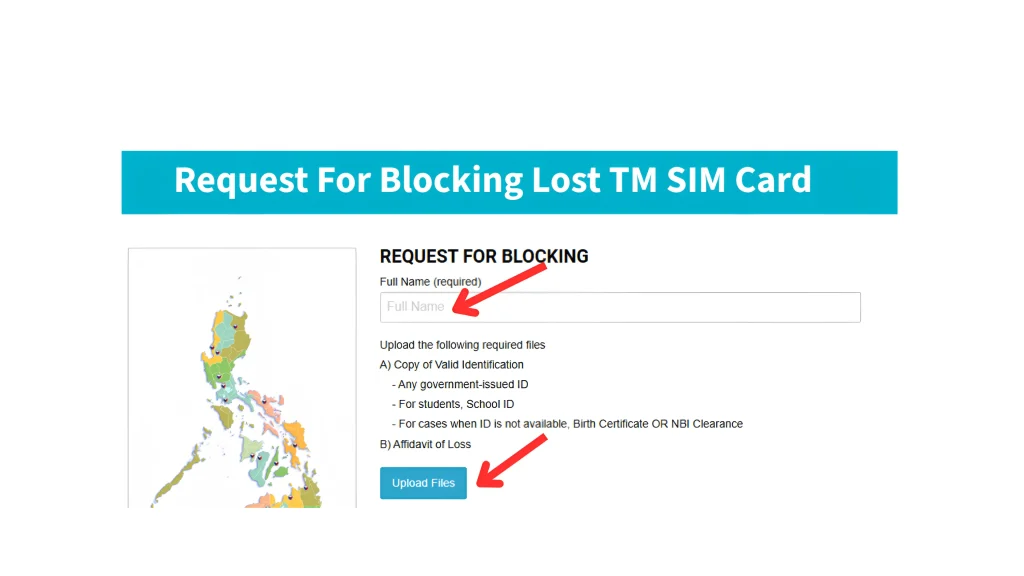
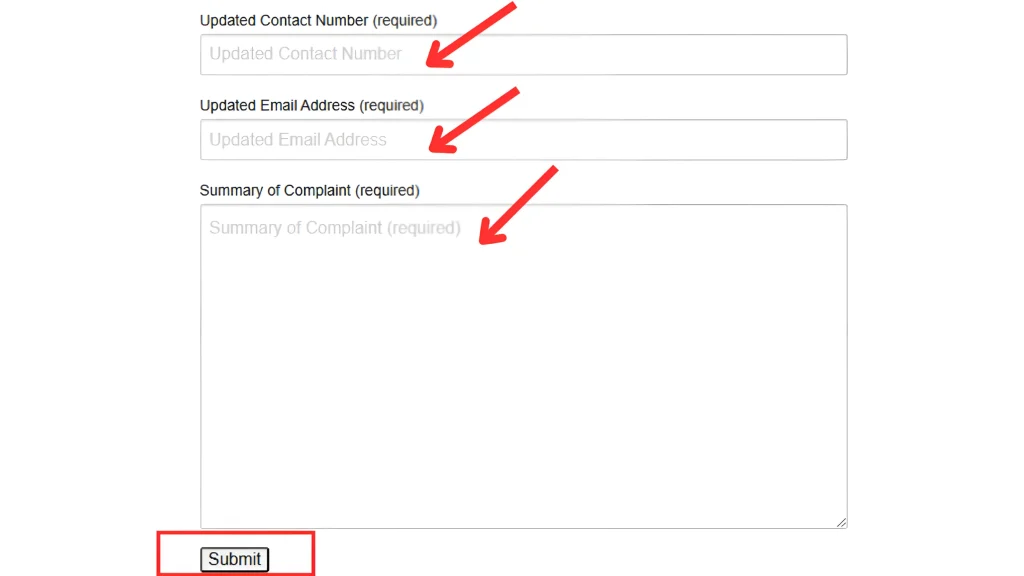
- Within a few minutes, you’ll receive a confirmation.
Why You Need to Deactivate Your TM SIM Card
There are several reasons you need to deactivate your TM SIM card:
If your phone or SIM card is lost or stolen, deactivating it ensures that no one can misuse it.
If you’ve decided to change mobile networks, you might want to deactivate your TM SIM card before transferring to another service.
If you no longer need the SIM card, deactivating it can help you avoid unnecessary charges or fees.
Points to Consider Before Deactivating Your TM SIM Card
Before you proceed with deactivating your TM SIM card, keep these important factors in mind:
Backup Important Data
If you still have access to your TM SIM card, make sure to back up any important messages, contacts, or data that you may need later. Once the SIM is deactivated, it may not be possible to retrieve this information.
Clear Any Outstanding Balances or Subscriptions
Make sure you don’t have any pending balances, subscriptions, or recurring services attached to your SIM card. Deactivating the SIM without clearing these can result in charges.
Reactivation and Retention of Number
In some cases, TM may allow you to reactivate your SIM card. If you want to keep your phone number, check with TM customer support for reactivation policies. If you don’t, the number will likely be reassigned after deactivation.
Conclusion
Deactivating your TM SIM card is a simple process, whether you choose to do it through customer service, visiting globe stores, or online. Just make sure you back up any important data and clear your balances before proceeding. If you want to use your number again, check with TM for reactivation options.