TNT Roaming | How To Activate and Use It
Traveling abroad and want to stay connected with your TNT number? TNT roaming allows you to use your SIM card outside the Philippines, so you can make calls, send messages, and access the internet. Whether you’re on vacation or a business trip, TNT roaming ensures you can keep in touch with family and friends.
For a detailed guide on activating TNT roaming and troubleshooting tips, continue reading below!
What is TNT Roaming?
TNT roaming allows users to stay connected while traveling abroad. With roaming activated, you can make and receive calls, send text messages, and access mobile data using your TNT SIM card.
TNT offers different roaming packages that serve various needs, whether for short trips or extended stays. By activating roaming, you can continue using your mobile number without needing to switch to a local SIM card in your destination country.
How to Activate TNT Roaming
You can activate TNT roaming by using two methods via text and through the TNT (Giga) app. Follow the steps given below:
Via Text
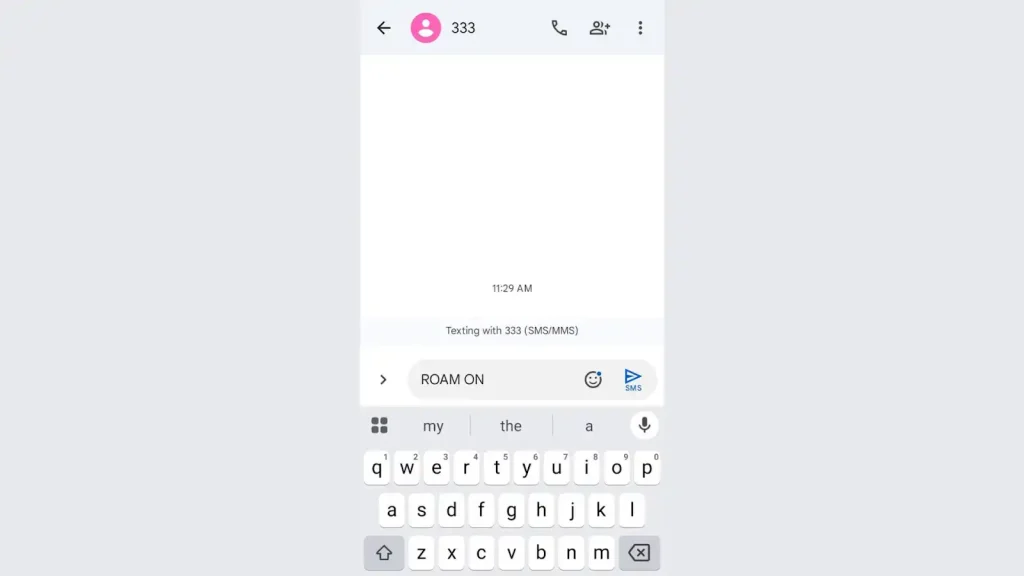
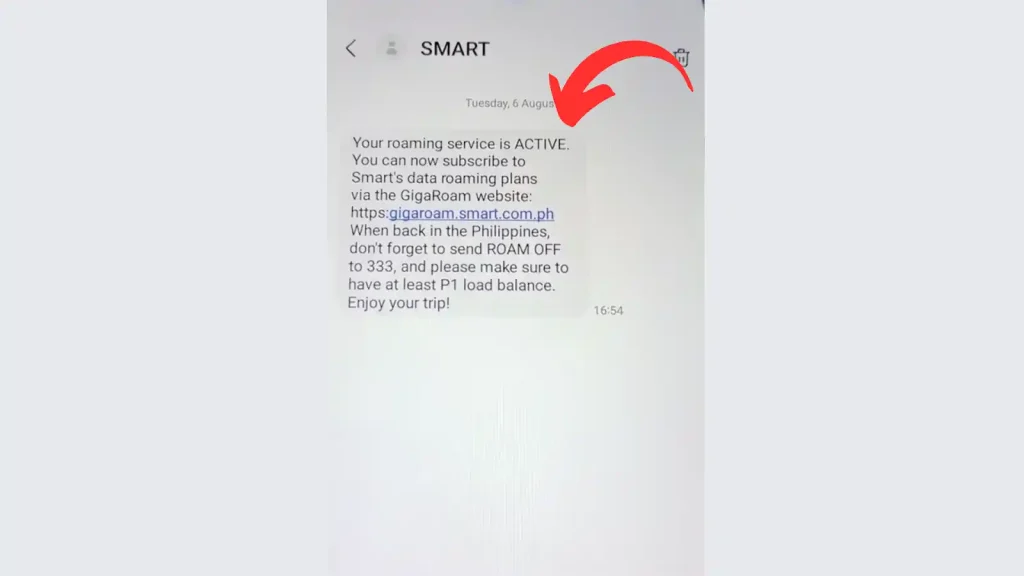
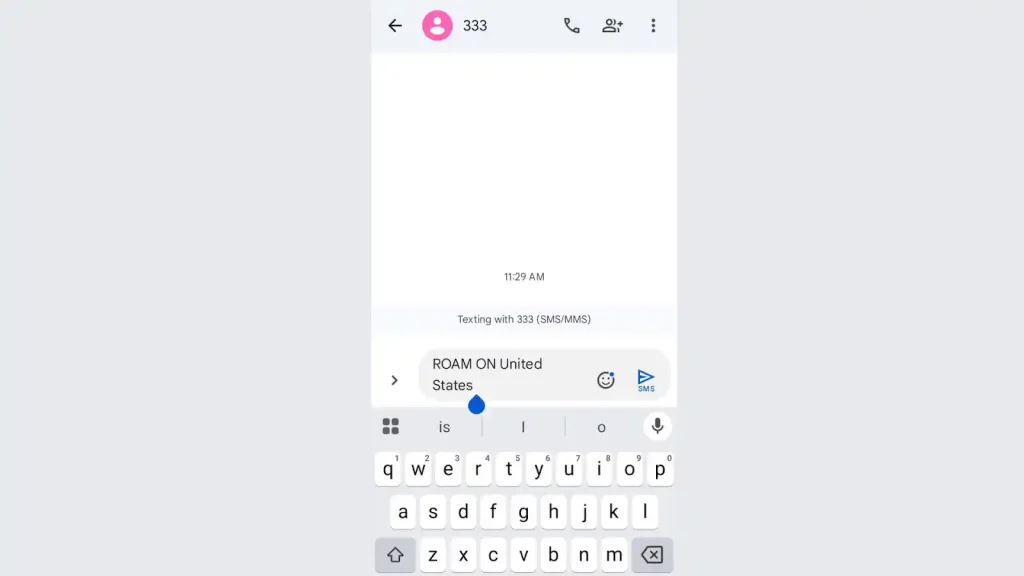
Note:
Through the TNT App
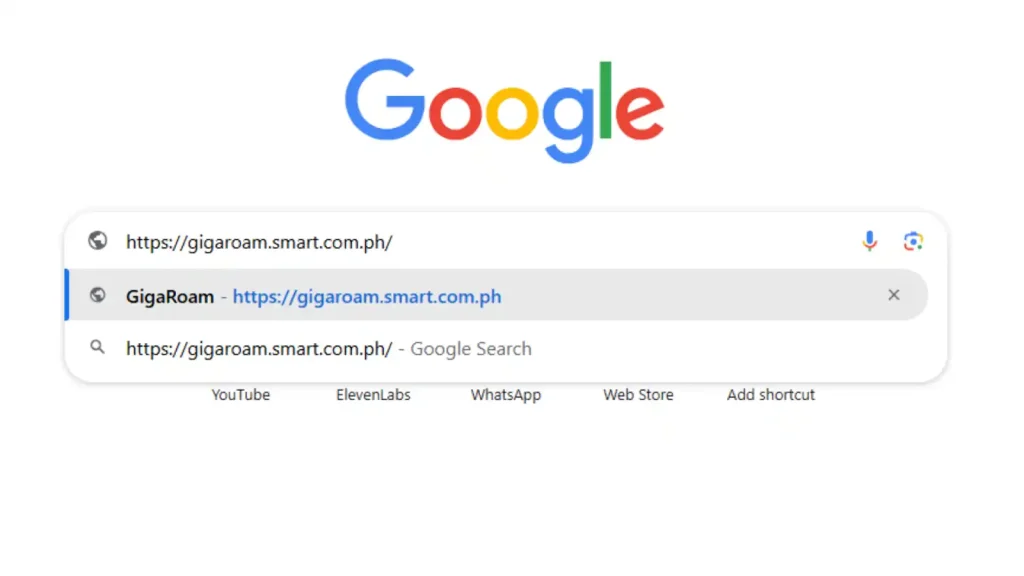
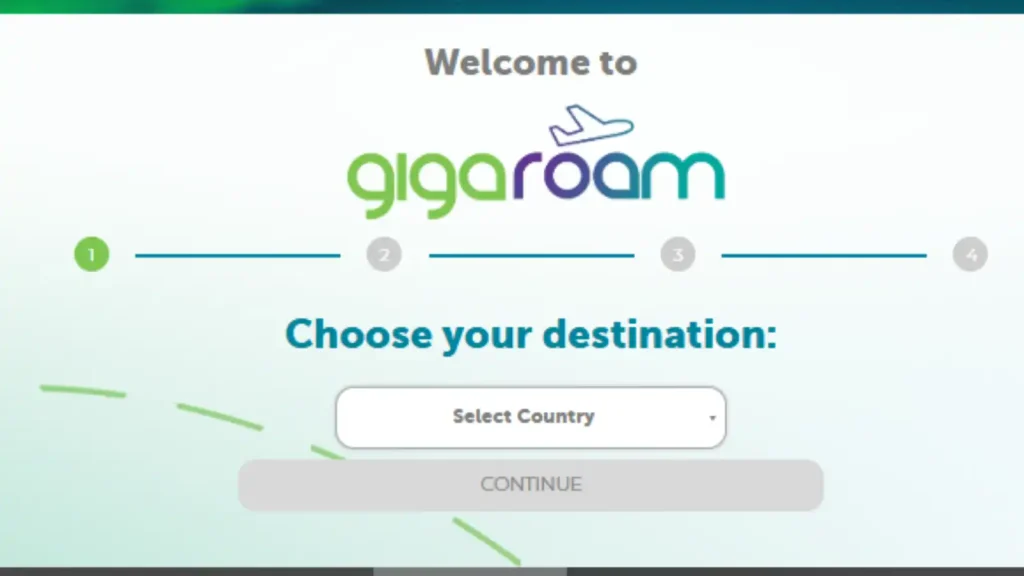
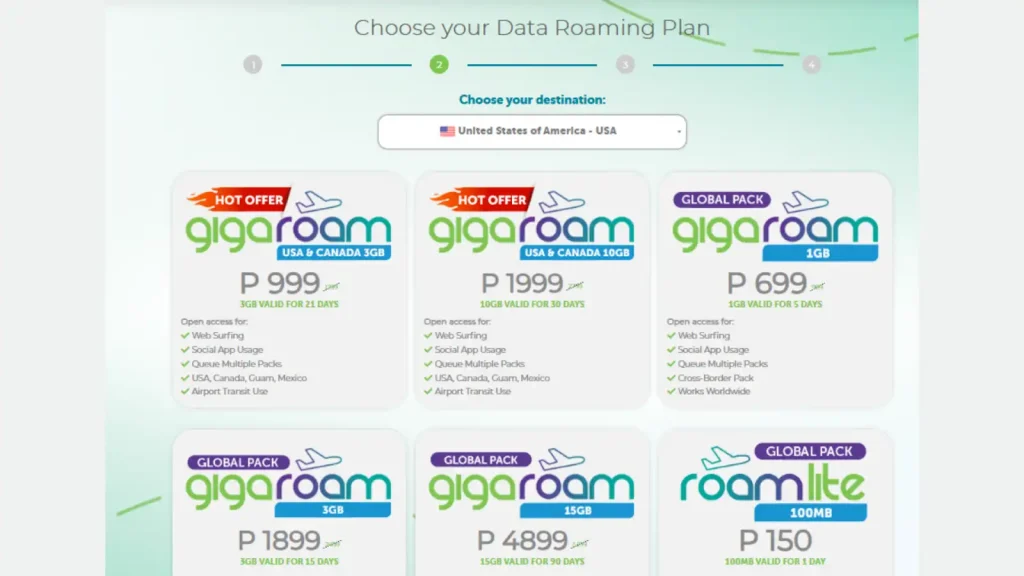
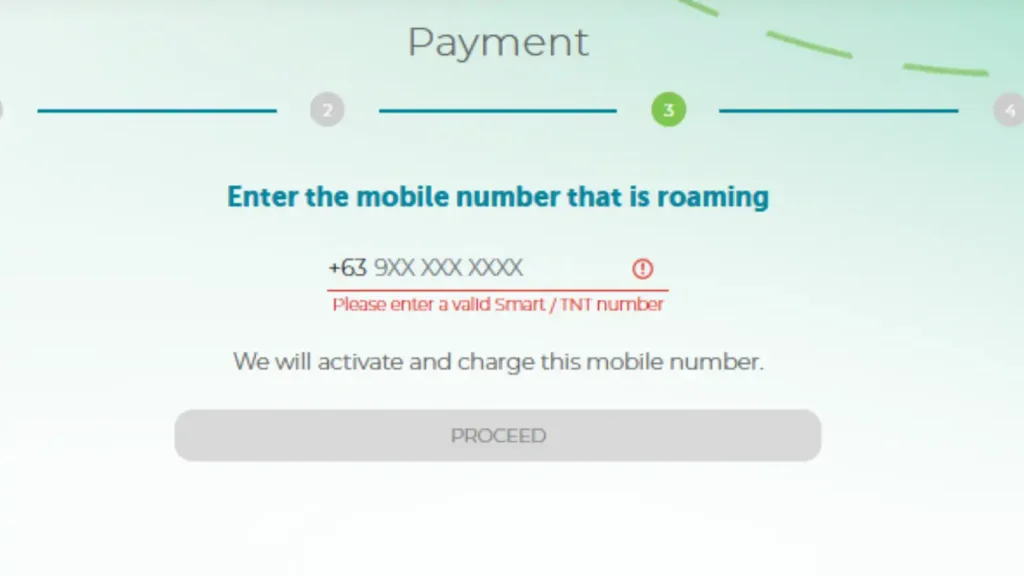
How to Use TNT Roaming Services
Making and Receiving Calls:
Sending Text Messages:
Using Mobile Data:
TNT Roaming Coverage
TNT roaming is available in many countries worldwide. Some of the popular destinations include:
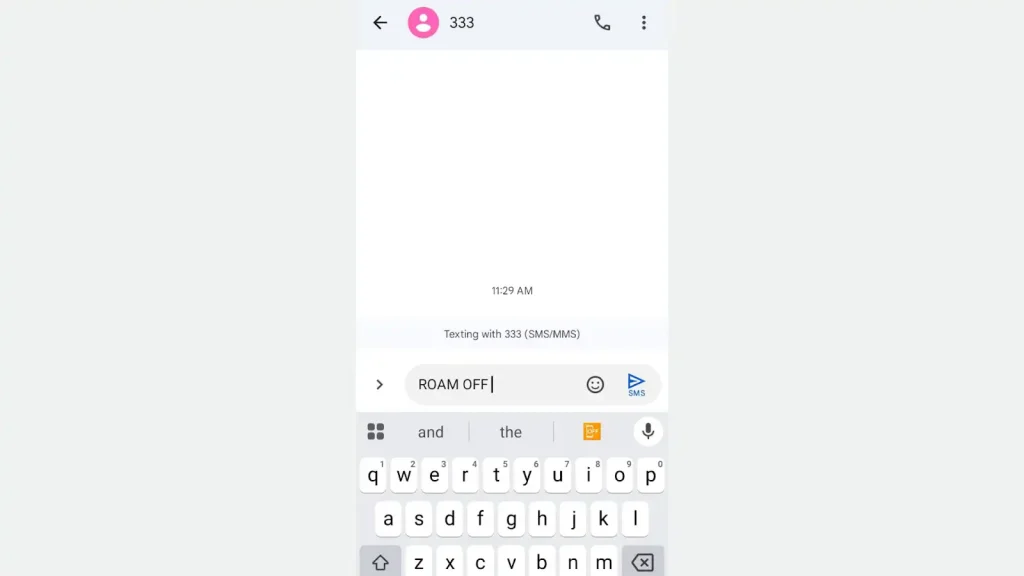
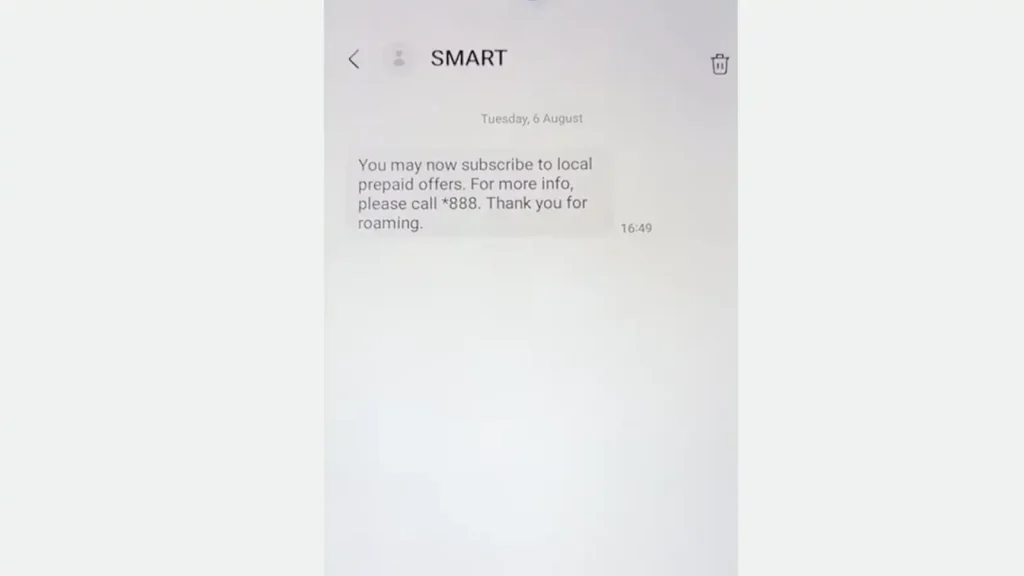
How to Deactivate TNT Roaming
Once you return to the Philippines or no longer need roaming, you can easily deactivate it:
TNT Roaming Promos
TNT provides affordable roaming promos to help you save while staying connected. These packages include call, text, and data bundles for different countries.
Popular TNT Roaming Promos:
TNT Roaming Troubleshooting Tips
If you encounter problems while using TNT roaming, try the following:
1. No Signal or No Service
2. Unable to Make Calls or Send SMS
3. Data Not Working
Conclusion
TNT roaming makes it easy for Filipinos to stay connected while traveling abroad. By following the activation steps, and using available promos, you can enjoy seamless communication without worrying about high costs. To avoid unexpected charges, regularly check your balance by texting BAL to 214.
For the latest updates on TNT roaming, visit the TNT website or contact customer support.