Unli Data TNT – How To Register For TNT Unli Data
Staying connected with fast internet connection is more important than ever, and TNT (Talk ‘N Text) makes it easier with their Unli Data offers. Whether you want streaming, browsing social media, or chatting with friends, TNT’s unlimited data promos allow you to enjoy the internet without worrying about running out of data.
Keep reading to find the latest Unli Data TNT offers, how to register, and other tips you need to stay connected without limits.
What is TNT Unli Data?
TNT Unli Data refers to unlimited data promos offered by TNT, allowing users to enjoy endless internet access for a specific period. With these promos, you can:
TNT Unli Data is popular because of its affordability and convenience, offering different durations of 3 days, 7 days and a month, especially for users who rely heavily on mobile data for their daily activities.
TNT Unli Data Promos
TNT offers a variety of Unli Data packages designed to meet different needs. Here are the most popular options:
Unli Data 99
Unli Data 299
Unli Data 599
How to Register for TNT Unli Data
Registering for TNT Unli Data is quick and easy. You can subscribe through the GigaLife app or by using a USSD code.
Register Using the USSD Code (*123#)
- Open your phone’s dialer.
- Dial *123# and press the “Call” icon.
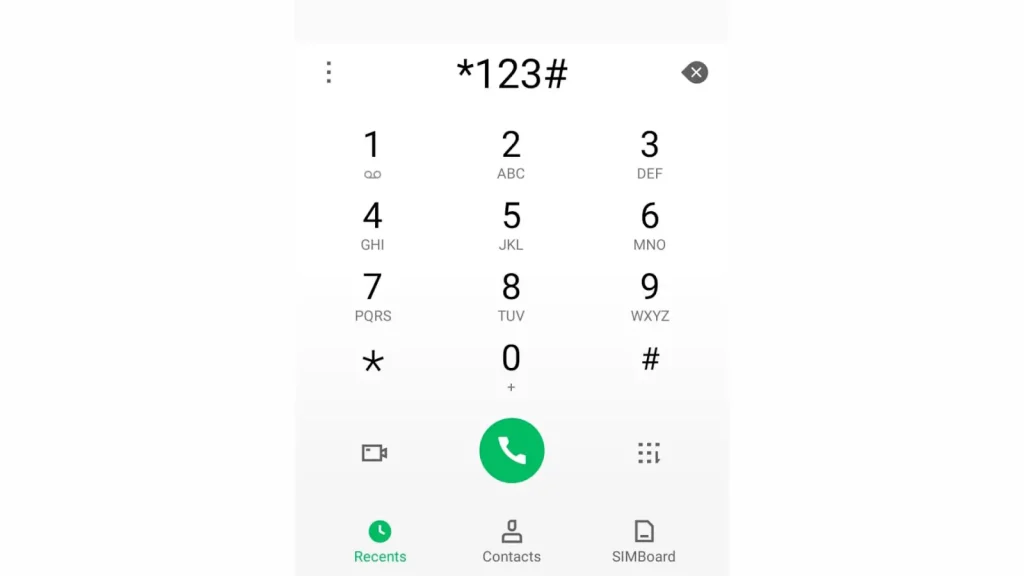
- Select Unli Data from the menu.
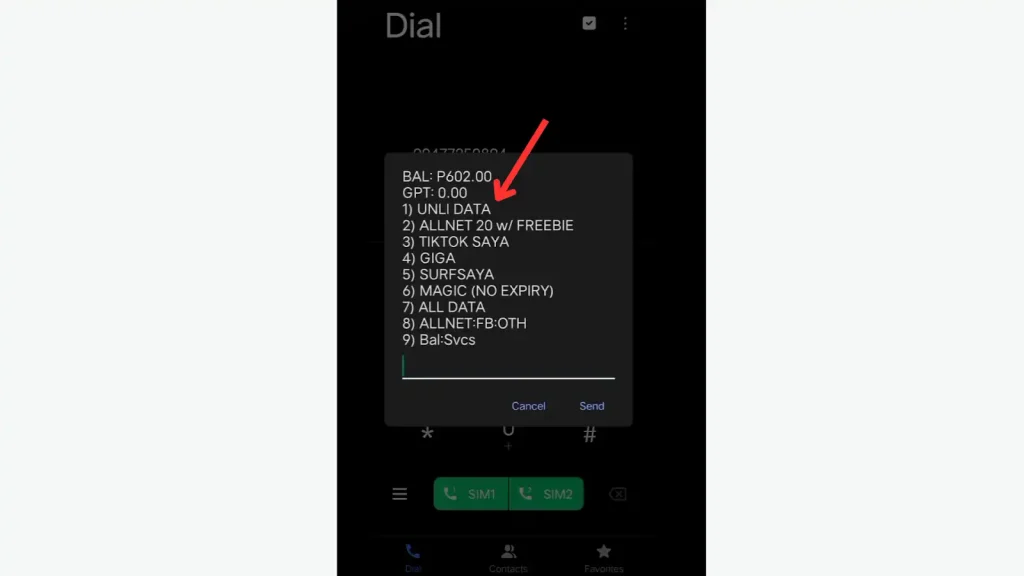
- Choose the promo that fits your needs.
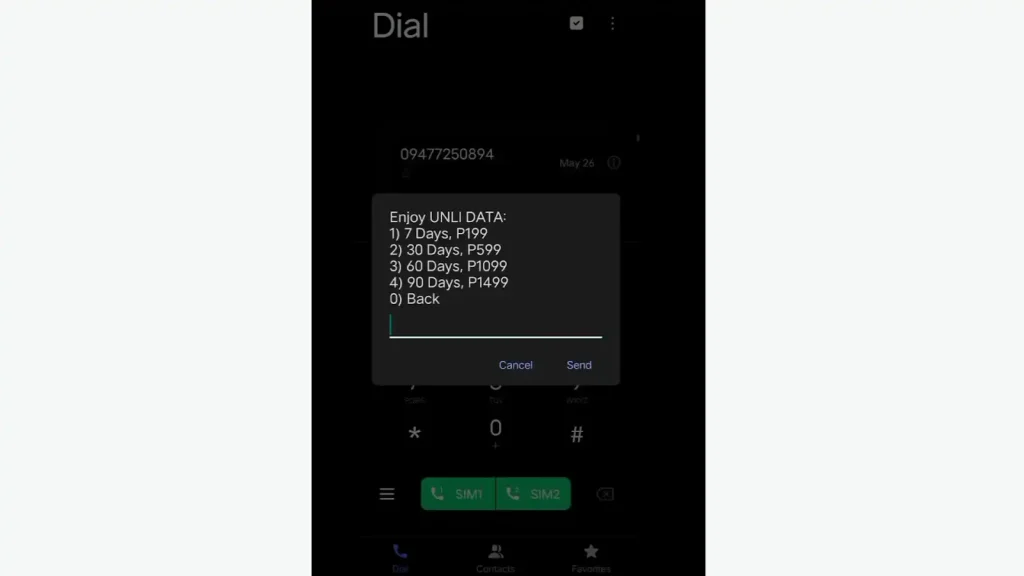
- Confirm your selection and wait for a confirmation SMS.
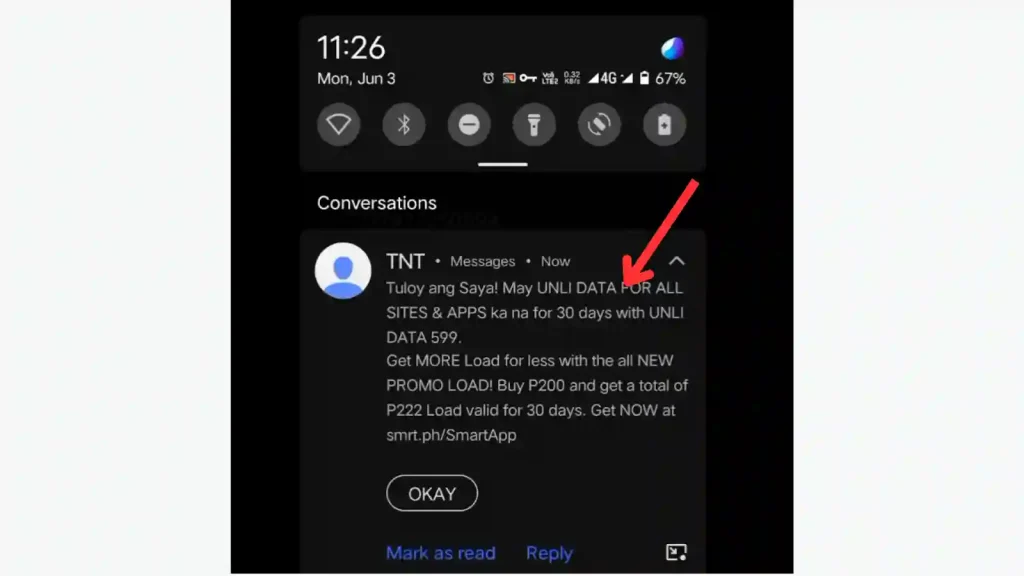
Register Using the TNT App
- Download and install the GigaLife app from the Google Play Store or Apple App Store.
- Open the app and log in using your TNT mobile number.
- Go to the Promos section and select Unli Data.
- Choose the promo you want (e.g., Unli Data 99 or Unli Data 299).
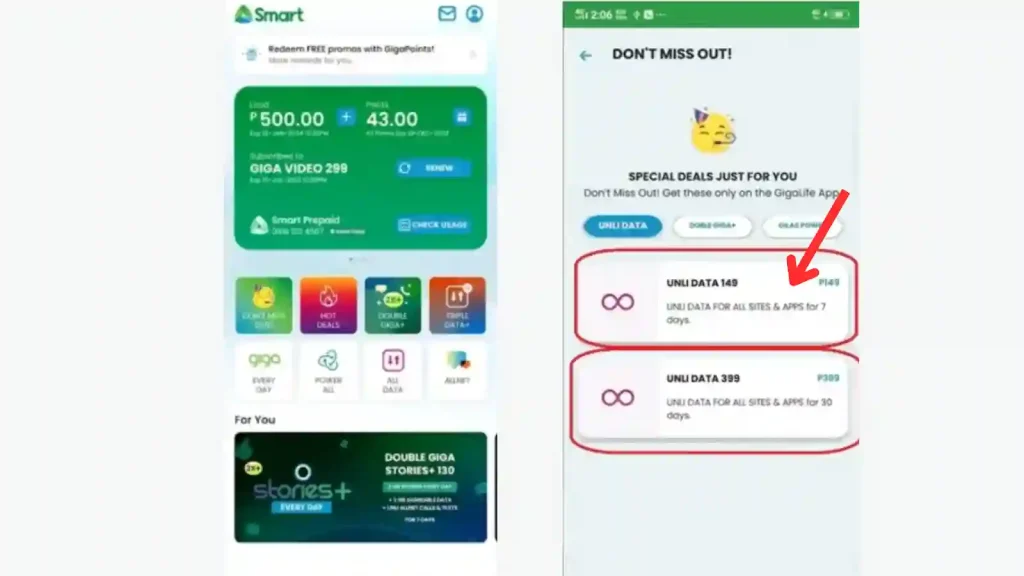
- Confirm your registration and wait for a confirmation message.
How to Check TNT Unli Data Balance
It’s important to check your Unli Data subscription to avoid unexpected disconnections. Here’s how you can check your TNT Unli Data balance:
Using the TNT App
Via Text Message
Using USSD Code
Benefits of TNT Unli Data
TNT unli data promo offers different benefits. Some of these benefits include:
Unlimited Internet Access
Enjoy unlimited browsing, streaming, and downloading on all sites and apps without worrying about data limits. You can use unlimited data to make Unli calls without being worried about having data balance.
Affordable Plans
TNT offers budget-friendly options like Unli Data 299 and Unli Data 599, providing long-term internet access at a low cost.
Easy Registration
Subscribe easily through the Smart GigaLife app or by dialing *123# on your phone.
No Data Expiration (Within Promo Period)
Use as much data as you want without speed throttling as long as your promo is active.
Convenient Access
Stay connected anytime, whether for work, entertainment, or social media, with non-stop internet.
Flexible Choices
Choose from different Unli Data promos to match your needs and budget, from short-term to 30-day plans.
Conclusion
TNT Unli Data promos are an excellent option for anyone who wants affordable and unlimited internet access. Whether you need a week-long connection with Unli Data 99 or month-long access with Unli Data 299, there’s a package to suit your needs.
By following the registration steps and using the balance check methods, you can stay connected without interruption.