SUN SIM Card Online Registration
How to Register Your Sun Cellular SIM Card in the Philippines
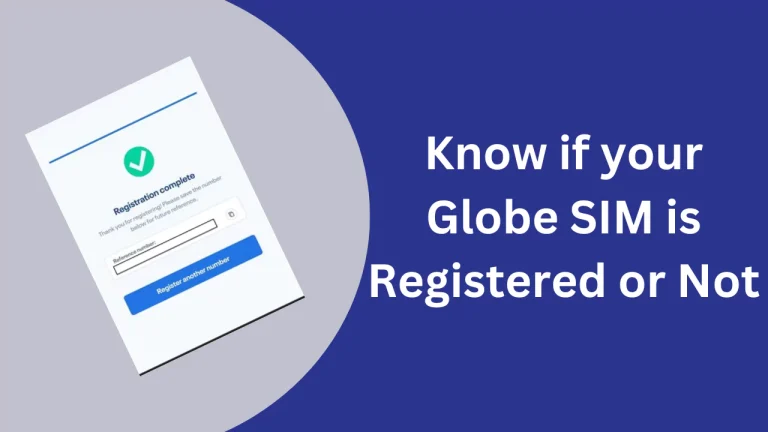
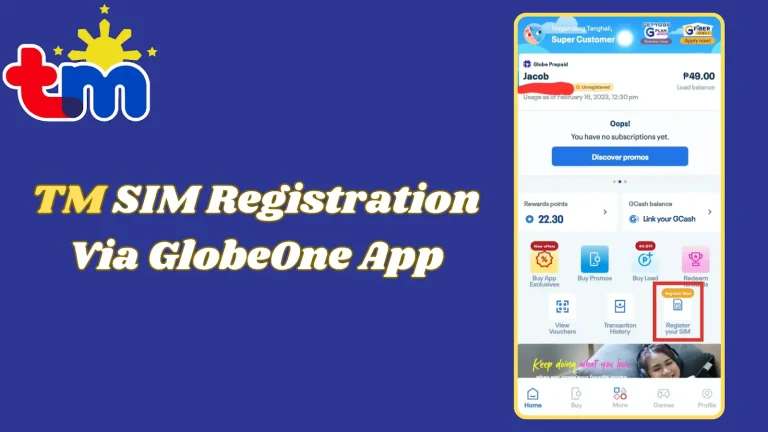
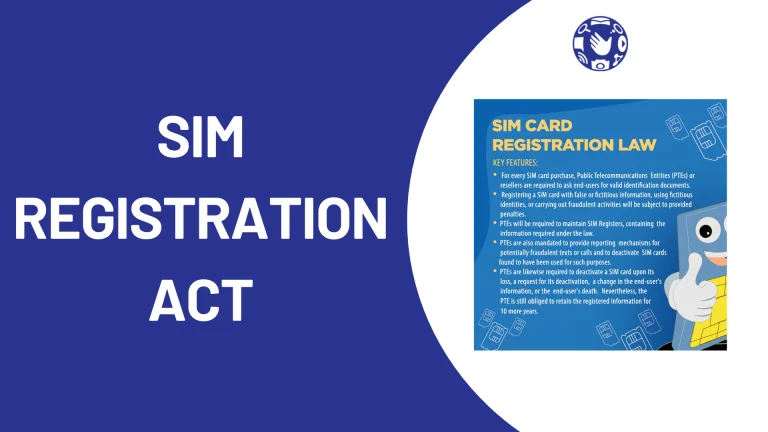
Under the SIM Registration Act, all Sun Cellular SIM cards must be registered to stay active. Sun is now part of the Smart network. Register online via the Smart portal or visit any Smart Store or authorized retailer near you. Registration is free and takes about 10 minutes.
To register a Sun SIM: Visit simreg.smart.com.ph or open the GigaLife app. Enter your 11-digit Sun number, verify with an OTP, then select your nationality and ID type. Upload a photo of your valid ID and a selfie, fill in your personal details, and submit. You will receive a reference number and a confirmation SMS once approved. Check your status at any time by dialling *888. Total time: about 10 minutes.
- SIM Registration Act compliant
- About 10 minutes
- 100% Free
- Now on Smart network
- Go to registration site or app
- Enter number and verify OTP
- Select nationality and ID type
- Upload ID photo and selfie
- Submit and save reference number
Step-by-Step Registration Overview
-
Sun SIM registration runs through the Smart network. Register online at the Smart SIM portal or visit any Smart Store or authorized retailer in person.
The full guide covers the GigaLife app option and special requirements for minors and foreign nationals.
-
On the registration page, enter your 11-digit Sun number, accept the terms, and click Send OTP. You will receive a one-time password on your SIM to confirm ownership.
Keep your SIM inserted so the OTP arrives on the number you are registering.
-
Fill in your personal details, then choose your government-issued ID. Sun accepts 15 types including Passport, Driver’s License, National ID, SSS ID, Voter’s ID, and UMID.
The full guide lists all 15 accepted IDs and covers special cases for minors, tourists, and OFWs.
-
Upload a clear photo of your valid ID and scan your face. Poor image quality is the most common reason registrations are declined.
The full guide covers photo tips and what to do if your upload is rejected or no SMS arrives after 24 hours.
-
Review your details, tick the confirmation box, and submit. A reference number appears on screen and a confirmation SMS is sent once approved.
Save your reference number. You will need it to follow up with support at *888 or (02) 8888-1111.
-
Check your status via the GigaLife app (account profile then SIM status), the Smart portal at simreg.smart.com.ph, or by calling *888.
Unregistered SIMs are deactivated under the SIM Registration Act. Register before your deadline to keep your number.
These steps give you an overview of the registration process.
Read Full Guide for More InformationWho Needs to Register a Sun SIM?
Requirements for SUN SIM Registration
To register your SUN SIM, you will need the following documents:
- Valid Identification (ID):
Government-issued ID such as (must include a photo and be current/unexpired):
- Passport
- Driver’s License
- National ID (PhilSys ID)
- SSS ID
- GSIS e-Card
- OWWA ID
- BIR ID (TIN)
- Voter’s ID
- Senior Citizen’s Card
- UMID
- PWD ID (Persons with Disabilities)
- NBI Clearance
- PRC ID
- Police Clearance
- Student ID (for users 18+ with current school year)
- For minors, the guardian’s ID and proof of relationship (e.g., birth certificate) may be required.
- Personal Information:
- Full name, date of birth, gender, nationality, address, zip code, and contact details.
- Proof of Address (if applicable):
- Utility bills, hotel booking (for tourists), or any official document showing your residence; required for foreigners along with visa/return ticket or Alien Employment Permit.
- SUN SIM Card Number
How to Register a SUN SIM Card?
Registering your SUN Cellular SIM is simple and can be done using three convenient methods.
- SUN SIM Online Registration (Via Link)
- SUN SIM In-Person Registration
Below are the detailed process for each method:
SUN SIM Online Registration


SUN SIM In-Person Registration
How to Check Your SUN SIM Card Registration Status?
If you’re unsure about your SUN SIM registration status, here’s how to verify:
Useful Features and Support Services for Sun SIM Users
USSD Menu Access
Sun Cellular offers an easy-to-use USSD menu. By dialing *247#, both prepaid and postpaid users can access exclusive offers and services directly on their mobile phones.
Benefits of the USSD menu:
Text Hotline for Assistance
For any queries about Sun services, you can send a text message to 1200 using the keyword SUNSAGOT. This 24/7 text hotline provides assistance with promotions, services, and more.
Account-Specific SMS Menus
Sun SIM users can also access account-specific options through SMS:
General Inquiry Service
For general service-related questions, text SUNSAGOT to 1200. This service ensures continuous support for all customers, whether prepaid or postpaid.
Prepaid Balance Requirement
Prepaid users must maintain a minimum balance of ₱1.00 to access the SUN Sagot services. This small balance ensures seamless access to tools like the USSD menu and text hotline.
International Services for Sun SIM
Sun SIMs are ideal for OFWs with features like:
How to Load Your Sun SIM
You can load balance in your SUN sim by following methods:
Online Load Through Digital Wallets and Apps
You can load your Sun SIM anytime using mobile apps. The load is credited instantly, and some apps also give cashback or bonus data.
Load Using the GigaLife App (Official Smart / TNT / Sun App)
- Download the GigaLife App from the Google Play Store or Apple App Store.
- Open the app and log in or register using your 11-digit Sun mobile number.
- On the home screen, tap “Load” or “Buy Load/Promo.”
- Select the regular load amount (for example ₱10 to ₱500) or choose a promo package like GIGA Video or UNLI 5G.
- Select your payment method such as:
- Credit or debit card
- GCash
- Maya
- Other supported digital wallets
- Confirm the payment.
- You will receive an SMS confirmation once the load is added to your account.
Extra benefit: The app sometimes offers exclusive promos, cashback, or bonus data for users who load through GigaLife.
Load Using the GCash App
- Open the GCash app.
- Tap “Load” or “Buy Load.”
- Choose “Smart” network (Sun is part of the Smart network).
- Enter your Sun mobile number.
- Select the load amount or promo package.
- Confirm the payment using your GCash wallet balance.
The load will be added instantly, and GCash sometimes offers 5% to 10% cashback promotions.
Load Using the Maya App (formerly PayMaya)
- Open the Maya app.
- Tap “Load” on the home screen.
- Select the Smart network (this also supports Sun numbers).
- Enter the Sun mobile number you want to load.
- Choose the load amount or promo bundle.
- Add a message if you want (optional).
- Slide to confirm payment using your Maya wallet or linked card/bank.
You will receive an SMS confirmation after the transaction. Maya often runs cashback promos on Smart/Sun loads, especially during selected days of the week.
2. Retailers and Physical Loading
You can also buy load using cash from thousands of stores across the Philippines.
Places Where You Can Buy Load
You can visit stores such as:
- 7-Eleven
- Ministop
- Mercury Drug
- SM Hypermarket
- Puregold
- Palawan Pawnshop
- Local mobile load retailers or sari-sari stores
Steps to Load Your Sun SIM at a Store
- Go to the cashier or load retailer.
- Tell them “Load for Sun SIM Card Number.”
- Tell the amount you want to load (for example ₱50).
- Give them your Sun mobile number.
- Pay the amount in cash.
- You will receive an SMS confirmation once the load is successfully added.
Tip: Some retailers offer combo loads that include regular load plus a promo at a discounted price.
3. Load Using the USSD Menu (*123#)
You can also load your Sun SIM directly from your phone without internet.
Steps
- Open your phone’s dial pad.
- Dial *123# and press Call.
- A menu will appear on the screen.
- Select “Load” or “Buy Load.”
- Choose the amount or promo you want.
- Confirm your selection.
Note: You may need at least ₱1 balance to complete the transaction.
Share Load Using Pasaload
If another Sun or Smart user wants to send you load, they can use Pasaload.
Steps:
- Open the Messages app.
- Type the message in this format:
“PASALOAD amount mobile number”
Example: PASALOAD 50 09123456789
- Send the message to 808.
- The load will be transferred instantly.
4. Auto-Load or Recurring Setup
If you regularly use mobile data or calls, you can set up automatic loading so your balance is topped up on a schedule.
Auto-Load Through the GigaLife App
- Open the GigaLife app.
- Go to the “Auto-Load” or “Subscribe” section.
- Choose a recurring amount (for example ₱100 every month).
- Link your payment method such as a card, GCash, or Maya.
- Confirm the setup.
You can pause, change the amount, or cancel the auto-load anytime in the app.
Many auto-load plans provide bonus data or promo credits, such as extra data for monthly loads.
Auto-Load Through Banks or Retail Partners
Some bank mobile apps also allow you to set up automatic mobile load payments.
- Open your bank app.
- Go to Bills Payment or Mobile Load.
- Add your Sun mobile number.
- Enable auto-debit or recurring payment.
Some banks offer small bonus credits like ₱5 to ₱20 extra load for monthly automatic top-ups.
Registration Deadlines and Consequences
It’s essential to register your Sun SIM before the deadline specified by the government. Failure to register your SIM can lead to:
Potential difficulty in recovering your number if deactivated.
SUN SIM Data Packages
Sun SIM users enjoy a wide range of data, call, and text packages, now aligned with Smart/TNT offerings. Here are some popular ones (check for updates via *123# or GigaLife app, as they may vary):
SURF Plus 20 (Data Package)
Data | Price | Validity | Extras |
3000 MB | 20 PHP | 2 Days | Unli text msgs + 100 MB for apps like FB/IG |
SURF Plus 50 (Data Package)
Data | Price | Validity | Extras |
1 GB | 50 PHP | 3 Days | Unli text msgs + daily app allocations |
Call & Text Packages
Call & Text Combo 20
Call | Price | Validity | Extras |
30 minutes to Sun, Smart, and TNT numbers | 20 PHP | 2 Days | 50 SMS to all networks + 100 MB data |
Call & Text Combo 50
Call | Price | Validity | Extras |
100 minutes to Sun, Smart, and TNT numbers | 50 PHP | 5 Days | 50 SMS to all networks + 500 MB data |
Additional Promos
SUN sim offer following additional promos:
Promo Name | Price (PHP) | Inclusions | Validity | Activation |
|---|---|---|---|---|
POWER ALL FB 99 | 99 | 10GB data (with FB access), Unli calls & texts to all networks | 7 days | Buy via GigaLife app, *123#, or store.smart.com.ph |
POWER ALL TIKTOK 99 | 99 | 10GB data (with TikTok access), Unli calls & texts to all networks | 7 days | Buy via GigaLife app, *123#, or store.smart.com.ph |
POWER ALL FB 149 | 149 | 16GB data (with FB access, free unli 5G), Unli calls & texts to all networks | 7 days | Buy via GigaLife app, *123#, or store.smart.com.ph |
POWER ALL TIKTOK 149 | 149 | 16GB data (with TikTok access, free unli 5G), Unli calls & texts to all networks | 7 days | Buy via GigaLife app, *123#, or store.smart.com.ph |
POWER ALL FB 449 | 449 | 30GB data (with FB access, free unli 5G), Unli calls & texts to all networks | 28 days | Buy via GigaLife app, *123#, or store.smart.com.ph |
POWER ALL TIKTOK 449 | 449 | 30GB data (with TikTok access, free unli 5G), Unli calls & texts to all networks | 28 days | Buy via GigaLife app, *123#, or store.smart.com.ph |
POWER ALL KHAN ACADEMY 99 | 99 | 10GB data (with Khan Academy access, free unli 5G), Unli calls & texts to all networks | 7 days | Buy via GigaLife app, *123#, or store.smart.com.ph |
POWER ALL 59 | 59 | 5GB open access data | 3 days | Buy via GigaLife app, *123#, or store.smart.com.ph |
UNLI 5G W/ NON-STOP DATA 85 | 85 | Unli 5G data + non-stop 4G data | 3 days | Buy via GigaLife app, *123#, or store.smart.com.ph |
UNLI 5G W/ NON-STOP DATA 30 | 30 | Unli 5G data + non-stop 4G data | 1 day | Buy via GigaLife app, *123#, or store.smart.com.ph |
UNLI 5G W/ NON-STOP DATA 185 | 185 | Unli 5G data + non-stop 4G data | 7 days | Buy via GigaLife app, *123#, or store.smart.com.ph |
UNLI 5G W/ NON-STOP DATA 360 | 360 | Unli 5G data + non-stop 4G data | 15 days | Buy via GigaLife app, *123#, or store.smart.com.ph |
UNLI 5G W/ NON-STOP DATA 749 | 749 | Unli 5G data + non-stop 4G data | 28 days | Buy via GigaLife app, *123#, or store.smart.com.ph |
5G BOOST 30 | 30 | 2GB high-speed 5G data | 1 day | Buy via GigaLife app, *123#, or store.smart.com.ph |
MAGIC DATA 99 | 99 | 2GB open access data | No expiry (maintain ₱1 balance) | Buy via GigaLife app, *123#, or store.smart.com.ph |
MAGIC DATA 149 | 149 | 3GB open access data | No expiry (maintain ₱1 balance) | Buy via GigaLife app, *123#, or store.smart.com.ph |
MAGIC DATA 249 | 249 | 8GB open access data | No expiry (maintain ₱1 balance) | Buy via GigaLife app, *123#, or store.smart.com.ph |
MAGIC DATA 349 | 349 | 16GB open access data | No expiry (maintain ₱1 balance) | Buy via GigaLife app, *123#, or store.smart.com.ph |
MAGIC DATA 449 | 449 | 26GB open access data | No expiry (maintain ₱1 balance) | Buy via GigaLife app, *123#, or store.smart.com.ph |
MAGIC DATA 549 | 549 | 38GB open access data | No expiry (maintain ₱1 balance) | Buy via GigaLife app, *123#, or store.smart.com.ph |
MAGIC DATA 649 | 649 | 50GB open access data | No expiry (maintain ₱1 balance) | Buy via GigaLife app, *123#, or store.smart.com.ph |
MAGIC DATA 749 | 749 | 65GB open access data | No expiry (maintain ₱1 balance) | Buy via GigaLife app, *123#, or store.smart.com.ph |
MAGIC DATA 988 | 988 | 88GB open access data | No expiry (maintain ₱1 balance) | Buy via GigaLife app, *123#, or store.smart.com.ph |
ALL DATA 50 | 50 | 2GB shareable data | 3 days | Buy via GigaLife app, *123#, or store.smart.com.ph |
ALL DATA 99 | 99 | 6GB shareable data | 7 days | Buy via GigaLife app, *123#, or store.smart.com.ph |
ALL DATA 299 | 299 | 24GB shareable data (auto-renews) | 30 days | Buy via GigaLife app, *123#, or store.smart.com.ph |
ALL DATA 599 | 599 | 48GB shareable data | 60 days | Buy via GigaLife app, *123#, or store.smart.com.ph |
VLOGS 5 | 5 | Access to vlogs & lifestyle videos for 1 hour via watchapp.ph | 1 hour | Buy via GigaLife app, *123#, or store.smart.com.ph |
WATCHAPP 5 | 5 | 1 episode of series & entertainment videos within 6 hours via watchapp.ph | 6 hours | Buy via GigaLife app, *123#, or store.smart.com.ph |
WATCHAPP 10 | 10 | 1 full-length regular movie within 12 hours via watchapp.ph | 12 hours | Buy via GigaLife app, *123#, or store.smart.com.ph |
WATCHAPP 15 | 15 | 1 full-length premium movie within 12 hours via watchapp.ph | 12 hours | Buy via GigaLife app, *123#, or store.smart.com.ph |
ALL NET W/ LANDLINE 50 | 50 | 30 min landline calls, 500MB data, Unli calls & texts to all networks | 3 days | Buy via GigaLife app, *123#, or store.smart.com.ph |
ALL NET W/ LANDLINE 99 | 99 | 60 min landline calls, 1GB data, Unli calls & texts to all networks | 7 days | Buy via GigaLife app, *123#, or store.smart.com.ph |
ALL NET W/ LANDLINE 299 | 299 | 120 min landline calls, 2GB data, Unli calls & texts to all networks | 28 days | Buy via GigaLife app, *123#, or store.smart.com.ph |
ALL NET W/ LANDLINE 599 | 599 | 240 min landline calls, 4GB data, Unli calls & texts to all networks | 60 days | Buy via GigaLife app, *123#, or store.smart.com.ph |
ALL NET W/ LANDLINE 899 | 899 | 360 min landline calls, 6GB data, Unli calls & texts to all networks | 90 days | Buy via GigaLife app, *123#, or store.smart.com.ph |
ALL NET W/ LANDLINE 1749 | 1749 | 500 min landline calls, 8GB data, Unli calls & texts to all networks | 180 days | Buy via GigaLife app, *123#, or store.smart.com.ph |
ALL NET W/ LANDLINE 3499 | 3499 | 1000 min landline calls, 12GB data, Unli calls & texts to all networks | 360 days | Buy via GigaLife app, *123#, or store.smart.com.ph |
TU50 | 50 | Unli texts to all networks + 100MB data | 3 days | Text TU50 to 247 |
CTU50 | 50 | Unli calls & texts to all networks + 100MB data | 3 days | Text CTU50 to 247 |
SS99 | 99 | 2GB data + Unli texts + 100 mins calls | 7 days | Text SS99 to 247 |
SS30 | 30 | 300MB data + Unli texts + 30 mins calls | 3 days | Text SS30 to 247 |
WATTPAD10 | 10 | Unli Wattpad access | 1 day | Text WATTPAD10 to 247 |
What to Do If You Lose Your Registration Number?
Please do not panic if you lose your Sun SIM registration number. You can get it back by calling Sun Cellular’s customer service at *888 or (02) 8888-1111. Before giving you a new registration number, they will usually ask for some personal information to make sure that person requesting the new registration number is genuine. You can also check via the GigaLife app or portal.
Common Issues During SIM Registration
The Sun SIM signup process usually goes smoothly, but users may run into problems from time to time. Here are some usual issues and how to fix them:
Conclusion
Registering your Sun SIM is crucial to ensure uninterrupted service and compliance with Philippine law. Don’t wait until the last minute to complete the process. Follow the steps outlined in this guide and register your SIM today. If you have any questions or help, visit the official Sun Cellular website or contact their support team for help.