Balance Inquiry TNT | How To Check Your TNT Balance
Keeping track of your balance is essential to ensure you have enough load for your communication and online needs. Whether you want to check your regular load, promos, or data balance, TNT offers quick and easy ways to stay updated.
TNT (Talk ‘N Text) offers multiple ways to check your balance quickly and easily — via USSD code, the GigaLife app or SMS. Below is a detailed guide for each method of balance inquiry TNT to help you stay connected!
What is TNT Balance Inquiry?
TNT balance inquiry is a service that allows subscribers to check their current load balance and promo status. It helps users monitor their usage, avoid running out of load unexpectedly, and manage their spending on mobile services.
How to Check TNT Balance
There are several convenient ways to check your TNT load balance. You can do this:
- Via USSD Code
- Using the GigaLife App
- TNT Balance Inquiry Via SMS
Each method is simple and works instantly.
Via USSD Code *123#
One of the fastest ways to check your TNT balance is by using a USSD code. This method works on any mobile phone without needing internet access.
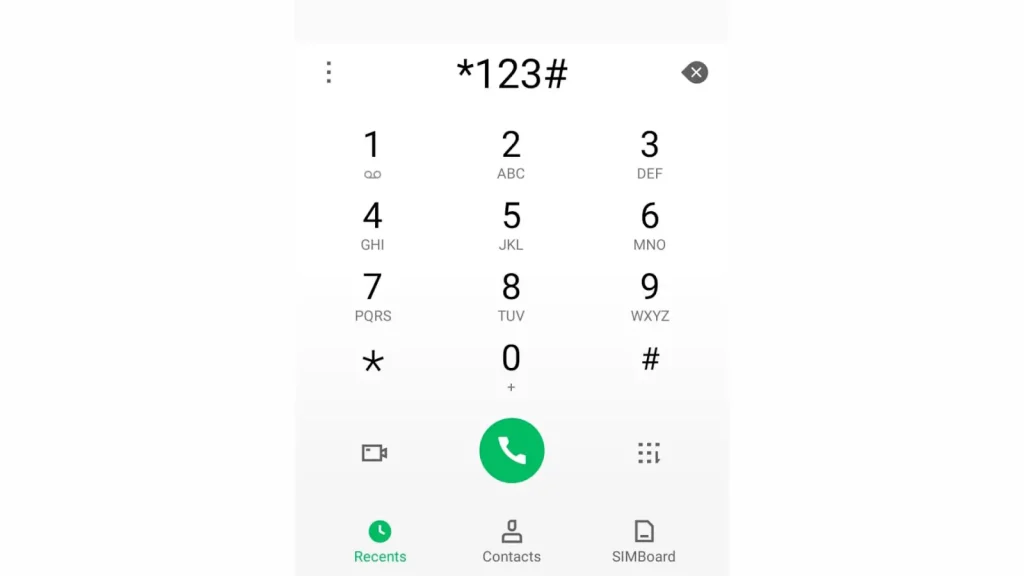
- Open the dial pad on your mobile phone.
- Dial *123# and press the call button.
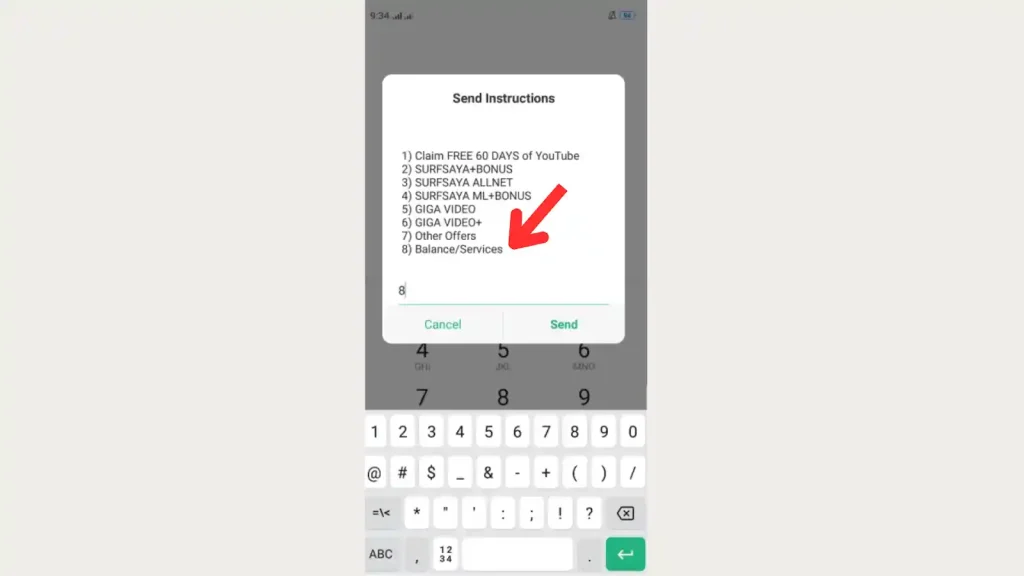
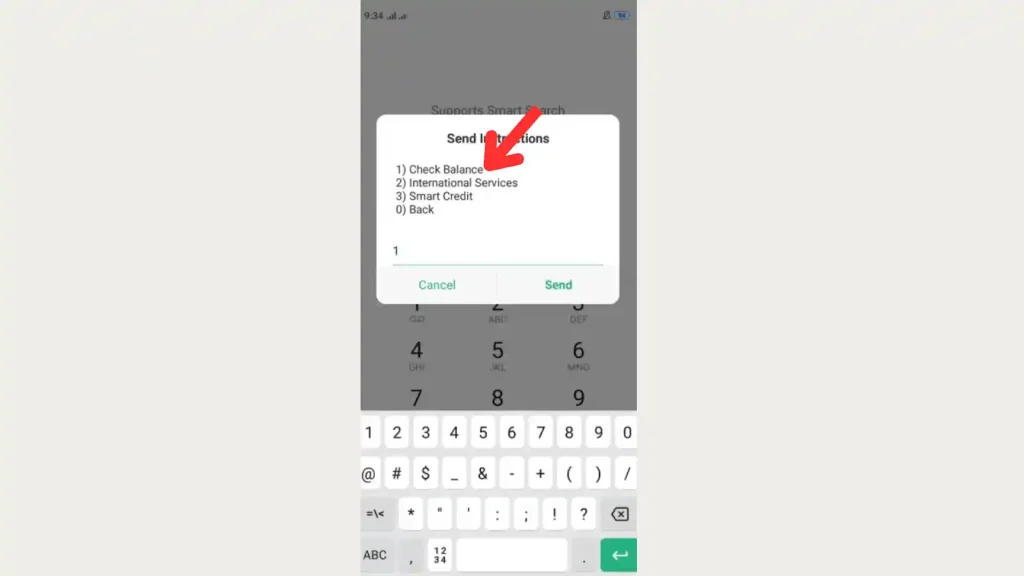
- Type 8 for Balance / Services and click “Send”.
- Type 1 for balance check and click “Send”.
- Type Yes or No and click Send.
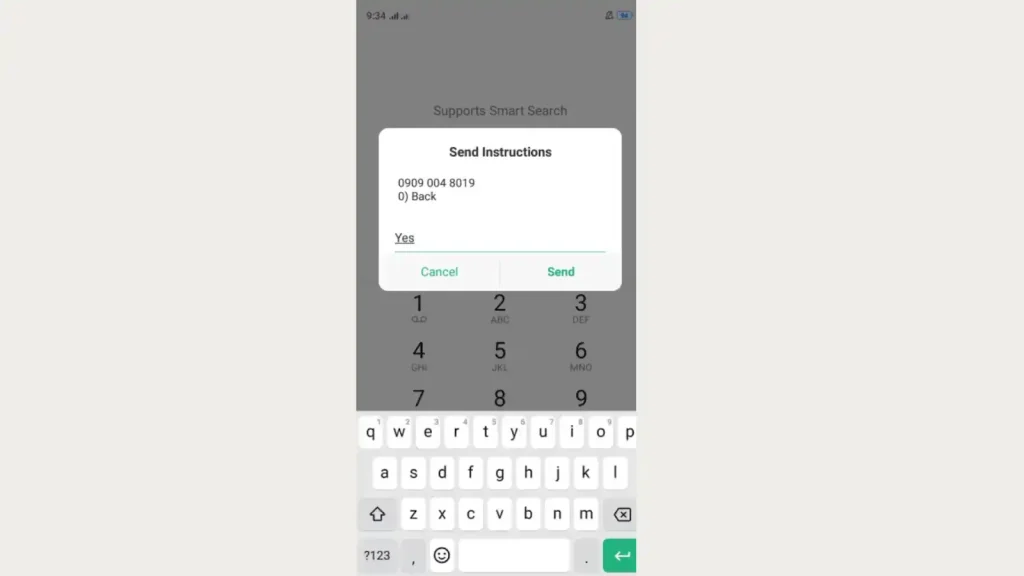
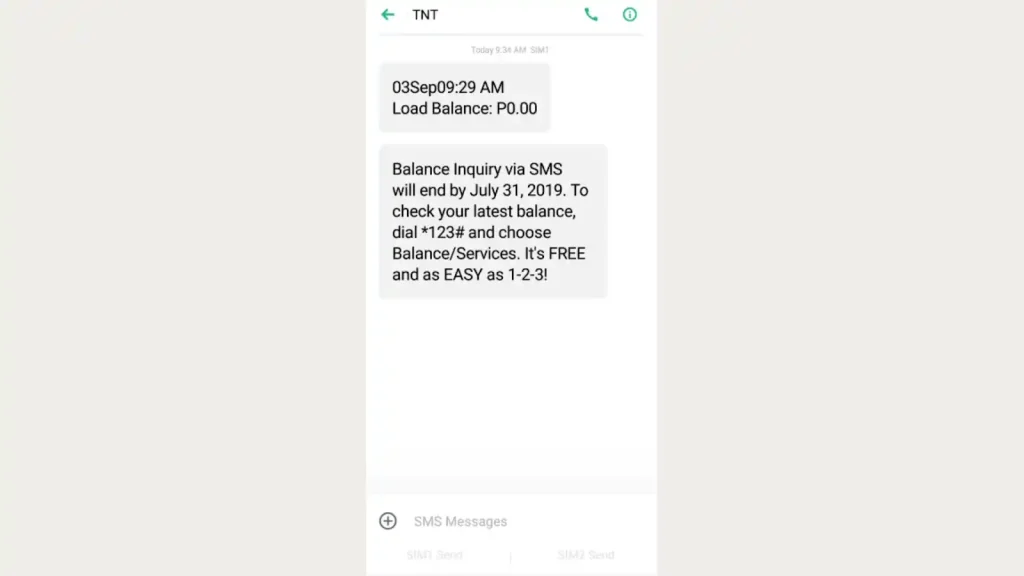
- Wait for a message showing your remaining load balance.
Using the TNT App
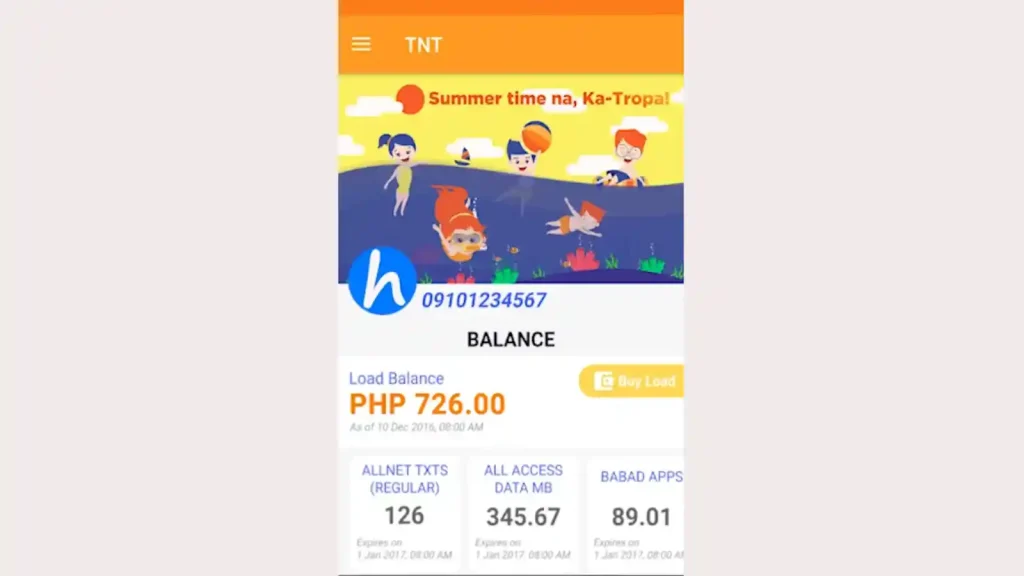
If you prefer a digital method, you can check your balance using the Smart GigaLife app or the official TNT website. This is a convenient option if you have internet access.
Through SMS
For those who prefer texting, you can also check your balance via SMS.
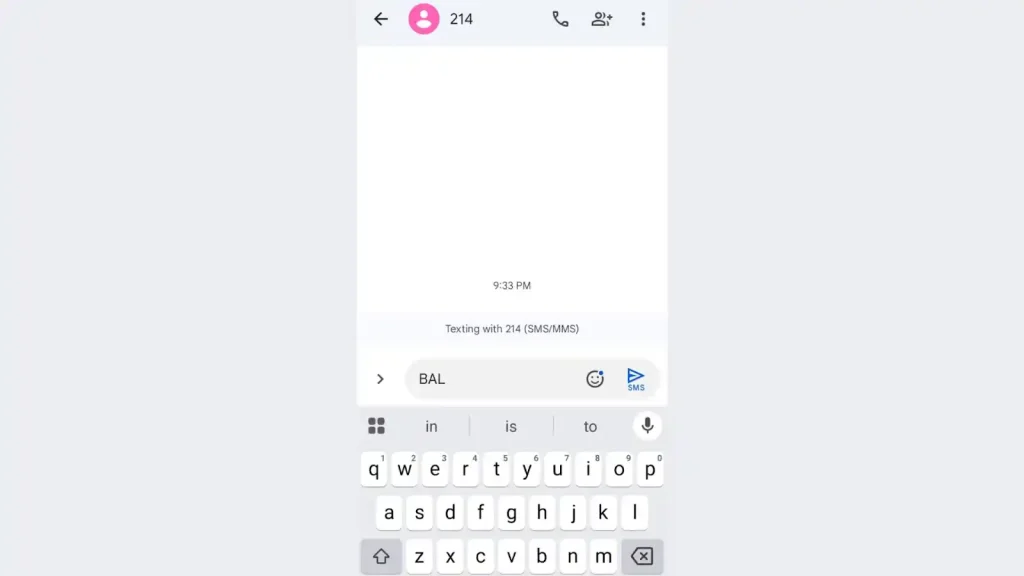
Note: This method is quick and works without an internet connection.
Troubleshooting Balance Inquiry Issues
If you encounter problems while checking your TNT balance, try these solutions:
- Check Signal Strength: Ensure your phone has a stable TNT signal.
- Restart Your Phone: Sometimes, a quick restart can resolve network issues.
- Use Another Method: If USSD is not working, try SMS or the GigaLife app.
- Contact Customer Service: Dial *888 for TNT customer support assistance.
Conclusion
Checking your TNT balance is simple and can be done through USSD codes, SMS, or the GigaLife app. Whether you have internet access or not, there are multiple ways to stay updated on your load balance.
Regularly monitoring your balance ensures you can always stay connected. Choose the method that works best for you and never run out of load unexpectedly.