How to Register Globe SIM for Minors Under 18 in 2026 (Easy Guide for Parents)
Registering your Globe SIM is essential to comply with the Philippines’ SIM Registration Act, ensuring safety and security in telecommunications. But what if you’re a minor? The process may seem challenging, but Globe has allowed individuals under 18 to register their SIM cards with proper guidance.
Minors can register their Globe SIM through two convenient methods: online registration or visiting a Globe store in person. Both options are made to ensure the process is accessible and easy to follow, with assistance from parents or guardians when needed.
Here’s a simple guide for minors on how to register their Globe SIM, either online or in person.
Globe Sim Registration for Minors Key Information
Category
Details
Age
7 to 17 years old
Who registers
Parent or legal guardian (must be 18+)
Documents needed
Guardian’s valid government ID + proof of relationship (birth certificate)
Why It’s Important for Minors to Register Their Globe SIM?
Registering your Globe SIM is not just a legal requirement, but it also serves several purposes:
Security: Registration helps prevent the misuse of SIM cards for illegal activities.
Access to services: A registered SIM allows the user to fully access mobile services such as calls, texts, mobile data, and more.
Accountability: It ensures that SIM cards are linked to real people, making it easier to track and resolve issues in case of misuse.
For minors, it’s especially crucial because the government wants to ensure that all mobile phone activities, including online interactions, are safe and responsible.
Requirements for Minor SIM Registration
The parent or legal guardian must register the SIM under their own name. The minor’s details are added as the user.
Documents You Need:
Parent/guardian’s valid government-issued ID (PhilID, passport, driver’s license, or voter’s ID)
Proof of relationship (birth certificate showing the parent’s name)
Minor’s details (full name, date of birth, gender, address)
Clear selfie of the parent/guardian (taken during registration)
Note: No extra signed consent form or police clearance is required.
Special note for eSIM: The same documents and process apply if you are registering a Globe eSIM for your child.
How to Register a Globe SIM As a Minor?
Minor can register their globe SIM by two different methods:
Online Registration
In-Person Registration
Online Registration
If you prefer the convenience of registering your Globe SIM at home, you can do it online. Here’s how:
Enter your 10-digit Globe mobile number in the box. After it, click on “Register”.
Globe will send a one-time OTP (One Time Password) on the mobile number you provided. Enter that OTP into the provided field.
Fill Out Personal Information:
Provide the following details for the minor:
Full name
Date of birth (to confirm they are a minor)
Address
Globe SIM number
Enter the parent/guardian’s details:
Full name
Contact number
Government-issued ID details
After it, choose your registration type such as New or Old SIM registration.
Upload Documents:
Upload and scan clear, legible copies of:
The minor’s valid ID (e.g., Birth Certificate).
The parent/guardian’s valid ID.
The signed consent form from the parent/guardian.
You’ll also be prompted to take live selfie of yourself.
Double-check all information to ensure accuracy.
Click the “Submit” button to complete the registration.
After submission, you will receive an SMS or reference number confirming that the registration was successful.
Minors can also register their globe SIM through the GlobeOne App, and the registration process is the same as the online registration.
Through the GlobeOne App
Download or open the GlobeOne app from the Google Play Store or Apple App Store.
Log in or create your account using your Globe number.
Once you created the account you will see unregistered SIM tap on it then you will be asked to register your SIM.
Enter the 10-digit Globe mobile number you want to register.
Enter the 6-digit OTP sent to your phone.
Fill in the parent/guardian’s personal details (full name, birthday, gender, address, nationality).
Select from the type of SIM Registration for a minor/child and enter the minor’s details (full name, date of birth, gender, address).
Upload and scan clear photo of the parent/guardian’s valid ID and the birth certificate as proof of relationship.
Take a clear selfie of the parent/guardian complete trust analysis.
Review everything and tap Submit.
You will see a confirmation with your reference number right in the app.
Take screenshot of reference number.
In-Person Registration
If you prefer face-to-face assistance or don’t have access to an online platform, you can register your Globe SIM in person at a Globe store.
Visit the nearest Globe store in your area. It’s best to go during business hours for smooth processing.
Tell the staff you want to register a SIM for a minor.
Provide the necessary documents at the store:
The minor’s valid ID (e.g., Birth Certificate).
The parent or guardian’s valid ID.
The signed consent form from the parent/guardian.
Complete the registration form with the required details for both the minor and the parent/guardian.
Submit the completed form and the documents to a Globe representative for processing.
The representative will process the registration and provide you with confirmation that the SIM has been successfully registered. You will also receive an SMS or email confirming the registration.
What Happens if a Minor Fails to Register the SIM?
If a minor fails to register their Globe SIM card, the SIM will be deactivated after the deadline set by the government. This means you won’t be able to make calls, send messages, or use mobile data.
It’s essential to complete the registration before the deadline to avoid any disruptions to your mobile services.
Common Mistakes to Avoid
Letting the minor register alone (the system will not allow it).
Uploading blurry ID photos.
Forgetting to indicate it is for a minor during online or app registration.
Using an expired ID.
Globe Customer Support
For any help or questions you can contact globe customer service by calling at the following numbers:
Globe mobile: Dial 211 for free
Landline: Dial (02) 7730-1000 for free
Conclusion
SIM card registration is essential for all users, including minors. By following the steps outlined in this blog, you can easily register your Globe SIM with the help of a parent or guardian. Not only does this help ensure compliance with the law, but it also contributes to making communication safer and more secure for everyone.
If you have any questions or encounter any issues during the registration process, don’t hesitate to reach out to Globe customer support for assistance.
Frequently Asked Questions
Yes, minors can register their Globe SIM cards. However, the process requires the involvement of a parent or legal guardian. This is to ensure that the minor’s identity is verified and the registration is legitimate.
Each SIM card must be registered individually. If you have more than one Globe SIM, you will need to follow the registration process for each one.
A parent or guardian can register a minor’s Globe SIM by providing their personal information and verifying their relationship with the minor through documents like a birth certificate. The registration process must be done through the Globe SIM registration portal or the GlobeOne app.
Once your Globe SIM is successfully registered and verified, you should be able to use it immediately for calls, texts, and data services. Make sure you follow the registration steps carefully to avoid any delays.
Skip to step-by-step guide TNT Philippines · SIM Registration Guide 2026 How to Register Your TNT SIM Card Online in the Philippines Under the SIM Registration Act, all Talk N Text SIM cards must be registered to stay active. You can register your TNT SIM online, through the GigaLife app, or at any TNT store….
If you’re a DITO user looking to enjoy affordable calls, texts, and data, registering for a DITO SIM promo is a smart choice. Many users face confusion when trying to register for promos, especially with the different options and steps involved. The good news is that registering for a DITO SIM promo is quick and…
SIM Registration is essential for legal and security issues. Checking your Globe SIM registration details online can be a simple process, but there might be some confusion about which process to follow. The main issue is simply figuring out the steps based on the type of Globe SIM you have (Globe Prepaid, Globe Postpaid, Globe…
Ran out of load and want the Go50 freebie? The Go50 promo gives you 5GB of all-access data plus unlimited calls and texts to Globe and TM for 3 days. After subscribing, you can easily claim the freebie by texting FREE to 8080 or using the GlobeOne App. In this complete 2026 guide, you will…
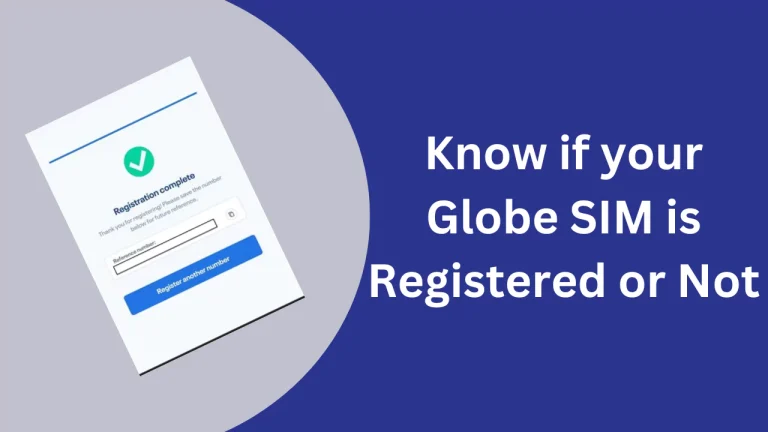
Is your SIM card registered or at risk of deactivation? Many users are unsure, and ignoring it can lead to losing calls, texts, and mobile data under the SIM Registration Act (RA 11934). The confusing part is that every network follows a slightly different process. This makes it hard to know which code to use…
Staying connected with fast internet connection is more important than ever, and TNT (Talk ‘N Text) makes it easier with their Unli Data offers. Whether you want streaming, browsing social media, or chatting with friends, TNT’s unlimited data promos allow you to enjoy the internet without worrying about running out of data. Keep reading to…