Losing or damaging a SIM card can be a problem, especially if it’s linked to important accounts, mobile banking, or contacts. Fortunately, Globe Telecom’s subsidiary TM (Touch Mobile) allows users to replace their SIM keeping the same number by visiting a globe store.
This means you don’t have to worry about updating your number with banks, apps, or contacts.
Keep reading to find out how you can quickly replace your TM SIM and keep your number!
Reasons for Replacing a TM SIM
There are several reasons why you may need to replace your TM SIM while keeping the same number:
Lost or Stolen SIM: If your phone or SIM card was lost or stolen, replacing it ensures you regain access to your number.
Damaged or Defective SIM: A physically damaged or not working SIM needs a replacement to restore network access.
Expired SIM: If your TM SIM has been inactive for an extended period, it may be deactivated. You can request a replacement to reactivate your number.
Requirements for TM SIM Replacement
Before visiting to a TM or Globe Store, make sure to prepare the following:
Valid ID (Government-Issued)
To confirm your identity, bring any of the following:
Passport
Driver’s License
National ID (PhilSys ID)
SSS, UMID, or GSIS Card
PRC ID
Voter’s ID
Old SIM Card (If Available)
If your old SIM is still with you (but damaged or inactive), bring it along for verification.
Proof of Ownership
If you don’t have the old SIM, you may need to provide details such as:
Recent call or text history
PUK code (from the SIM card packaging)
Registered details (name, birthday, address)
Replacement Fee (If Applicable)
Some Globe Stores may charge a small SIM replacement fee (typically around PHP 40 – PHP 99).
If you’re upgrading to a 4G/5G SIM, the replacement will be free.
Affidavit of Loss
If your SIM was lost or stolen, some Globe Stores can require this document as proof.
How to Replace a TM SIM with the Same Number
Follow these steps to replace your TM SIM and retain your number:
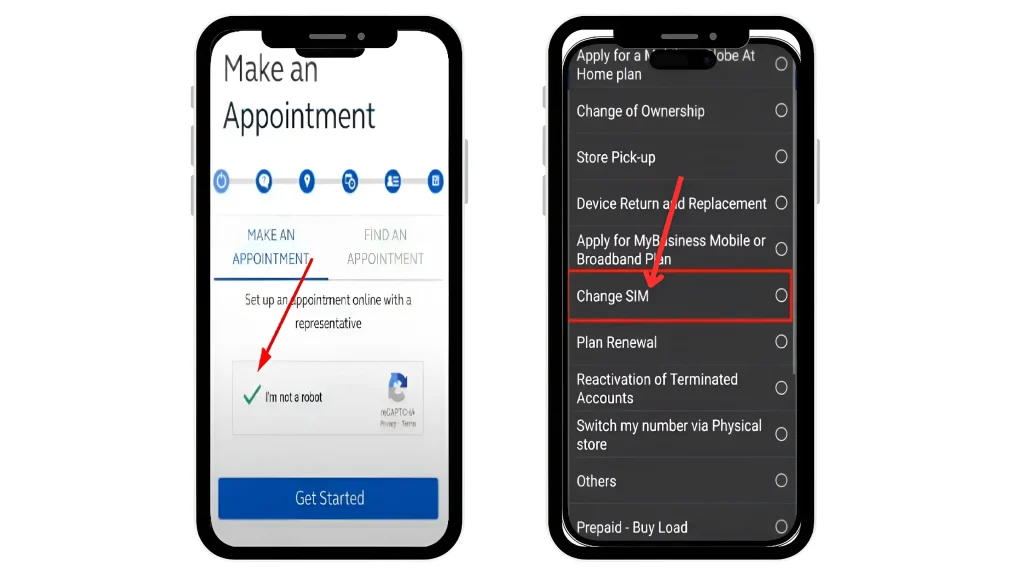
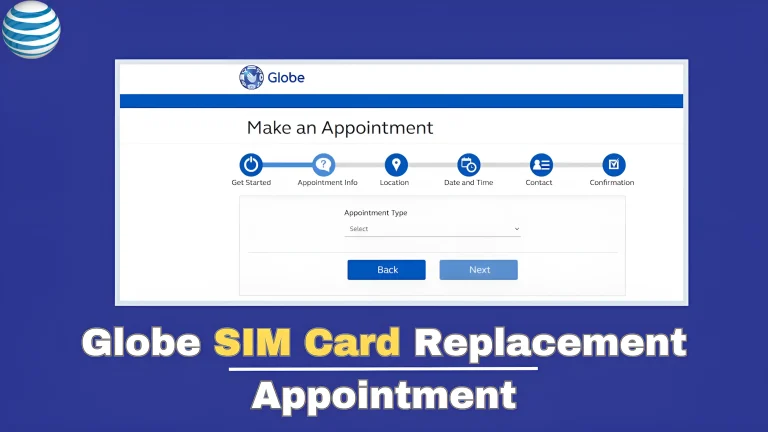
Open the browser of your device and go to the globe SIM replacement appointment page
To make an appointment and verify your identity, first complete the CAPTCHA.
From the menu, select the “Change SIM” option.
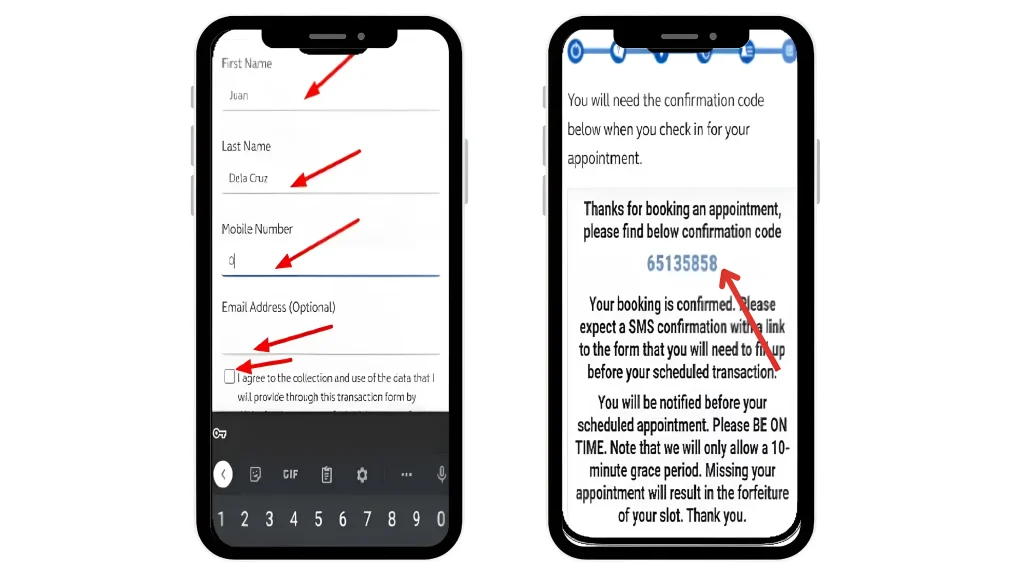
Enter your details (name, mobile number, address) and agree to the terms.
Save the confirmation code and arrive on time on your appointment day.
Find the nearest Globe Store or TM Partner Retailer in your area.
Bring your valid ID, old SIM (if available), and proof of ownership.
Inform the customer service representative that you need a SIM replacement with the same number.
They will verify your details to confirm ownership.
Once verified, you will receive a new TM SIM with your old number.
Insert the new SIM into your phone and restart the device.
Activation usually takes a few minutes to a few hours. You will receive a confirmation SMS once it’s active.
Steps for TM SIM Replacement for Minors
Minors can replace their TM SIM with the same number by follow the steps below:
Visit a TM / Globe store.
Collect all necessary documents like Minor’s birth certificate / guardians ID.
Request a globe customer service for a SIM replacement for a minor, using the same number.
They will verify your details and issue a new SIM card.
Conclusion
Replacing your TM SIM while keeping the same number is a simple process as long as you have the necessary documents. Whether your SIM is lost, damaged, or expired, visiting a Globe Store and following the steps outlined above will help you regain access to your number.
To avoid SIM issues in the future, keep a copy of your recent transactions, and registered details for easy verification.
FAQs || YOU MAY WANT TO KNOW
In-store replacements are usually completed within the same day. If processing online or via delivery, it may take 1-3 business days.
Some stores can charge a fee (around PHP 40 – PHP 99), while others offer free replacements, especially for upgrading to 4G/5G SIMs.
Yes, but the authorized person must bring:
A signed authorization letter from the SIM owner.
A copy of the SIM owner’s valid ID.
Their own valid ID for verification.
If your Globe SIM is not working, you may switch to a different network if you have a dual-SIM phone or use a different SIM card temporarily.
Yes, if your SIM was deactivated due to inactivity, you can request a replacement, but approval depends on TM’s policies.
Access Point Name (APN) settings allow your device to connect to a mobile network and access the internet. If you’re a DITO Telecommunity user in the Philippines, having the correct DITO APN settings is essential for smooth mobile data and MMS functionality. Incorrect or missing APN settings may result in slow internet speeds or no…
DITO Telecommunity is one of the fastest-growing telecommunication providers in the Philippines. With its affordable data packages and reliable services, many Filipinos have switched to DITO for their mobile and internet needs. Whether you need help with SIM registration, account issues, or technical support, knowing how to contact DITO customer service is essential. Below, you’ll…
Ever run out of load on your Globe SIM at the worst possible moment? You know that frustrating feeling when you need to text, call, or browse but your balance is zero. Good news Globe lets you borrow load instantly through loan offers, even if you have no money left. After registered your globe sim,…
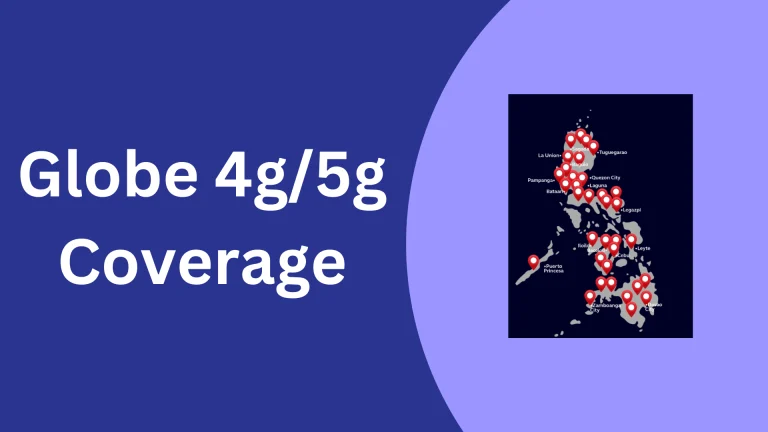
Struggling with slow internet or unsure if your area really has strong 4G or 5G coverage? You are not alone. Globe’s 4G & 5G coverage map is often the first place people check when they want to know if their area has strong network support. With massive expansion in both 4G & 5G networks, Globe…
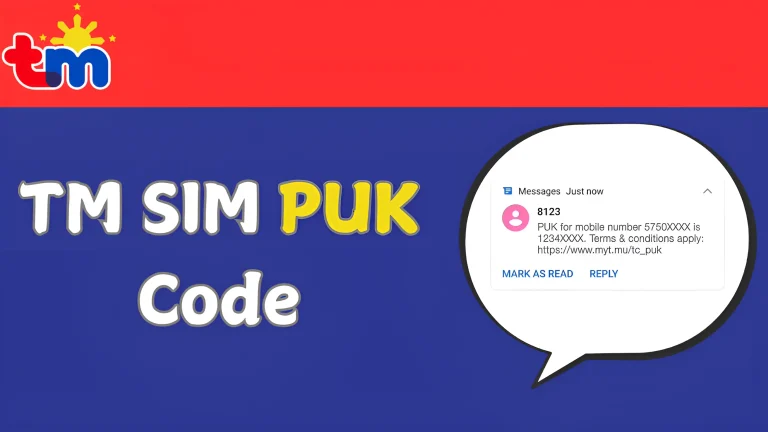
Entering the wrong PIN several times on your TM SIM card can lead to your SIM being blocked. When this happens, you will need a TM SIM PUK code to unlock your SIM and regain access to your mobile services. TM provides various ways to assist customers with this issue, including visiting the website (https://puk.myt.mu),…
A Globe SIM replacement is necessary when your SIM card is lost, stolen, damaged, or outdated. Whether you need to upgrade to an LTE/5G SIM or recover a lost number, Globe Telecom requires users to book an appointment before visiting a store to get a replacement. This system was introduced during the COVID-19 to manage…