Globe Postpaid Roaming [Monthly Subscription, Rates, Charges, Activation Process ]
Planning a trip abroad but worried your Globe Postpaid phone won’t work there? Many people face no signal problem when they land, can’t call family, no maps, and a scary bill later. Good news! In 2026, Globe made roaming super easy and cheap for postpaid users by introducing Globe postpaid roaming promos.
You can turn it on quickly (just dial *143# it’s free even abroad), get unlimited data for only ₱399 per day in over 120 countries with Roam Surf 399, or choose longer plans that cost less per day. Book them ahead up to 1 year using the GlobeOne app so everything is ready when you arrive.
Enjoy fast 5G in many places at no extra charge, share data with friends or family, and check your usage anytime in the app to stay safe from big bills.
How to activate roaming globe postpaid?
Globe phone plans for paying later (postpaid) usually already have roaming turned on. But there are times it might be off, like if you turned it off before, or your plan is for internet only, or your plan is low cost (below 600 pesos).
Here are a few steps to activate roaming globe postpaid:
Globe Roaming Rates for Postpaid Users
Globe strongly recommends using promos to avoid high pay-per-use charges. Globe uses two zones:
Rates are in Philippine Pesos (PHP), with no hidden taxes/surcharges.
Note: Pay-per-use applies only if no promo is active Globe strongly recommends promos to avoid these high charges.
Service | Zone 1 (Asia-Pacific, America) | Zone 2 (Europe & Africa) |
Outgoing Calls (per minute) | PHP 120 | PHP 150 |
Incoming Calls (per minute) | PHP 60 | PHP 75 |
Outgoing SMS (per 160 characters) | PHP 20 | PHP 25 |
Incoming SMS | Free | Free |
Latest Globe Postpaid Roaming Promos 2026
Globe offers flexible data promos that automatically activate abroad. Pre-book up to 1 year ahead via the GlobeOne app to lock in savings and skip bill shock! All work in 120+ countries. Here’s a clear comparison:
Promo | Data Allowance | Validity | Price | How to Register / Activate | Best For |
|---|---|---|---|---|---|
Roam Surf 399 | Unlimited all-day data (fair use policy) | 24 hours | ₱399 | Auto, turn on Mobile Data + Data Roaming | Quick trips, daily use |
Roam Surf 999 | 3 GB all-access | 5 days | ₱999 | GlobeOne app, *143#, or text ROAMSURF999 to 8080 | Short multi-country stays |
Roam Surf 1599 | 5 GB all-access | 10 days | ₱1,599 | GlobeOne app, *143#, or text ROAMSURF1599 to 8080 | Weekend getaways |
Roam Surf 2199 | 7 GB all-access | 15 days | ₱2,199 | GlobeOne app, *143#, or text ROAMSURF2199 to 8080 | Week-long trips |
Roam Surf 3199 | 10 GB all-access | 30 days | ₱3,199 | GlobeOne app or *143# | Extended travel |
Roam Surf 4299 | 15 GB all-access | 30 days | ₱4,299 | GlobeOne app or *143# | Long vacations |
Roam Surf4All 1999 | 10 GB shareable (up to 4 other users) | 5 days | ₱1,999 | GlobeOne app > Shop > Group Data tab | Traveling with family/friends |
Roam Surf4All 3399 | 15 GB shareable (up to 4 other users) | 10 days | ₱3,399 | GlobeOne app > Shop > Group Data tab | Group trips |
Roam Surf4All 4999 | 20 GB shareable (up to 4 other users) | 30 days | ₱4,999 | GlobeOne app > Shop > Group Data tab | Long group vacations |
Roam Saver | Discounted calls & texts | 7 days | ₱199 | Text ROAM SVR ON to 8080 or *143# | Calls & texts on a budget |
Bonus add-ons & extra points:
Try country-specific GoRoam packs (cheaper long-stay data in places like Thailand, South Korea, Japan, Australia, USA, UAE, and more, search by country in GlobeOne app).
How to Register Globe Postpaid Roaming Promos
To register Globe roaming postpaid promos:
Open GlobeOne app > Shop > Buy Postpaid mobile add-ons > Search by Country (or Multiple Countries). Pre-book anytime, even a year ahead!
How to Monitor Your Usage Abroad
Download or open the GlobeOne app before you leave. While roaming, check real-time data usage, promo balance, and remaining validity anytime. Set alerts to avoid overage. You can also pay your bill remotely through the app so everything stays smooth.
How to Make Calls While Roaming?
Making calls while roaming depends on two steps:
For Example, for “landline” dial the globe roaming service line +6327301000, or for “mobile phones” dial +639178000000 and press SEND.
How to Send Messages While Roaming?
The simple way to send messages is to use the international style dial “+”, country code, mobile access number, and phone number. Like, +639xxxxxxxxxx types your SMS, enter the number then click on the SEND button.
Here are also two other ways to send messages while roaming:
- Using your phone company’s plan: This is the usual way, but it can cost a lot. Check how much your phone company costs to send international text messages and pictures before you travel. Remember to type the phone number with a plus sign (+) in front, then the country code, and then the number itself.
- Free apps with Wi-fi: There are many free apps available that allow you to send text messages and make calls over Wi-Fi. These apps are a great way to avoid roaming charges, especially if you’re traveling to a country with expensive data plans. A few free apps include WhatsApp, Facebook Messenger, and Signal. These apps work by using your phone’s internet data connection, so you’ll need to be connected to Wi-Fi to use them.
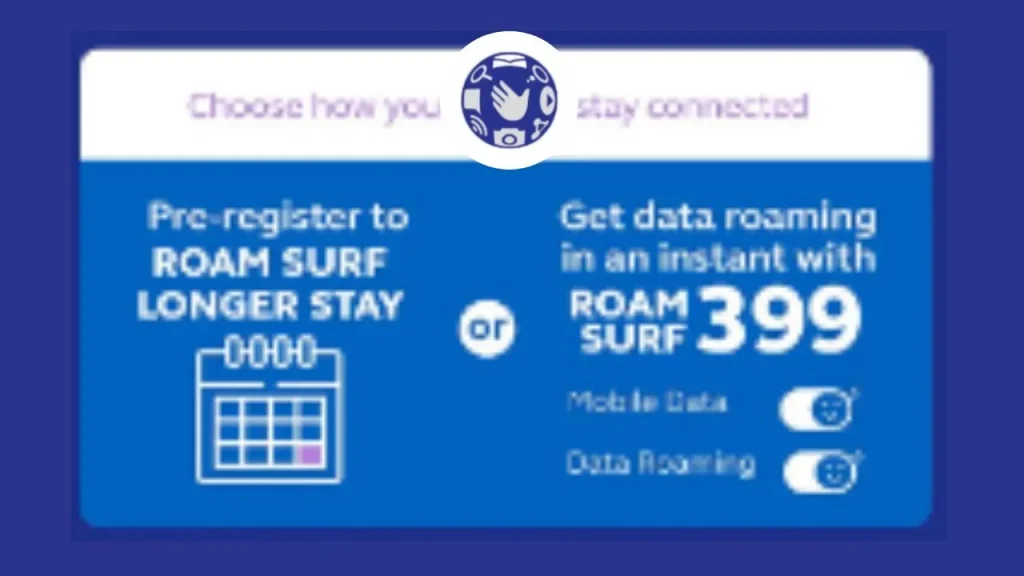
How Postpaid Users Activate Globe 5G Roaming?
Activate globe 5G roaming consists of the following steps:
Before you start:
Activating 5G Roaming:
There are two main ways to activate 5G roaming for postpaid users:
- Automatic Activation: Some carriers offer automatic activation when you use data roaming in a 5G enabled country. This might be the default option or through a specific service like “Roam Surf399“.
- Manual Activation: You might need to manually activate roaming through your carrier’s mobile app or by dialing a specific code (e.g., *100#).
Other relevant information:
Troubleshooting Globe Roaming Issues
These things can help if your internet connection drops while you’re traveling:
Extra tip: Wait 5–10 minutes after landing for partner network registration, and avoid turning on data roaming too early in the Philippines.

Conclusion
Globe lets you use your phone abroad, but checking roaming data promos before you travel is crucial to avoid bill shock. Consider choosing a roaming plan, informing Globe about your travel, using Wi-Fi whenever possible, and monitoring your data usage. This way, you can stay connected while traveling without any surprises on your phone bill!
Globe’s roaming promos, such as Roam Surf plans and shareable Roam Surf4All packages, give travelers the freedom to pick a plan that fits their travel length and data needs. Features like 5G access, advance booking through the GlobeOne app, and real-time usage monitoring help you stay in control of your connectivity and spending while overseas.
Globe’s roaming promos, such as Roam Surf plans and shareable Roam Surf4All packages, give travelers the freedom to pick a plan that fits their travel length and data needs. Features like 5G access, advance booking through the GlobeOne app, and real-time usage monitoring help you stay in control of your connectivity and spending while overseas.